Advanced Highlighting
⚪ Last updated 2024Preview
🔍 Analysis
- 👍 4.0% endorsement rate — high engagement, a strong quality signal
- 🏆 #6 of 26 Utilities mods in this game by downloads
📋 About This Mod
Advanced Highlighting
Source Code
Installation
-
[]Install QModManager
[
]Extract the downloaded file[]Place the extracted 'AdvancedHighlighting' folder into your 'SubnauticaZero\QMods' directory
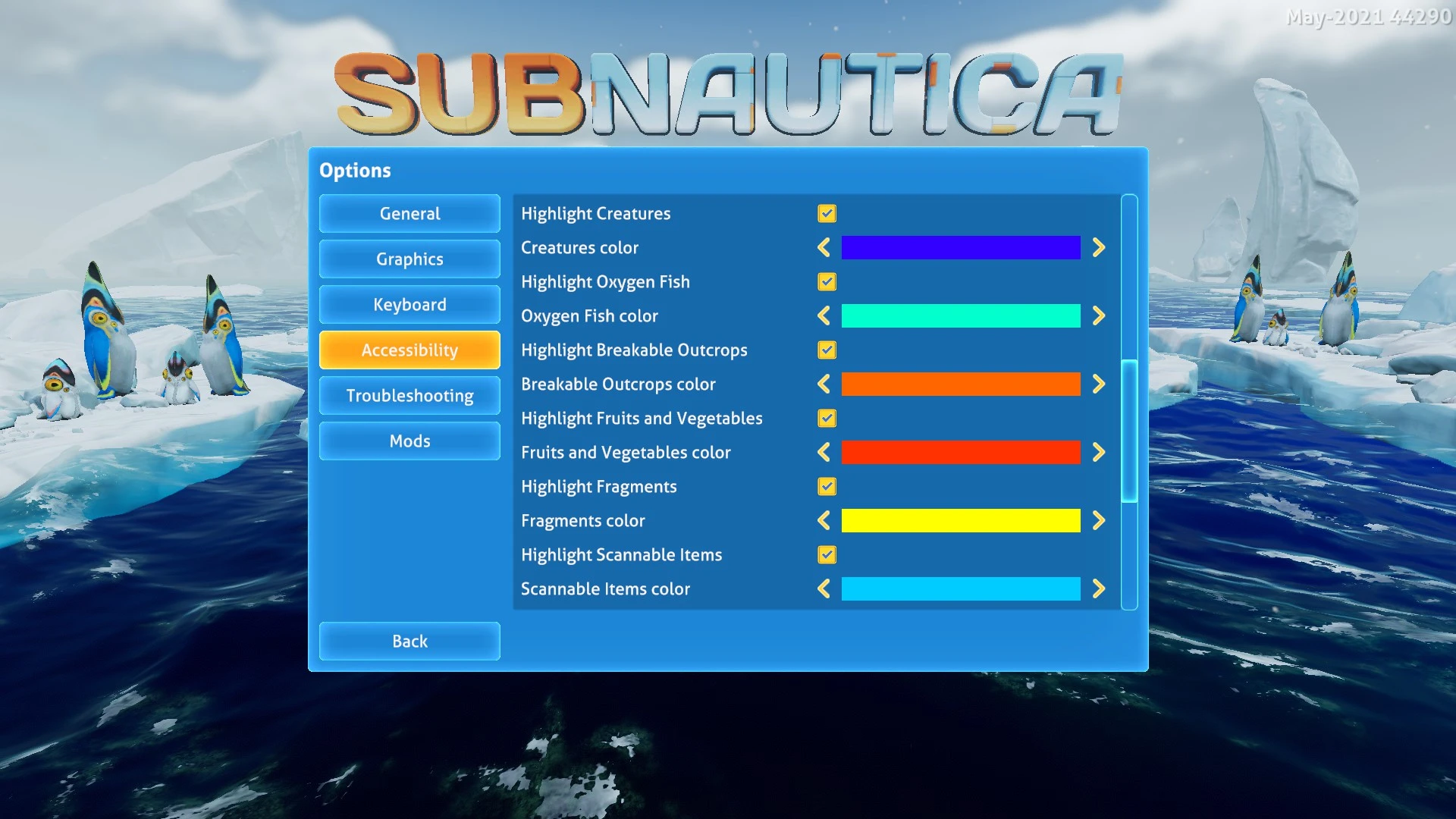
[]Toggle the Enable Highlighting option ON from the Accessibility Settings
-
[]Option to add pings (marker) to Story Items and Jukebox Disks if their highlights are enabled
[
]Option to show Notifications when a Story Item (such as PDA Logs) is nearby[]Option to show Notifications when a Jukebox Disk is nearby
[]Option to change the highlight renderer (the glow effect)
[]Option To Enable All Highlights while in Exosuit
[]Option to increase the highlight search radius
[]Option to set the minimum fade away value (When at 1. 0 highlights will not fade away when you are far)
[]Toggles to enable or disable highlights for specific types
[]Select a different color for each type
-
[]Pickupable Items
[]Pickupable Creatures
[]Pickupable Resources
[]Breakable Outcrops
[]Scannable Items
[]Scannable Fragments
[]Already Scanned Fragments
[]Interactables
[]Story Items (PDA Logs)
[]Jukebox Disks
[]Sealed Ship Doors
[]Fruits and Vegetables
[]Oxygen Fish
- Anything Else
-
[]Pickupable Items
-
[]Option to add pings (marker) to Story Items and Jukebox Disks if their highlights are enabled
Advanced Highlighting expands Subnautica's highlight system with per-item-type toggles, custom colors, and a ping for nearby PDA items. It's for players who want precise control over what gets highlighted, and its 324 endorsements show it's a trusted utility.
✨ Key Features
📊 Pros & Cons
✅ Pros
- Community-approved with 324 endorsements and 8,192 downloads.
- Lets you color-code item types so you can spot what matters at a glance.
- Adds a ping for nearby PDA items, making it easier to locate those collectibles.
⚠️ Cons
- Manual setup: you'll need to configure colors and toggles for each item type yourself.
- Only enhances the existing highlight system; doesn't add new highlightable categories beyond what's there.
- Last updated in January 2024 — possible compatibility issues with later game patches.
For Subnautica completionists who want to mark PDA items and quickly identify resource types by color. Also for players who find the default highlight too noisy and want to filter it down. Skip if you're happy with the vanilla highlight and don't need extra customization.
💡 Beginner Tips
- Install QModManager first, then drop the Advanced Highlighting folder into your QMods directory.
- After installing, tweak the config file to set per-item colors before your next dive.
- Use the ping option to locate PDA entries you've missed in wrecks and caves.
📊 Mod Details
- Game
- Subnauticabelowzero Mods
- Author
- OGMods
- Version
- 1.3.0
- Downloads
- 8,192
- Endorsements
- 324
- Category
- Utilities
- Created
- 5/23/2021
- Updated
- 1/20/2024
🔧 How to Install Subnautica: Below Zero Mods
Download from Nexus Mods.
📖 Full step-by-step install guide for Subnautica: Below Zero →
Visit the official mod page for specific installation instructions for this mod.
🎮 Need cheat codes or console commands? Check ur gaming wiki for Subnautica: Below Zero commands, item IDs, and more.
Keep browsing — more Subnautica: Below Zero mods await