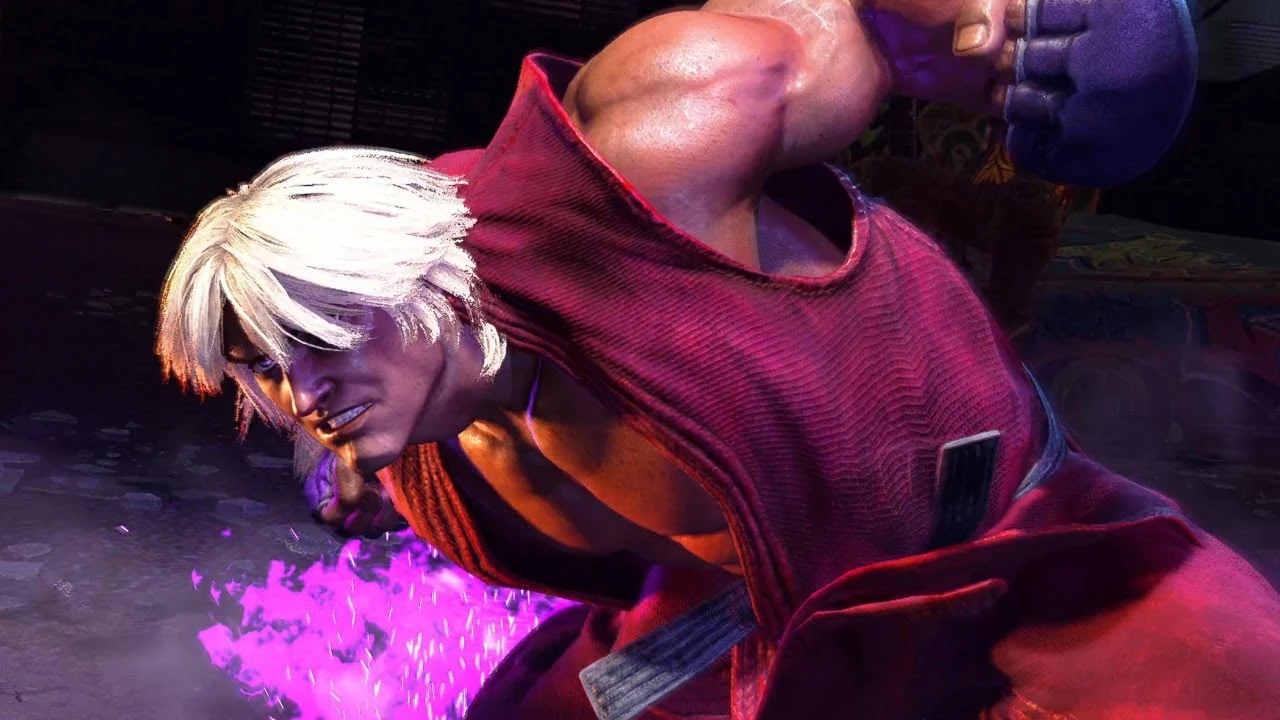
Violent Ken (Satsui No Hobo)
⚪ Last updated 2023Preview
🔍 Analysis
- 👍 3.8% endorsement rate — high engagement, a strong quality signal
- 🏆 #189 of 2283 Characters mods in this game by downloads
📋 About This Mod
Inspired by Violent/Psycho Ken from USFII with my own personal touch, made for both Costumes. Evil Ken included as a bonus color for both costumes. Optional Hairswap for more authentic look available.Also contains a swap for costume 1's
- Violent Ken, Replaces Color 1 for Costumes 1 and 2.
- Evil Ken, Replaces Color 2 for Costumes 1 and 2.
- Dante (Preorder bonus Color 10) replaces Color 4 for Costume 1
- An Optional swap for Costume 2's hair to look like Costume 1 provided by FrancisLouis.
- Extra Color requested by MrCoffeeSunny available as a bonus download, Replaces Color 10 on Costume 2
- Mods now separate for ease of customization in FluffyModManager. I recommend extracting the .rar into the FMM mods folder directly so that you can change which color replaces what as you like.
I recommend that you use thezippotm's Ken Purple VFX mod for best results!
made with EMV Engine, special thanks to alphaZomega!
TO CHANGE WHICH COLOR THIS REPLACES FOLLOW THESE SIMPLE STEPS:-
1- go to the mods folder inside your fluffy mod manager directory
2- extract the mod folder from the .rar file into that folder
3- open the mod folder you've just extracted and navigate through the folders until you arrive at 2 folders called 001 and 002 containing files named "esf010_001_cmd_001.user. 2" and such. the folder numbers correspond to the character's costume slot, and the last set of numbers in the file names correspond to the color slot.
4- in the costume's folder that you wish to change. rename the numbers in the filename to anything between 001 and 010 to replace the desired color slot to your liking. E.g. i want this color to replace color 7 so my file name will end up being "esf010_001_cmd_007.user. 2". Keep in mind that the first 001 means costume 1.
5- open fluffy mod manager and install the mod as you would any other mod. Make sure you uninstall the mod before modifying the filenames again.
📊 Mod Details
- Game
- Street Fighter 6 Mods
- Author
- Lightbringer
- Version
- 1.4
- Downloads
- 9,070
- Endorsements
- 342
- Category
- Characters
- Created
- 7/26/2023
- Updated
- 8/8/2023
🔧 How to Install SF6 Mods
Use Fluffy Mod Manager.
📖 Full step-by-step install guide for SF6 →
Visit the official mod page for specific installation instructions for this mod.
🎮 Need cheat codes or console commands? Check ur gaming wiki for SF6 commands, item IDs, and more.
Keep browsing — more SF6 mods await