Temperature overlay
⚪ Last updated 2024Preview
🔍 Analysis
- 👍 0.0% endorsement rate
- ✅ Updated 139 days after the latest game patch — actively maintained
- 🏆 #3 of 17 Interface mods in this game by downloads
📋 About This Mod
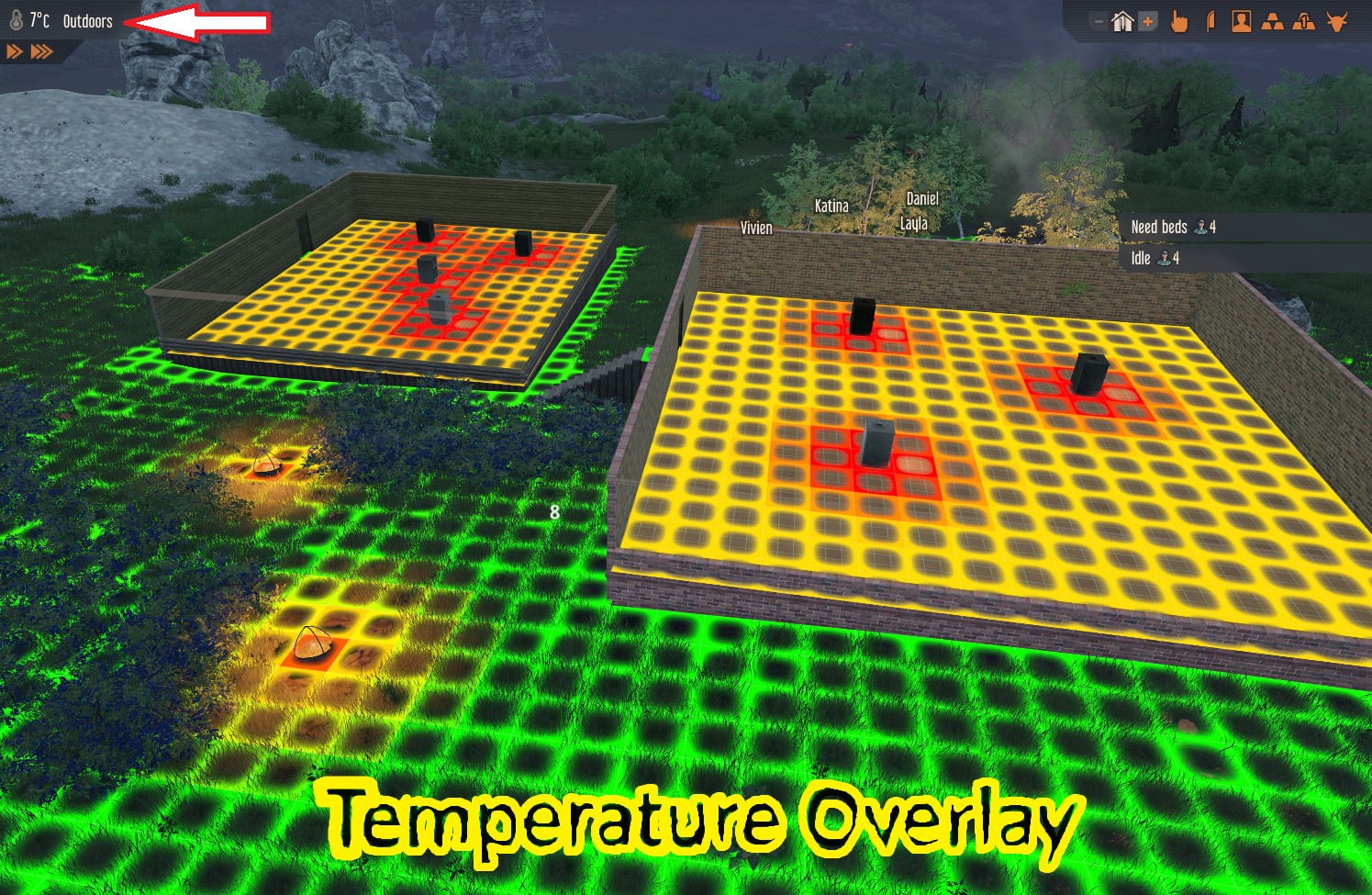
Displays a visualization of the temperature around the mouse pointer. There are two possible display modes, that can be selected in the mod options: Absolute - The area colors are defined based on absolte temperature thresholds. Relative - The area colors are selected according to the temperature difference with the mouse cursor position. As the available place on the hud is limited to add new buttons, the visualization is triggered by clicking on an existing element - the text specifying if the mouse cursor is indoors or outdoors, nеxt to the temperature display in the HUD. Alternatively, the overlay can be toggled from the keyboard by the shortcut Ctrl-T. The shortcut can be changed in the game's key bindings option menu. The mod has options to change the displayed area size and the color temperature deviation, allowing fine control over the overlay.
📊 Mod Details
- Game
- Stranded Alien Dawn Mods
- Author
- 76561198056848283
- Version
- N/A
- Downloads
- 6,599
- Endorsements
- 0
- Category
- Interface
- Created
- 8/19/2024
- Updated
- 8/20/2024
🔧 How to Install Stranded: Alien Dawn Mods
Subscribe on Steam Workshop. Mods auto-download and install. Launch the game to activate.
📖 Full step-by-step install guide for Stranded: Alien Dawn →
Visit the official mod page for specific installation instructions for this mod.
🎮 Need cheat codes or console commands? Check ur gaming wiki for Stranded: Alien Dawn commands, item IDs, and more.
Keep browsing — more Stranded: Alien Dawn mods await