AIMeE_01. Full automation
⚪ Last updated 2023Preview
🔍 Analysis
- 🏆 #386 of 1087 IC Code mods in this game by downloads
📋 About This Mod
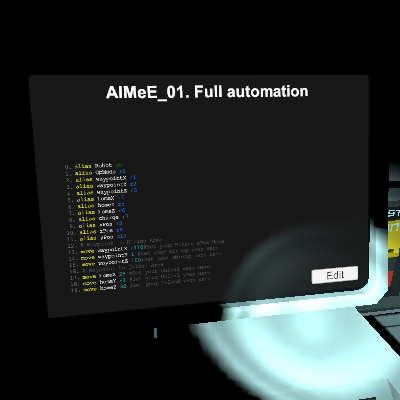
This code is adapted for the update. I had to tweak something to make it work correctly. Attention! After the latest updates, something has changed. Now in Logig Writer you need to set "Setting" instead of "On". To make the monitor that shows the battery charge turn blue, scroll to "Color" and set "Setting" again. For those who want to run some of their own code for the robot, I will give a hint .. After the update, the Robot enters the desired mode more slowly. Therefore, you need to register "sleep" for 2-3 seconds so that he has time to enter the same unloading mode. That's exactly what I corrected in this code in two places. Subscribe additionally to AIMeE_02. Full automation for the second chip. If something is not working correctly, update the code when a new version appears. The robot is fully automated and can be controlled from the base. The only time you have to run after him (fly) is when he falls into a hole. You can easily find it by the current coordinates that you will see on the monitors. The code from the Steam is taken as a basis. I don't remember the author, but thank him very much for that! There were only four monitors in the author's code. I added four more, which made it possible to control the robot completely from the base. Monitors display: 1. X-coordinates (author) 2. Y-coordinates (mine) 3. Z-coordinates (author) 4. Operating mode (author) 5. Number of ore slots filled (mine) 6. Battery charge (author) 7. Displays the extracted ore (mine) 8. Allows you to see the amount of ore in the field of view work (mine). In fact, the confident control of the robot from the base gives the addition of a monitor with Y-coordinates. The other three monitors, added by me, for information (what have you extracted, what are you carrying?), although the eighth monitor allows you to quickly detect that the ore is no longer in the Robot's field of view. Instructions for use: 1. Insert an empty processor into the Robot's head (necessarily empty). 2. Enter t
📊 Mod Details
- Game
- Stationeers Mods
- Author
- 76561198141156470
- Version
- N/A
- Downloads
- 122
- Endorsements
- 0
- Category
- IC Code
- Created
- 2/23/2023
- Updated
- 2/23/2023
🔧 How to Install Stationeers Mods
Subscribe on Steam Workshop. Mods auto-download and install. Launch the game to activate.
📖 Full step-by-step install guide for Stationeers →
Visit the official mod page for specific installation instructions for this mod.
🎮 Need cheat codes or console commands? Check ur gaming wiki for Stationeers commands, item IDs, and more.
Keep browsing — more Stationeers mods await