AirLock
⚪ Last updated 2020Preview
🔍 Analysis
- 🏆 #414 of 1087 IC Code mods in this game by downloads
📋 About This Mod
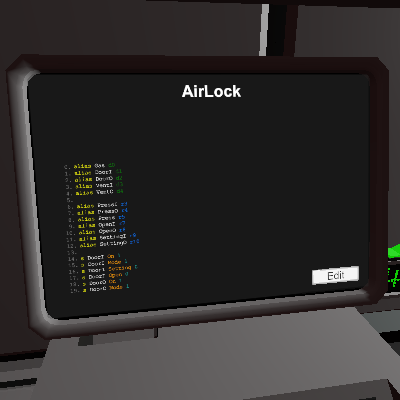
Hello about the code. 1. Connect the gas sensor to (Gas) It remembers where and how much pressure was. 2. Connect the door of the entrance to the room to (DoorI) 3. Connect the exit door to (DoorO) 4 Entrance ventilation, the one that leads to the room (VentI) 5 Ventilation outlet, the one outside (VentO) This sluice adjusts to the pressures in your exit and entry rooms. That is, it pumps up pressure as much as in the rooms on both sides of the airlock. If you play on Mars, then it will pump 2KPa on exit, you get the idea. If you need to split the pressures between rooms, this sluice is just what you need. First, the gateway is configured, the first opening will be performed immediately, since it records the sensor readings. RECOMMEND! After you have installed the chip and the doors have closed, pump out the pressure from the airlock to the room from which it was pumped, so as not to lose it. After you walk back and forth 1 time, he will write down the indicators and then he will pump up the pressure himself as expected. You can also not wait until it pumps up and just click on the door panel, by the way, this is exactly how the gateway is controlled by pressing the panel on the door. Translation via google translator. If the code doesn't work or there are suggestions, an idea. please inform
📊 Mod Details
- Game
- Stationeers Mods
- Author
- 76561198094044327
- Version
- N/A
- Downloads
- 112
- Endorsements
- 0
- Category
- IC Code
- Created
- 8/12/2020
- Updated
- 8/12/2020
🔧 How to Install Stationeers Mods
Subscribe on Steam Workshop. Mods auto-download and install. Launch the game to activate.
📖 Full step-by-step install guide for Stationeers →
Visit the official mod page for specific installation instructions for this mod.
🎮 Need cheat codes or console commands? Check ur gaming wiki for Stationeers commands, item IDs, and more.
Keep browsing — more Stationeers mods await