Deposit From Anywhere Using Car Trunk
⚪ Last updated 2021This mod may not work until the author updates it. Check for an update, or see the rollback guide.
Preview
🔍 Analysis
- 👍 3.4% endorsement rate — high engagement, a strong quality signal
- 🏆 #10 of 228 Miscellaneous mods in this game by downloads
📋 About This Mod
Works for update 26. For update 25 download the old version of the mod.
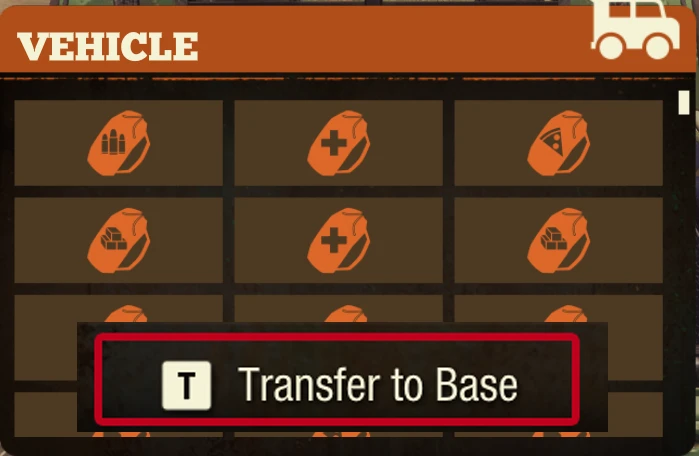
Allows depositing items from the car's trunk to community storage from any range. The only need is a car.
How to use:
Open car trunk, hover item at your inventory or car's inventory, and press "T"
How to install:
Steam:
unzip the folder and put it to %localappdata%\StateOfDecay2\Saved\Cooked\WindowsNoEditorShould be like this:
%localappdata%\StateOfDecay2\Saved\Cooked\WindowsNoEditor\StateOfDecay2\Content\GameSystems\Facility\FacilityManagerBp.uasset
----------------------------------------------------------------------------------------------------------------------------
Windows Store:
unzip the folder and put it to%localappdata%\Packages\Microsoft. Dayton_8wekyb3d8bbwe\LocalCache\Local\StateOfDecay2\Saved\Cooked\WindowsNoEditor
Should be like this:
%localappdata%\Packages\Microsoft. Dayton_8wekyb3d8bbwe\LocalCache\Local\StateOfDecay2\Saved\Cooked\WindowsNoEditor\StateOfDecay2\Content\GameSystems\Facility\FacilityManagerBp.uasset
If you don't have these folders, just create them by yourself.
If you installed the mod correctly then you will have this file by this path:
This mod lets you deposit items from your car's trunk into community storage from any distance, as long as you have a car. It's a simple quality-of-life tool for players who want to manage storage without being physically near the container. With 1,139 endorsements and 33,980 downloads, it's a proven convenience mod.
✨ Key Features
📊 Pros & Cons
✅ Pros
- Huge time-saver for base management – no more running back and forth
- Community-approved with 1,139 endorsements and 33,980 downloads
- Simple concept that just works – no complex setup
⚠️ Cons
- Only works with community storage, not other container types
- Requires a car, so early game or vehicle-less playthroughs get no benefit
- Last updated in 2021 – may have compatibility issues with newer game versions
For 7 Days to Die players who hate making multiple trips to storage and want to streamline their looting runs. If you're a solo player who relies on a vehicle for scavenging, this is a must-have. Skip if you rarely use cars or prefer to keep storage management manual.
💡 Beginner Tips
- Make sure your car is nearby when you use the deposit feature – the mod works from any range, but you still need to be in the car's vicinity to access its trunk.
- Pair this with a storage organization mod to keep your community storage tidy, since you'll be dumping items from afar.
- If you're playing on a server, check with the admin to ensure mods are allowed and everyone has the same version to avoid desync.
📊 Mod Details
- Game
- Stateofdecay2 Mods
- Author
- Spaze
- Version
- V26
- Downloads
- 33,980
- Endorsements
- 1,139
- Category
- Miscellaneous
- Created
- 9/1/2021
- Updated
- 9/26/2021
🔧 How to Install State of Decay 2 Mods
Download from Nexus Mods.
📖 Full step-by-step install guide for State of Decay 2 →
Visit the official mod page for specific installation instructions for this mod.
🎮 Need cheat codes or console commands? Check ur gaming wiki for State of Decay 2 commands, item IDs, and more.
Keep browsing — more State of Decay 2 mods await