Performance Boost for Potato PC
⚪ Last updated 2022Preview
🔍 Analysis
- 👍 3.7% endorsement rate — high engagement, a strong quality signal
- 🏆 #18 of 80 Visuals and Graphics mods in this game by downloads
📋 About This Mod
.pak file that lowers the game's default settings to the lowest to maximize performance.
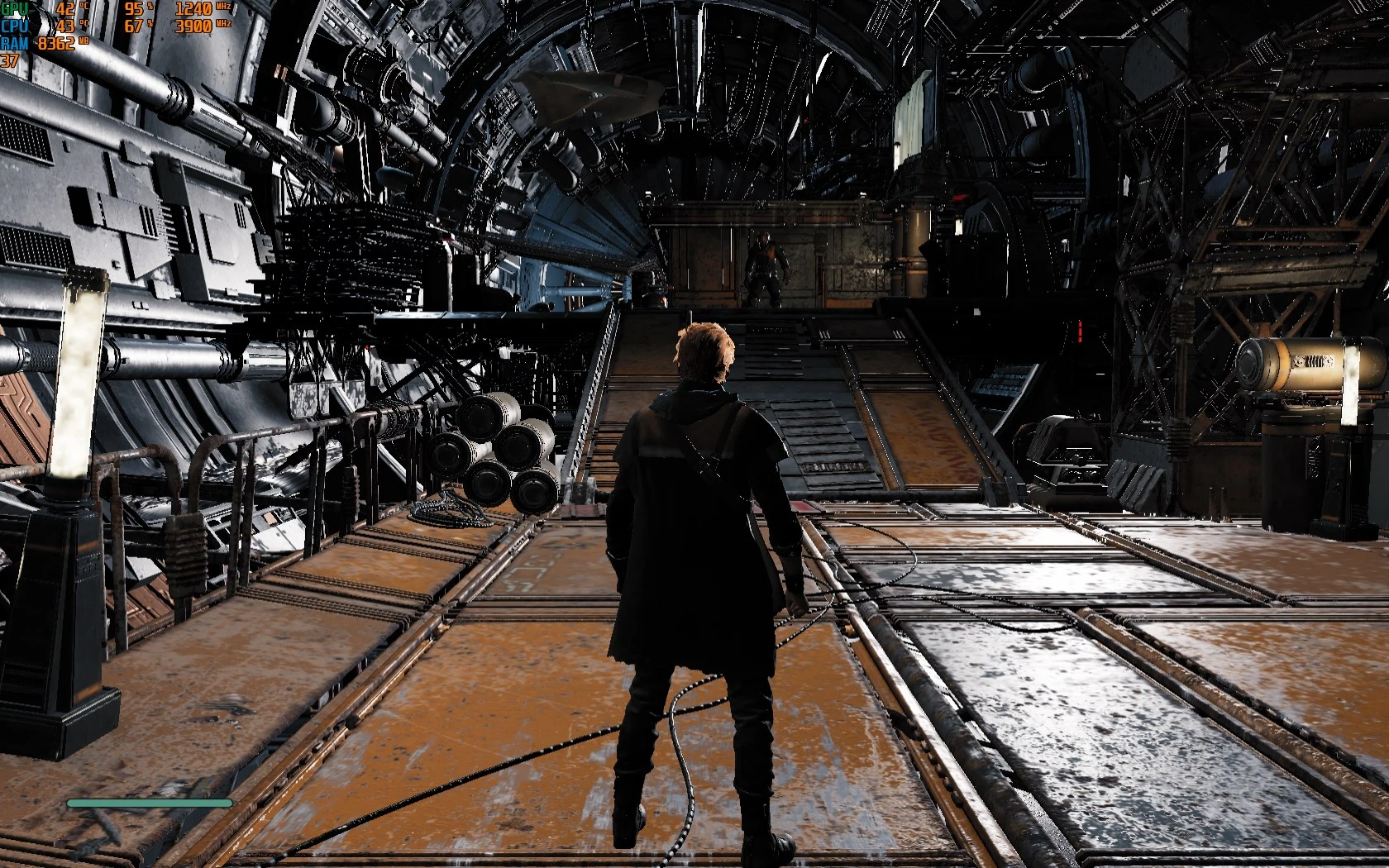
All settings are turned to their lowest. So leaving at medium is enough. Disables things like bloom, dof, blur, shadows.
Screenshots are on the lowest settings (medium) and 1650x1080. Should expect better performance on lower resolutions and by enabling dynamic resolution. I was able to hit 60 with my 3200g on this resolution and by turning dynamic resolution on.
Workaround for needing fog or shadows in some instances:
High Shadows Quality enables lower quality fog and Epic Shadows Quality enables lower quality fog and lower quality shadows.
How to use:
Go to your game's folder and go to SwGame->Content->Paks. Create a new folder in here and name it "~mods". Download my mod's files and drop the pakchunk99-WindowsNoEditor.pak file in there. Should look like this:
\Star Wars Jedi - Fallen Order\SwGame\Content\Paks\~mods\pakchunk99-WindowsNoEditor.pak
Launch the game and adjust your graphics settings from the game's menu.
3200g Radeon 8
Crucial Ballistix 16 GBs 3200Mhz
📊 Mod Details
- Game
- Starwarsjedifallenorder Mods
- Author
- yakuzadeso
- Version
- v1
- Downloads
- 4,701
- Endorsements
- 176
- Category
- Visuals and Graphics
- Created
- 4/29/2022
- Updated
- 4/29/2022
🔧 How to Install Star Wars Jedi: Fallen Or Mods
Download from Nexus Mods.
📖 Full step-by-step install guide for Star Wars Jedi: Fallen Or →
Visit the official mod page for specific installation instructions for this mod.
🎮 Need cheat codes or console commands? Check ur gaming wiki for Star Wars Jedi: Fallen Or commands, item IDs, and more.
Keep browsing — more Star Wars Jedi: Fallen Or mods await