1st Person
⚪ Last updated 2022Preview
🔍 Analysis
- 👍 3.5% endorsement rate — high engagement, a strong quality signal
- 🏆 #22 of 59 Gameplay mods in this game by downloads
📋 About This Mod
!! ----> Brief overview < ---- !!
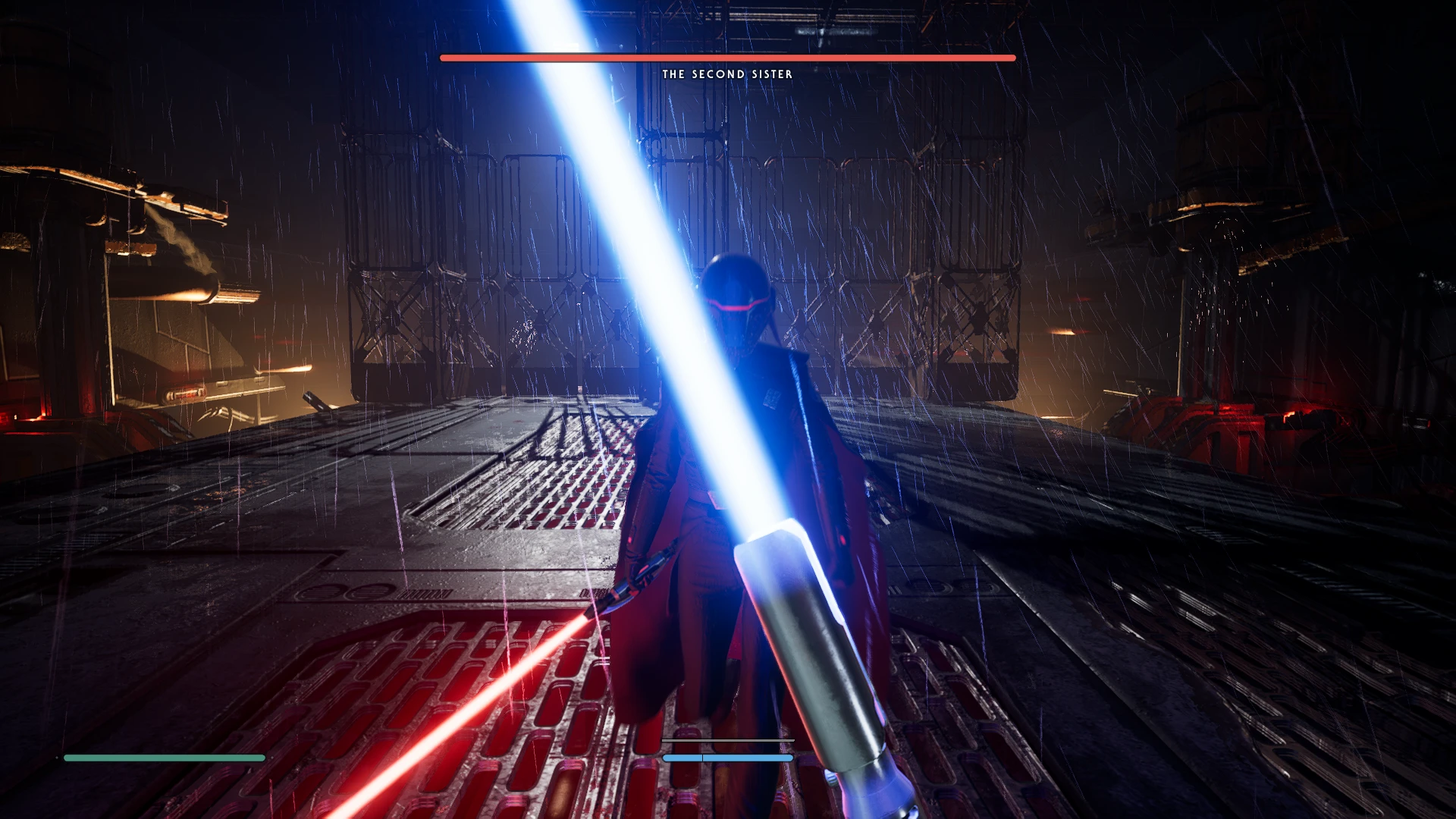
This mod adds a first person mode to the game, Press V to toggle between 1st and 3rd person, also includes a FOV slider and mouse/joystick sensitivity slider for 1st person mode.
0chYpS9fULM
!! ----> Install Instructions <---- !!
Requirements:
-> Unreal Mod Loader
-> Fallen Order Mod Handler
Video Tutorial by AlexPo:
mrxNG63I9P8
Installing The Unreal Mod Loader (Skip This Step If You Have Already Installed It)
-> Download UML >> Unreal Mod Loader
-> Install UML >> inside the UML Tools folder is an autoinjector place the contents in Jedi Fallen Order\SwGame\Binaries\Win64 and follow the instructions of the readme.txt file
Installing The Fallen Order Mod Handler (Skip This Step If You Have Already Installed It)
-> Download FOMH >> Fallen Order Mod Handler
-> Install FOMH >> extract contents using 7zip or winrar into Jedi Fallen Order folder
Installing 1st Person Mod
-> Download Mod
-> Extract contents of zip file to Jedi Fallen Order\SwGame\Content\Paks\LogicMods using winrar or 7zip
!! ----> Usage < ---- !!
-> Press V to toggle between 1st and 3rd person
-> To change FOV or mouse sensitivity press F1 to open UML Console, then 1st person mod buttons and press "Open Settings" (settings will not save)
3NOq6o81iDo
Update 1. 1
-> Fixed Default being FOV set to 90 despite displaying as 100
-> Controller Support Added
-> Perspective Toggle Key Mapping Added Remapping Showcase
Update 1. 2
-> Fixed Aspect Ratio being constrained to 16:9
!! ----> Known Issues < ---- !!
-> The cutscene where you save Prauf is very messed up
-> Using the map is very weird in first person (you can switch to 3rd person when the map is open)
-> Meditation training uses wrong camera when placing enemies (switch to 3rd person b
Adds a first-person camera mode with a V-key toggle between first and third person. Includes FOV and mouse/joystick sensitivity sliders for first-person adjustments. For players seeking an immersive perspective change. Community-approved with 325 endorsements and over 9,000 downloads.
✨ Key Features
📊 Pros & Cons
✅ Pros
- 325 endorsements — community-tested and approved.
- 9,162 downloads shows this mod fills a real need.
- Built-in FOV and sensitivity sliders mean no separate mods needed.
⚠️ Cons
- Last updated 2022 — may be incompatible with current game version.
- No mention of key rebinding for V toggle — conflicts possible if V is already used.
For players who want to experience the game from a first-person perspective with a quick toggle. For those who want to fine-tune their camera with FOV and sensitivity sliders without external tools. Skip if you prefer third-person or need extensive camera customization beyond basic sliders.
💡 Beginner Tips
- Press V in-game to switch camera; if V is used by another action, check the mod's config file (if any) to change it.
- Start with default FOV, then adjust gradually to avoid motion sickness.
- Use the sensitivity slider to match your third-person aiming feel for a smoother transition.
📊 Mod Details
- Game
- Starwarsjedifallenorder Mods
- Author
- Kboykboy
- Version
- 1.2
- Downloads
- 9,162
- Endorsements
- 325
- Category
- Gameplay
- Created
- 2/1/2022
- Updated
- 2/5/2022
🔧 How to Install Star Wars Jedi: Fallen Or Mods
Download from Nexus Mods.
📖 Full step-by-step install guide for Star Wars Jedi: Fallen Or →
Visit the official mod page for specific installation instructions for this mod.
🎮 Need cheat codes or console commands? Check ur gaming wiki for Star Wars Jedi: Fallen Or commands, item IDs, and more.
Keep browsing — more Star Wars Jedi: Fallen Or mods await