The Red Eel
⚪ Last updated 2014Preview
🔍 Analysis
- 👍 4.0% endorsement rate — high engagement, a strong quality signal
- 🏆 #12 of 83 Custom Ships mods in this game by downloads
📋 About This Mod
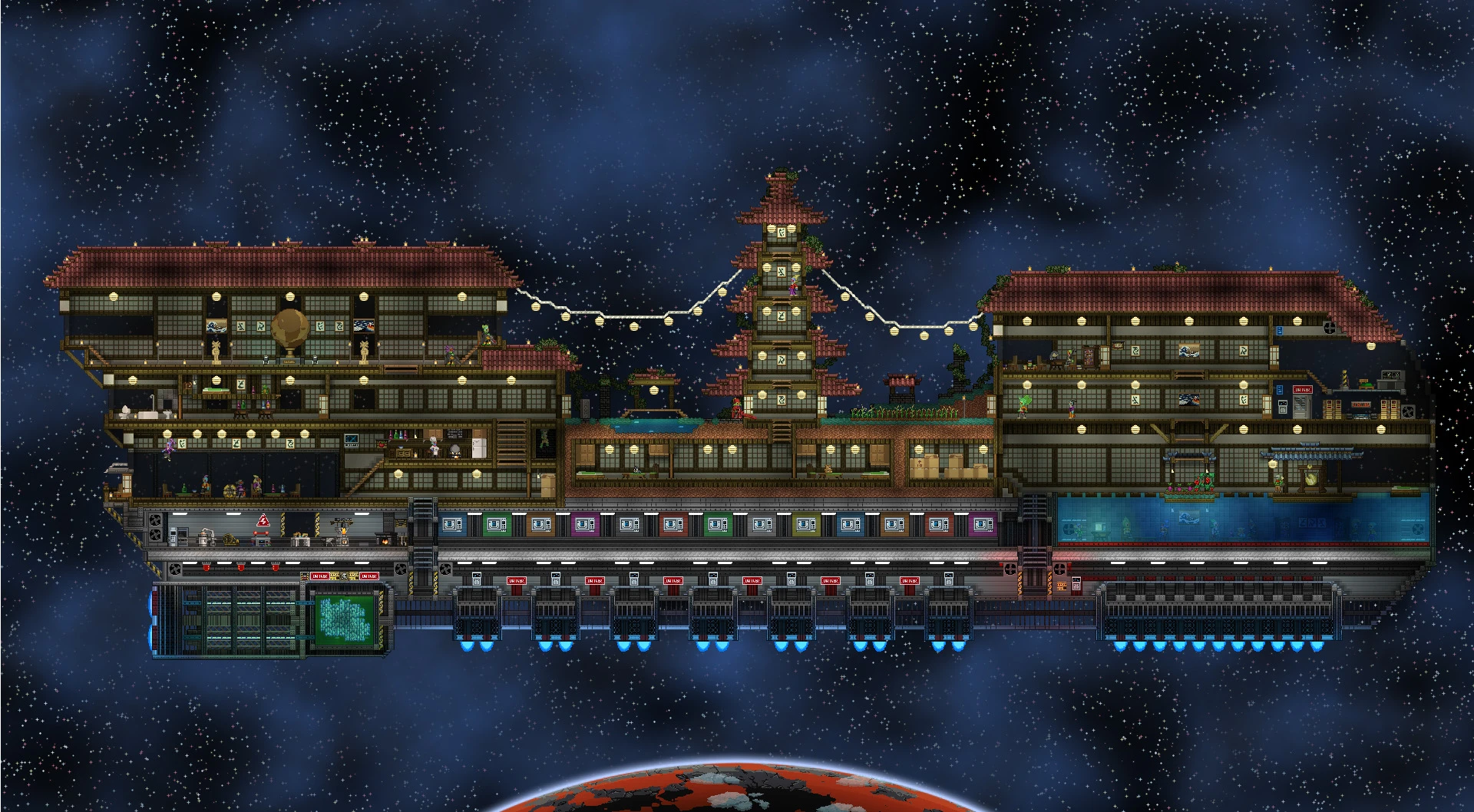
A big Hylotl ship
Release Notes:
Requires the Fully Customizable Ship Mod to work. This download includes the .shipworld and README.txt file only.
Installation:
To install, move your ship inventory to your player inventory or chests on the surface of a planet. Close Starbound and open the player folder, (C:Program Files (x86)SteamsteamappscommonStarboundplayer , for windows users). copy your .shipworld and back them up in a separate folder. Copy the name of the ship you want to replace, (e.g. "4920636622fab6f1cc246e9a8a740ac8.shipworld"). Open the download location of the and rename RedEel.shipworld with the copied name of the ship you are replacing. Ensure that you have a back up your original ship in a separate folder before copying and replacing the file in the /player folder. Start up Starbound and enjoy!
Description My first custom ship in Starbound. The Hylotl ship, Red Eel.
The ship has everything a Hylotl needs. Rice? No problem. A pool? We have one! Eat your favorite dishes at the "Suicide Fish" Club or grant yourself a year of luck on the "Tower of the five words". We even have a draditional Hylotl "Pond of Feels". The whole universe is just waiting to be explored in the Red Eel.
Detailed pictures with description - http://imgur.com/a/jYdWG
📊 Mod Details
- Game
- Starbound Mods
- Author
- rado1212
- Version
- 1.0
- Downloads
- 3,825
- Endorsements
- 154
- Category
- Custom Ships
- Created
- 3/24/2014
- Updated
- 3/24/2014
🔧 How to Install Starbound Mods
Download from Nexus Mods.
📖 Full step-by-step install guide for Starbound →
Visit the official mod page for specific installation instructions for this mod.
🎮 Need cheat codes or console commands? Check ur gaming wiki for Starbound commands, item IDs, and more.
Keep browsing — more Starbound mods await