Whiterun Wall Fix for Noble Skyrim Vanilla and Other Retextures
⚪ Last updated 2020⚠️ Install Order · 5 steps
Install in this order, then this mod last — most mods fail to load without their framework and dependencies in place.
Preview
🔍 Analysis
- 👍 6.8% endorsement rate — high engagement, a strong quality signal
- 🏆 #112 of 214 Models and Textures mods in this game by downloads
📋 About This Mod
Description:
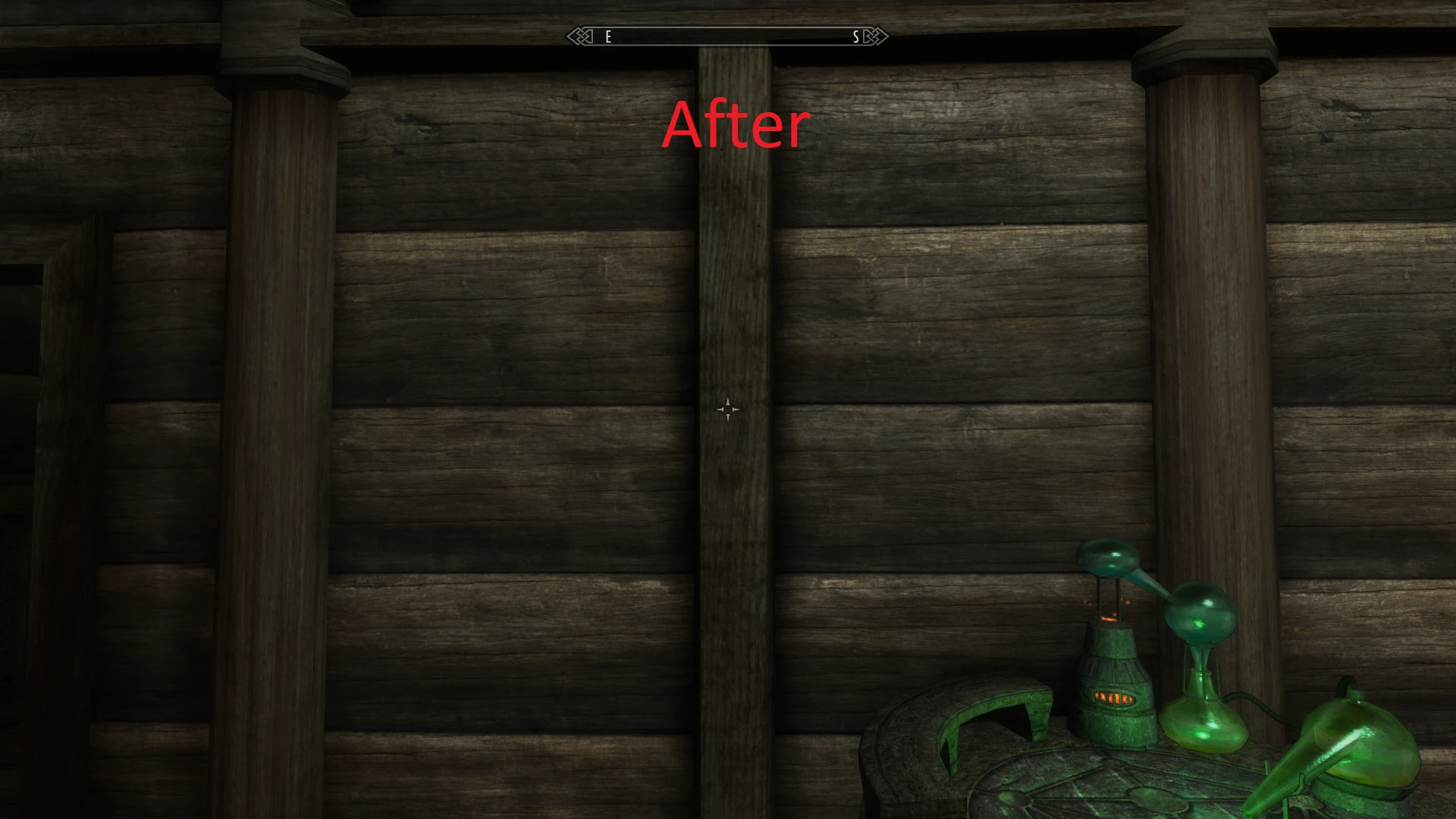
This mod fixes a problem with the meshes of some interior walls in Whiterun that would make Noble Skyrim's textures and maybe some other retextures not apply correctly and look strangely droopy or melting. Most people will have probably first noticed this in Farengar's office, but there are some more walls affected by it.
The reason for this was incorrect UV-mapping (the thing that tells the meshes where the textures go). This was in no way the fault of the author of Noble Skyrim, but instead a problem with the vanilla meshes that has always been there. It was just invisible with the vanilla textures, since those are more or less just a plain surface. Adding a texture with lines or any other thing that could show warping (like the wood plank textures of Noble Skyrim) would make this problem apparent.
What this fix does:
This fix simply replaces all the meshes that show this problem with new ones that have corrected UV-maps. This will make every texture apply as they should. It took me about an hour to find all affected meshes and get them to a point where my perfectionism was satisfied.
Compatibility:
This mod should be compatible with everything that doesn't touch the same meshes.
The only mod I know that also touches these meshes is Enhanced Lights and FX. But I carried over all their changes so that it should be compatible as well (you can use this fix without ELFX and it won't cause any problems though). Just load my mod after ELFX/let it override ELFX's meshes.
This mod is also safe to use if you don't use any retexture that is affected by this problem. It does improve the vanilla look, although I guess you would really have to look for it to see the difference in vanilla or vanilla-like textures.
Permissions:
Feel free to include these meshes in everything you want. Credit is nice but not strictly required.
I'd also like to encourage the author of Noble Skyrim or any other retexture mod to include these fixes in their next release.
A simple mesh fix that removes the 'melting' or 'drooping' visual on Whiterun's interior walls, specifically for users of Noble Skyrim or other retextures that expose this issue. With 1,040 endorsements and 15,337 downloads, it's a well-received compatibility patch for a niche problem.
✨ Key Features
📊 Pros & Cons
✅ Pros
- Community-approved fix with 1,040 endorsements and 15k downloads
- Targets a specific visual bug that retextures can expose
- Lightweight mesh patch that won't impact performance
⚠️ Cons
- Only addresses Whiterun interior walls—doesn't cover other cities or exterior areas
- Requires a retexture mod like Noble Skyrim to be useful; vanilla textures may not show the issue
- Last updated in 2020, so compatibility with newer mod versions is unverified
For Skyrim players who use Noble Skyrim or similar retextures and notice the ugly melting effect on Whiterun's interior walls. If you're playing with vanilla textures, you probably don't need this. Skip if you're looking for broader mesh fixes—this is hyper-specific.
💡 Beginner Tips
- Install with a mod manager like Vortex or MO2 to keep your load order clean.
- Place this mod after your retexture mod in the load order to ensure the mesh override works.
- If you're using Noble Skyrim, make sure you have the latest version to avoid conflicts.
📊 Mod Details
- Game
- Skyrim Mods
- Author
- Geevo
- Version
- 1.0
- Downloads
- 15,337
- Endorsements
- 1,040
- Category
- Models and Textures
- Created
- 2/12/2020
- Updated
- 2/12/2020
🔧 How to Install Skyrim Mods
Download from Nexus.
📖 Full step-by-step install guide for Skyrim →
Visit the official mod page for specific installation instructions for this mod.
🎮 Need cheat codes or console commands? Check ur gaming wiki for Skyrim commands, item IDs, and more.
Keep browsing — more Skyrim mods await