Vulture Reshade Compendium 2020
⚪ Last updated 2020⚠️ Install Order · 5 steps
Install in this order, then this mod last — most mods fail to load without their framework and dependencies in place.
Preview
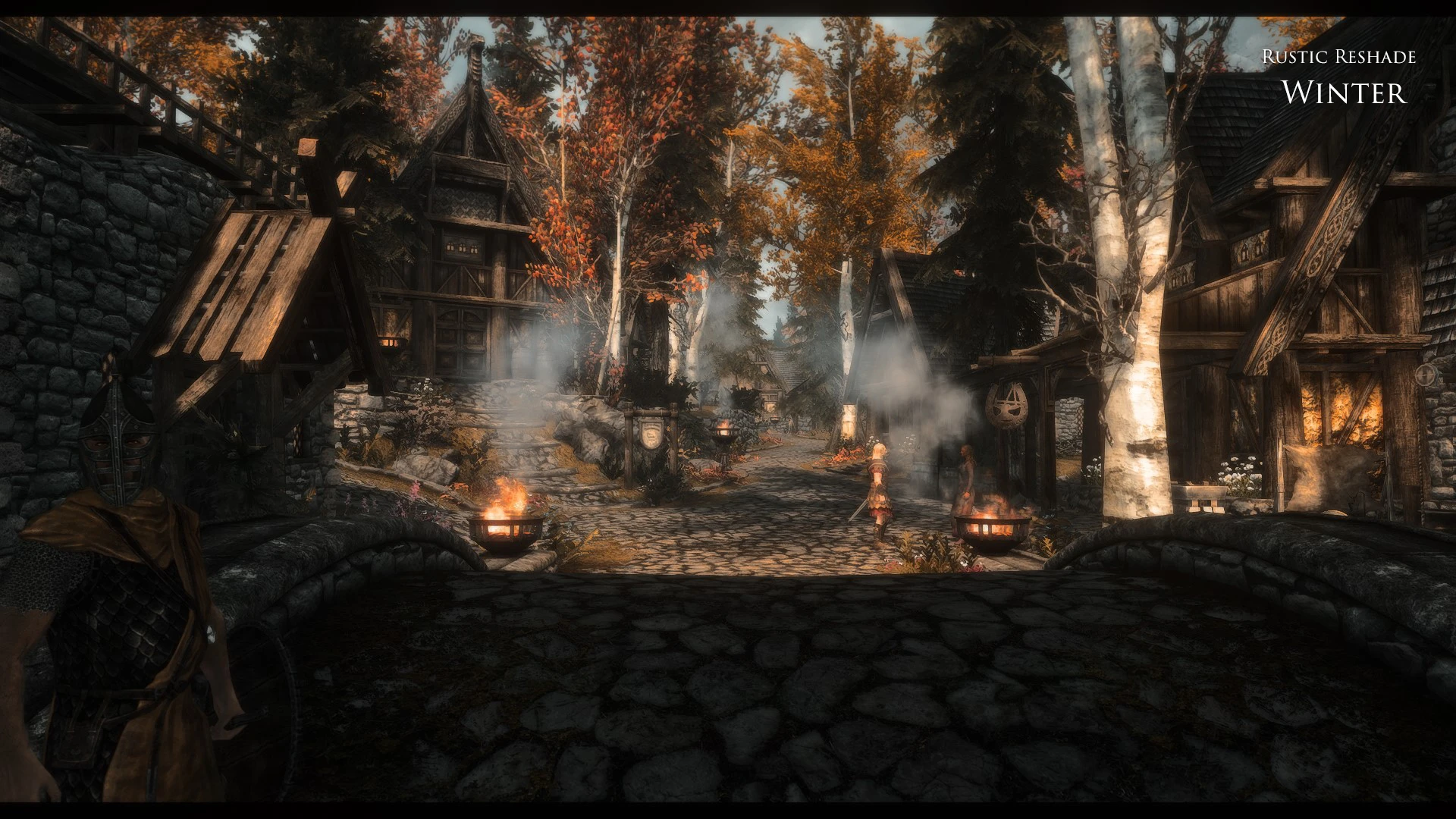
🔍 Analysis
- 👍 4.7% endorsement rate — high engagement, a strong quality signal
- 🏆 #9 of 19 Presets - ENB and ReShade mods in this game by downloads
📋 About This Mod
A collection of ReShade presets to cater all tastes!
Screenshots are here:
Cinematic ReShades
Rustic ReShades
Vanilla Enhancing ReShades
* all your screenshots are welcome to be uploaded here on this Nexus page
Installation
- Download ReShade - https://reshade.me/
- Install it and follow the instructions
- Install only "Standard effects".
- Close Reshade when there's "Installation succesfull" on ReShade window title.
- Download -> Unzip in main Skyrim SE folder (where SkyrimSE.exe is). Overwrite if asked.
- Run the game and press the "Home" key and select one of my preset from dropdown located on top of the window.
- Close reshade window ("Home" key)
For the complete compendium, please also check my other ReShade presets:
Vulture ReShade
Lightweight Bloom
Join me on Patreon for exclusive content:
📊 Mod Details
- Game
- Skyrim Mods
- Author
- grvulture
- Version
- 2.1
- Downloads
- 3,903
- Endorsements
- 183
- Category
- Presets - ENB and ReShade
- Created
- 10/21/2018
- Updated
- 12/4/2020
🔧 How to Install Skyrim Mods
Download from Nexus.
📖 Full step-by-step install guide for Skyrim →
Visit the official mod page for specific installation instructions for this mod.
🎮 Need cheat codes or console commands? Check ur gaming wiki for Skyrim commands, item IDs, and more.
Keep browsing — more Skyrim mods await