Visible 1st Person Gear
⚪ Last updated 2024⚠️ Install Order · 5 steps
Install in this order, then this mod last — most mods fail to load without their framework and dependencies in place.
Preview
🔍 Analysis
- 👍 4.7% endorsement rate — high engagement, a strong quality signal
- 🏆 #36 of 46 Bug Fixes mods in this game by downloads
📋 About This Mod
Visible 1st Person Gear
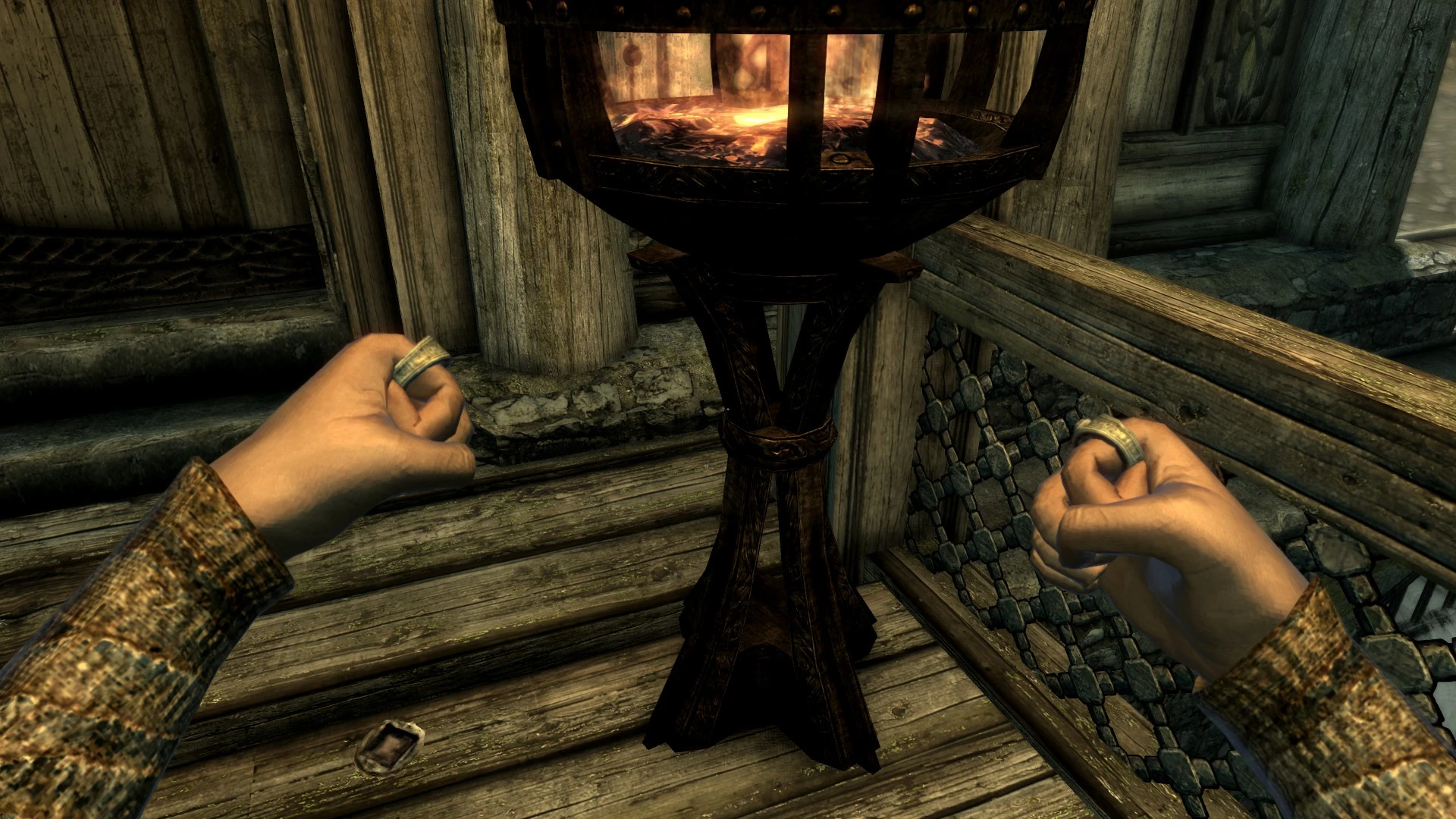
The mod edits the playable races to enable showing items in slots 44, 50, 51, 54, 56, 59, and 60 while in first person. This allows items from other mods
that have been set to those slots to be visible without requiring that mod author to make changes to the races. This mod does NOT add any new items to the game itself; it merely is a compatibility patch for other mods.
Compatibility Issues:
There is now a version compatible with Imperious - Races of Skyrim by EnaiSiaion. It is available under the optional files. Use it instead of the main V1PG file if you play with Imperious.
This mod forwards the race changes made by the Unofficial Patch, but will not be fully compatible out of the box with other mods that edit the base races. It can easily be made compatible within five minutes at most using SSEEdit by combining the race records together.
Slot 40 (the tail slot) was causing compatibility issues with the Cloaks of Skyrim mod. It has been removed from the latest version of the mod (v1. 02) and tested working in game.
There is an optional version of the 1. 03 esl flagged version with slot 44 removed as a compatibility fix for users of the Black Mage Armor mod, as that mod uses slot 44 for the mask and thus was causing visibility issues when the mask was used.
Verified working with Skyrim AE with the newest version 1. 03. Verified working with Immersive Jewelry 1. 06a (just make sure to right-click the ring while it's in your inventory and it should swap to the left hand version, as designed in Immersive Jewelry).
---------------------
-gamefever came up with this method and made it available in Skyrim (Immersive First Person Combat Items Fix); I have re-created it from scratch for Skyrim SE using the new Creation Kit, but I would not have known what to change without gamefever's original work.
-Bethesda for creating the Elder Scrolls series and allowing modders to have at them.
For the Imperious patch:
-EnaiSiaion for creating Imperious and being so gracious in allowing compatibility patches to be made for it.
This small bug fix mod makes mod-added equipment visible in first person and combat mode. It's for players who use gear mods and want to see their equipment from their character's perspective. With 507 endorsements and recent updates, it's a community-approved fix.
✨ Key Features
📊 Pros & Cons
✅ Pros
- Community-approved fix (507 endorsements) – clearly works for a lot of people.
- Tiny download and install – just drop it in and go.
- Solves a real annoyance if you use gear mods and hate invisible equipment.
⚠️ Cons
- Only affects mod-added gear – vanilla items are untouched, so if you're looking for a broader fix, this isn't it.
- Compatibility risk: might conflict with other mods that alter first-person meshes or animations.
- No detailed description – you're trusting the title and endorsements to know what you're getting.
For players who use equipment mods and want to actually see their gear in first person. If you're tired of invisible weapons or armor from mods, this is a quick fix. Skip if you don't use gear mods or only play in third person.
💡 Beginner Tips
- Make sure to install this after your gear mods so it overwrites any conflicting files.
- If you use a mod manager, let it handle the file placement – it's a simple drop-in.
- Test in combat mode right after installing to confirm the fix works with your specific gear mods.
📊 Mod Details
- Game
- Skyrim Mods
- Author
- Lyss
- Version
- 1.03-esl-flagged
- Downloads
- 10,779
- Endorsements
- 507
- Category
- Bug Fixes
- Created
- 3/25/2017
- Updated
- 3/3/2024
🔧 How to Install Skyrim Mods
Download from Nexus.
📖 Full step-by-step install guide for Skyrim →
Visit the official mod page for specific installation instructions for this mod.
🎮 Need cheat codes or console commands? Check ur gaming wiki for Skyrim commands, item IDs, and more.
Keep browsing — more Skyrim mods await