Typography for Skyrim SE
⚪ Last updated 2020⚠️ Install Order · 5 steps
Install in this order, then this mod last — most mods fail to load without their framework and dependencies in place.
Preview
🔍 Analysis
- 👍 2.0% endorsement rate — high engagement, a strong quality signal
- 🏆 #130 of 146 User Interface mods in this game by downloads
📋 About This Mod
Legendary Edition | Special Edition
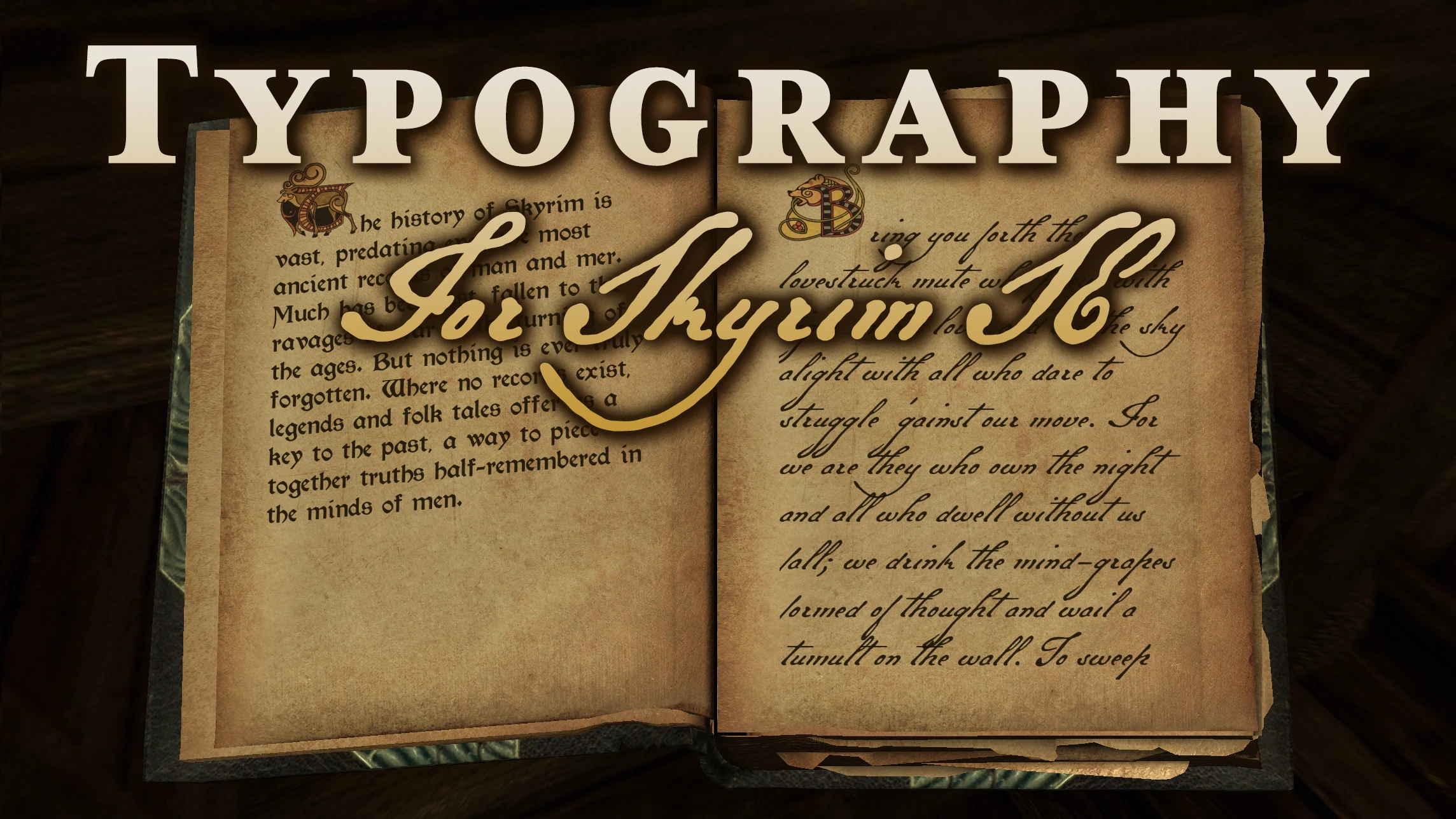
Typography for Skyrim SE provides new font replacements for Skyrim's UI, books, and letters. Included are eight very readable but lore-friendly fonts of which three are optionally usable by editing the fontconfig.txt:
-
[]Imperial Library (default used for UI)
[
]Fertigo Pro (optional UI font)[]Concat (used for console)
[]Morris (default used for books)
[]Golden Type (optional choice for books)
[]Kingthings Petrock (optional choice for books)
[]Galant Script (default used for letters and notes)
[]Regal Handwriting (optional choice for letters and notes)
In addition:
- Futura Std (optional UI font for Vanilla look)
Install with your mod manager of choice. To use any of the optional fonts edit the included fontconfig.txt and comment/uncomment the ui/book/letter fonts as desired. Do not change any of the other font settings!
How to use with other font mods
All you have to do is edit the fontconfig.txt and add the font mod's SWF file as a font lib to the top entries. If the font SWF filename is the same you will have to rename it, e.g.:
; -----------------------------------------------------------------------------
; Font Libraries
; -----------------------------------------------------------------------------
fontlib "Interface\fonts_console.swf"
fontlib "Interface\fonts_en.swf"
fontlib "Interface\your_other_font_mod.swf"
Then you can use any of the fonts from the added font mod, e.g.:
map "$SkyrimBooks" = "NameOfYourAddedFont" Normal
To know the proper names of fonts you're adding you will have to look into the fontconfig.txt file of the font mod you've added.
Further Reading
Morris and Golden Type are authentic re-creations of classic roman fonts manufactured originally by William Morris of Kelmscott Press. The Morris font seems to be based on Troy and/or Chaucer typefaces. More info: fontsinuse.com/typefaces/5417/morris-troy
Paper textures on screenshots are from Books Notes Paper HD 2K.
Typography for Skyrim SE replaces the default UI, book, and letter fonts with more immersive alternatives. With 384 endorsements and nearly 20,000 downloads, it's a popular cosmetic enhancement for players seeking a more atmospheric reading experience. Last updated in April 2020, it remains a stable choice for UI customization.
✨ Key Features
📊 Pros & Cons
✅ Pros
- Community-approved with 384 endorsements and nearly 20k downloads.
- Adds a subtle but noticeable atmospheric touch to UI and reading materials.
- Lightweight and purely cosmetic—no performance impact.
⚠️ Cons
- Last updated in 2020, so it may not be tested with the latest Skyrim SE patches.
- Font preference is subjective—you might not like the chosen style.
- Compatibility risk with other UI overhaul mods that also change fonts.
For Skyrim SE players who want a more immersive, lore-friendly font for menus and books without changing gameplay. Perfect for roleplayers and those who appreciate subtle visual polish. Skip if you're happy with the default fonts or use a comprehensive UI overhaul that already includes font changes.
💡 Beginner Tips
- Install with a mod manager like Vortex or Mod Organizer 2 to easily enable/disable and avoid conflicts.
- If you use other UI mods, check their load order—place Typography after them to ensure its fonts take effect.
- Test in-game by opening your inventory and reading a book to see if the new fonts appear as expected.
📊 Mod Details
- Game
- Skyrim Mods
- Author
- ciathyza
- Version
- 1.1.0
- Downloads
- 19,264
- Endorsements
- 384
- Category
- User Interface
- Created
- 3/30/2020
- Updated
- 4/5/2020
🔧 How to Install Skyrim Mods
Download from Nexus.
📖 Full step-by-step install guide for Skyrim →
Visit the official mod page for specific installation instructions for this mod.
🎮 Need cheat codes or console commands? Check ur gaming wiki for Skyrim commands, item IDs, and more.
Keep browsing — more Skyrim mods await