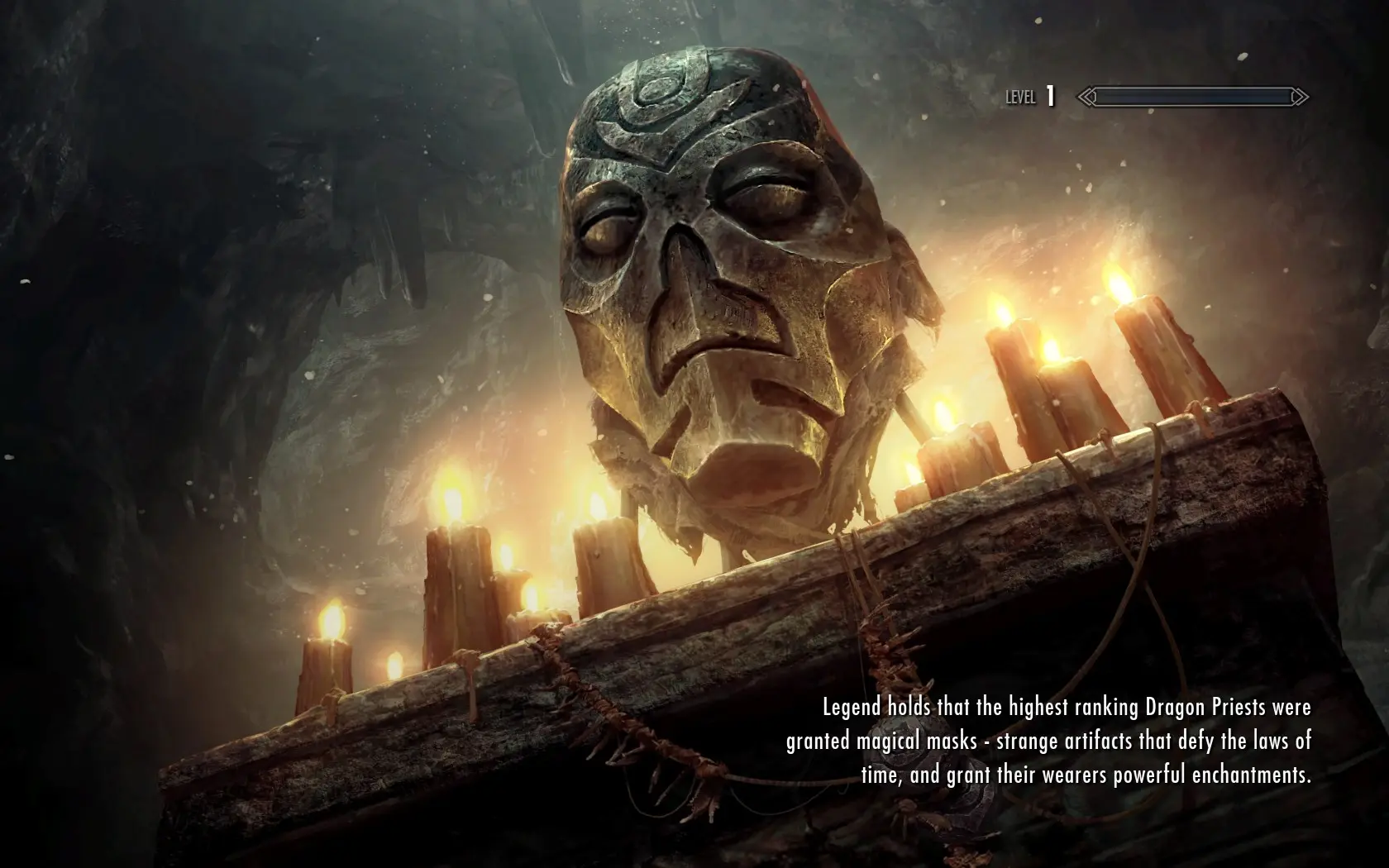
The Elder Scrolls Legends - Loading Screens
⚪ Last updated 2023⚠️ Install Order · 5 steps
Install in this order, then this mod last — most mods fail to load without their framework and dependencies in place.
Preview
🔍 Analysis
- 👍 0.3% endorsement rate
- 🏆 #18 of 141 User Interface mods in this game by downloads
📋 About This Mod
The loading screens come with lore friendly messages, but there is an optional version without any text for those, who only want to see the artworks.
Different versions are available for different display aspect ratios: 16:10, 16:9, 21:9, 4:3
The mod is compatible with all mods - no vanilla records have been changed. You can select the frequency at which the loading screens appear. Use 100% to replace vanilla loading screens.
Legendary Edition: The Elder Scrolls Legends - Loading Screens
Installation:
Download the main file and follow the FOMOD installer.
Download one of the texture files.
Border settings is a new configurable option, that allows you to control how loading screens are displayed that have a different aspect ratio then your screen.
The loading screens all are at least 16:9, with some of them being wider. The following options exist:
Fixed Height:
This is the default and will ensure that the loading screen is fitted to your screen such that the entire height of the loading screen is displayed.
If you have a screen that is too wide for a loading screen, you will get black bars on the sides (this only happens for screens wider than 16:9).
If you have a screen that is too thin for a loading screen, the sides will be cut off. The loading screens were chosen, such that no important parts will be cut off.
I would highly recommend this for 16:9 screens, as you will never get black bars and only unimportant parts will be cut off.
With wider screens, you will get less cut off on some of the wider loading screens, but black bars on the majority of loading screens.
If you have a wider screen than 16:9 and really dislike the black bars on the sides, you can choose crop instead.
This will never show black bars, but the wider your screen is, the more needs to be cut off on the top and bottom and you may lose important parts of the images.
This ensures that the images are always displayed fully and will add black bars on the top and bottom or the sides as necessary.
Compared to Fixed Height, the only difference is that this will not cut off images on the sides and instead add black bars at the top and bottom.
I would not recommend this, as the loading screens were chosen such that cut offs on the sides do not affect important parts of the image.
Recommended Mods:
-
[]Loading Screen Smoke Removed
[
]Improved Loading Screen ColorsCompatibility:
In general, this mod is compatible with all other mods. There are two types of loading screen mods:
Additional Loading Screens:
These mods add loading screens in the same way as vanill
This mod replaces Skyrim's loading screens with 110 high-quality, lore-friendly artworks from The Elder Scrolls: Legends. It works as a vanilla replacer and can be used alongside the original loading screens, offering a fresh visual experience for players.
✨ Key Features
📊 Pros & Cons
✅ Pros
- Huge community favorite with 10,743 endorsements and 3.9M downloads—clearly a must-have for many.
- 110 artworks means you'll see something new often, keeping loading screens fresh.
- Lore-friendly art fits right into Skyrim's world without breaking immersion.
⚠️ Cons
- Last updated in June 2023—might not be fully compatible with the latest Skyrim updates, so check before installing.
- Only affects loading screens, so if you're looking for gameplay or UI overhauls, this won't do much.
For Skyrim players who want to spice up their loading screens with beautiful, lore-friendly art without changing gameplay. Perfect for those who appreciate Elder Scrolls lore and want a visual refresh. Skip if you're after gameplay changes or don't care about loading screens.
💡 Beginner Tips
- Use a mod manager like Vortex or Mod Organizer 2 to install and manage this mod easily.
- If you're using other loading screen mods, check load order to ensure this one takes priority or works alongside them.
- Since it's a replacer, make sure you don't have conflicting mods that also replace loading screens.
📊 Mod Details
- Game
- Skyrim Mods
- Author
- Jampion
- Version
- 2.1.1
- Downloads
- 3,892,373
- Endorsements
- 10,743
- Category
- User Interface
- Created
- 7/4/2020
- Updated
- 6/8/2023
🔧 How to Install Skyrim Mods
Download from Nexus.
📖 Full step-by-step install guide for Skyrim →
Visit the official mod page for specific installation instructions for this mod.
🎮 Need cheat codes or console commands? Check ur gaming wiki for Skyrim commands, item IDs, and more.
Keep browsing — more Skyrim mods await