TB's Chroma Lights (beta)
⚪ Last updated 2020⚠️ Install Order · 5 steps
Install in this order, then this mod last — most mods fail to load without their framework and dependencies in place.
Preview
🔍 Analysis
- 👍 3.4% endorsement rate — high engagement, a strong quality signal
- 🏆 #183 of 188 Models and Textures mods in this game by downloads
📋 About This Mod
What does this mod do?
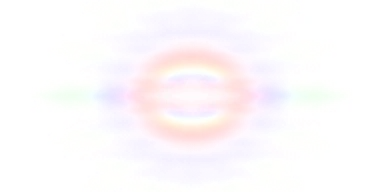
This mod simply adds effects to the glare effect of lights making them look more lifelike and interestingCompatibility
This is a texture replacer mod and only changes one texture so make sure to overwrite anything that conflictsAlso, this mod contains no .esp so will not conflict with the mod limit.
Performance
Negligible - due to nop increase in texture resolution.Lighter Version also available if you think it is too intrusive
Preview
TB's Chroma Lights (beta) is a texture replacer for Fallout 4 that enhances the glare effect of lights to make them more lifelike and interesting. It changes only one texture, has no .esp, and offers negligible performance impact, with a lighter version available. With 266 endorsements and 7,912 downloads, it's a compact visual tweak for players wanting subtle lighting improvements.
✨ Key Features
📊 Pros & Cons
✅ Pros
- Community-tested with 266 endorsements and nearly 8k downloads, so it's got a solid track record
- Zero performance hit—no texture resolution bump means your FPS stays untouched
- No .esp means it won't eat your mod slots, perfect for load order hoarders
⚠️ Cons
- Beta status—might have rough edges or changes down the line, so don't expect final polish
- Only affects glare, so if you want full lighting overhauls, this won't scratch that itch
- Texture replacer means it can clash with other mods that touch the same texture—you'll need to manage overwrites
For Fallout 4 players who want a subtle, performance-friendly visual upgrade to light glares without overhauling the whole lighting system. It's ideal for modders who are at the plugin limit and need a no-esp fix. Skip if you're looking for dramatic lighting changes or if you're not into tweaking texture conflicts.
💡 Beginner Tips
- Since it's a texture replacer, make sure to place it after any other mods that alter the same light texture in your mod manager to ensure it takes effect.
- If the glare looks too strong for your taste, grab the lighter version from the mod page instead of uninstalling entirely.
- No .esp means you don't need to worry about load order for plugins, but still check for conflicts in your texture folder.
📊 Mod Details
- Game
- Skyrim Mods
- Author
- The Blender Animator
- Version
- 6
- Downloads
- 7,912
- Endorsements
- 266
- Category
- Models and Textures
- Created
- 8/8/2020
- Updated
- 8/8/2020
🔧 How to Install Skyrim Mods
Download from Nexus.
📖 Full step-by-step install guide for Skyrim →
Visit the official mod page for specific installation instructions for this mod.
🎮 Need cheat codes or console commands? Check ur gaming wiki for Skyrim commands, item IDs, and more.
Keep browsing — more Skyrim mods await