Take Notes - Journal of the Dragonborn SSE
⚪ Last updated 2024⚠️ Install Order · 5 steps
Install in this order, then this mod last — most mods fail to load without their framework and dependencies in place.
Preview
🔍 Analysis
- 👍 0.5% endorsement rate
- 🏆 #115 of 179 Immersion mods in this game by downloads
📋 About This Mod
Update
I am having success with import/export functionality by installing FISS for SE after installing this mod and allowing it to overwrite the old FISS files found here. If anyone else can confirm this please let me know.
INTRODUCTION
This is an official port of the Take Notes - Journal of the Dragonborn by LordConti2. I gained permission from him to continue development back in October of 2014 and I am finally getting around to doing something with it. This is the initial port without any changes to the file. Please read the description and the FAQ before posting issues. Also, refer to the original mods posts for issues. Many of the already existing issues are addressed there.
Development will be slow, please be patient as all source code for the mod has been lost.
I will do my best to answer questions when I am able. Below is a rewording of the original description.
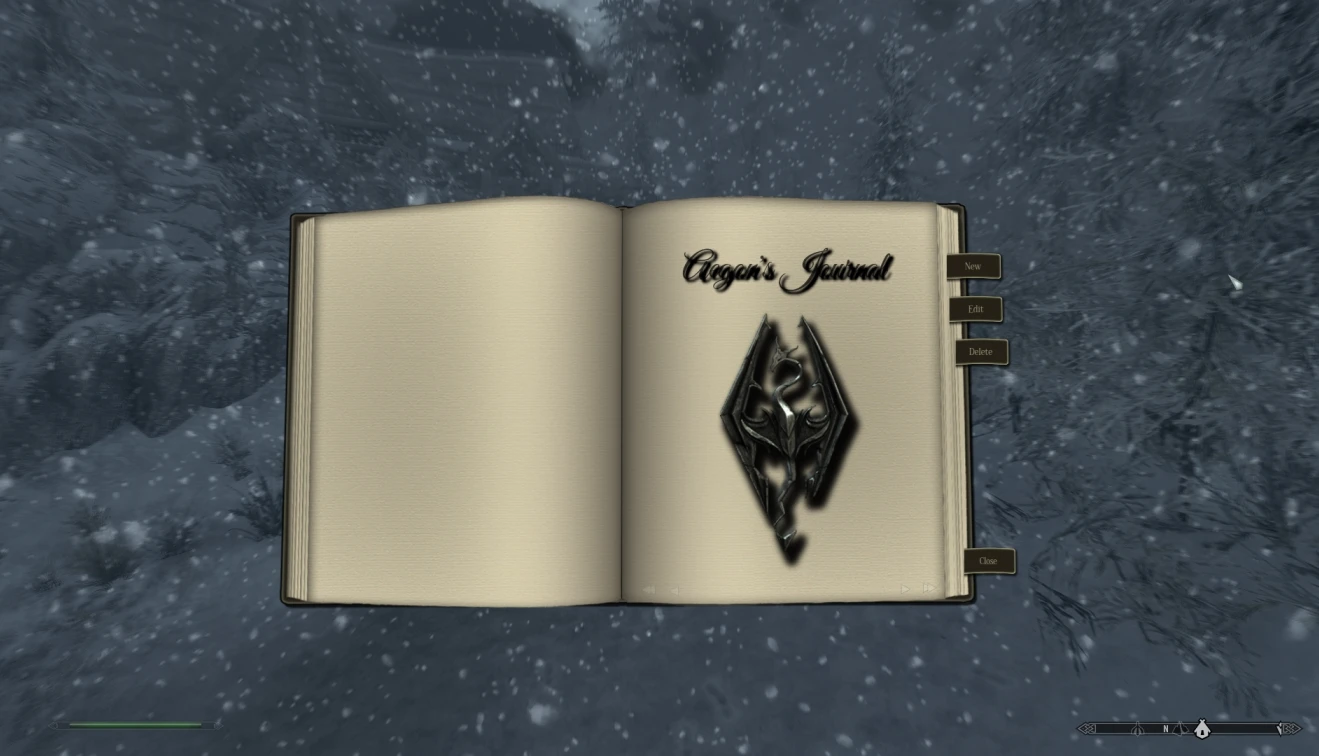
Take Notes adds a player journal to the game which lets you create and view your own journal entries.
You can bring up the Journal by pressing the hotkey (default is "X").
At first it will only consist of the front page because there are no entries yet.
You can use the menu to
create a new journal entry
edit the currently shown entry
delete the currently shown entry
close the journal
You can hide the menu by pressing "space"and setup hotkeys for everything in the MCM.
If you use a controller, see "Usage with a Controller" below.
The Help window can be toggled on and off by pressing F1.
EDITING MODE
Upon creating a new entry the journal switches to editing mode.
In editing mode you can write the journal entry. Each entry can have up to 4000 characters. If you want to change the Header of an entry (=date), just click it while in editing mode.
To leave editing mode, click "Accept" or "Cancel" (or press TAB or ESC).
Clicking on the Chapters button brings up the list of chapters on the left side of the book.
Click Chapters again to hide the list again.
Click a chapter name to select it.
The Journal features up to five chapters, the first of which can have up to 612 pages, each additional chapter up to 127 pages.
The default names of the chapters are
Journal
Bestiary
Quests
Persons
* Miscellaneous
A chapter can be customized by clicking on its name on the chapter’s front page (on the right page).
The chapter customizing menu lets you change its name and select images for the front page and the left page of the chapter.
Chapter customizing is very basic right now, but will hopefully be expanded in
Take Notes - Journal of the Dragonborn SSE is a popular immersion mod for Skyrim Special Edition that adds a fully functional player journal, allowing you to create and view your own entries. With over 7,300 endorsements and 1.4 million downloads, it's a community favorite for roleplayers who want to track their adventures in-game.
✨ Key Features
📊 Pros & Cons
✅ Pros
- Massive community trust: 7,312 endorsements and 1.4 million downloads—this is a proven mod.
- Simple, focused feature: a journal for your character, perfect for immersion without bloat.
- Actively maintained: last updated January 2024, so it's likely compatible with current Skyrim SE.
⚠️ Cons
- Requires Skyrim Script Extender (SKSE) and SkyUI? Not stated, but many journal mods do—check the mod page for dependencies.
- If you're not into roleplaying or writing in-game, this mod adds nothing to combat or gameplay.
For Skyrim roleplayers who love to document their character's journey and want a lightweight, immersive way to keep notes. Also great for completionists who want to track quests, lore, or personal goals. Skip if you prefer action-focused mods or never touch the journal feature.
💡 Beginner Tips
- Since this is a mod for Skyrim Special Edition, make sure you have the latest version of SKSE64 installed—most journal mods rely on it.
- Use a mod manager like Vortex or Mod Organizer 2 to install and manage this mod, and check the mod page for any required patches.
- In-game, bind the journal hotkey to something convenient like 'J' so you can quickly jot down notes during your adventures.
📊 Mod Details
- Game
- Skyrim Mods
- Author
- ath3nos
- Version
- 1.0a
- Downloads
- 1,412,840
- Endorsements
- 7,312
- Category
- Immersion
- Created
- 11/16/2017
- Updated
- 1/3/2024
🔧 How to Install Skyrim Mods
Download from Nexus.
📖 Full step-by-step install guide for Skyrim →
Visit the official mod page for specific installation instructions for this mod.
🎮 Need cheat codes or console commands? Check ur gaming wiki for Skyrim commands, item IDs, and more.
Keep browsing — more Skyrim mods await