Subdivide and Smooth - Ash Pebbles
⚪ Last updated 2023⚠️ Install Order · 5 steps
Install in this order, then this mod last — most mods fail to load without their framework and dependencies in place.
🖼️ Gallery (12 images)




🔍 Analysis
- 👍 0.5% endorsement rate
- 🏆 #65 of 352 Models and Textures mods in this game by downloads
📋 About This Mod
---------
Superceded by Drift Material Fixes
Will keep this up for those who don't want to use it for a reason or another
---------
---------
Superceded by Drift Material Fixes
Will keep this up for those who don't want to use it for a reason or another
---------
As I've been getting to know blender I've of course also been getting into the whole subdivide -> smooth vertices -meme but it unironically works pretty well on the little rocks/pebbles in Solstheim. On top of that they now refer to your MountainSlab02 texture instead of the RocksGrass (as it might mess them up on some complex grass configs) making them blend into the landscape better on top of not having visible polygon seams.
Contents:
Mod includes three meshes that these pebbles appear on.
Not-contents:
Mod doesn't include textures so it'll blend with your LO but doesn't necessarily look like the pictures provided here. No ESP required.
Other:
If you still hate the pebbles consider downloading Remove Ash Pebbles from the great agentw which just deletes them from Solstheim.
Install:
As with any other mesh replacer. In and out as you wish, can install/uninstall at any point of your save. If you want to check out how it looks on your setup, make a new test-save and type "coc dlc2ravenrock01" in your console to teleport into RR and walk just outside the gates (before the ashman attack on your right) for the first affected mesh to assess the aesthetics yourself.
Compatability:
No incompatabilities I'm aware of. The one mesh that conflicts with Assorted Mesh Fixes is patched for it off the box. Thank you wSkeever for top content and open perms! If you come a across a conflict let me know and I'll see what I can do.
Mods used in pictures:
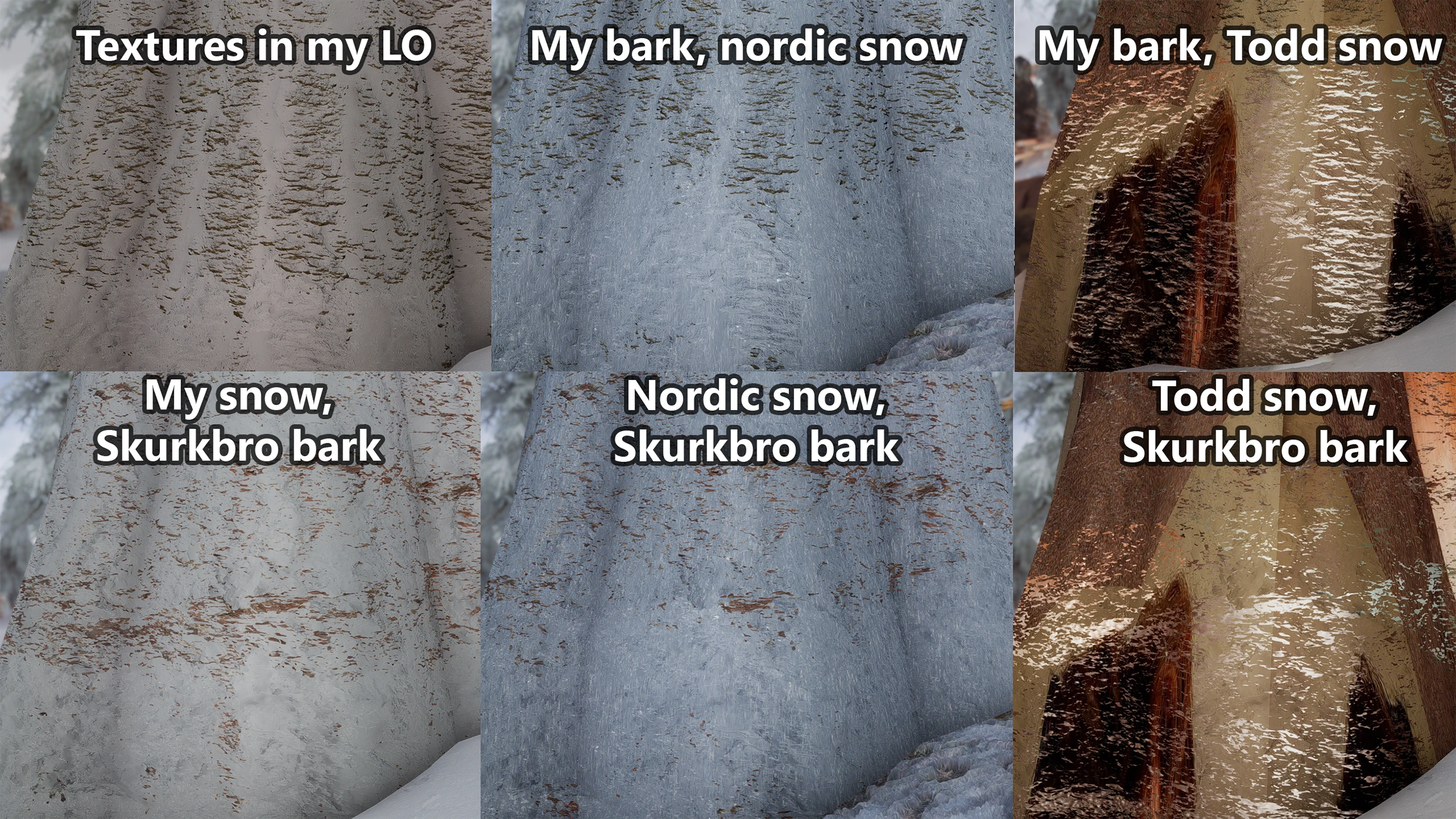
Rest of the textures in pictures come from Skurkbro and his SRP megaproject. ENB is Rune. Grass I have no clue my LO is a mess at the moment.
A compact cosmetic mod that fixes the jagged appearance of ash pebbles in Solstheim's landscape. With 371 endorsements and 79,255 downloads, it's a community-approved visual polish for Skyrim players who notice terrain details.
✨ Key Features
📊 Pros & Cons
✅ Pros
- Community-approved with 371 endorsements and 79k downloads
- Directly addresses a specific visual annoyance for Solstheim explorers
- Simple, focused mod that does one thing well
⚠️ Cons
- Only affects ash pebbles—if you don't spend time in Solstheim, you won't notice it
- No compatibility notes, so it may conflict with other terrain overhauls
- Last updated in December 2023, so it might not be actively maintained
For Skyrim players who obsess over terrain details and want Solstheim's ash wastes to look cleaner. If you're a completionist who explores every corner of the DLC, this is a nice touch. Skip if you're looking for gameplay changes or major visual overhauls—this is purely cosmetic.
💡 Beginner Tips
- If you use a mod manager like Vortex or MO2, just download and install—no extra steps needed.
- Load order doesn't matter much for a texture mod, but place it after any major landscape overhauls to ensure it takes effect.
- Check the mod's images in the gallery to see the before/after difference before committing.
📊 Mod Details
- Game
- Skyrim Mods
- Author
- markuskarttunen1
- Version
- 1.1
- Downloads
- 79,255
- Endorsements
- 371
- Category
- Models and Textures
- Created
- 8/4/2022
- Updated
- 12/16/2023
🔧 How to Install Skyrim Mods
Download from Nexus.
📖 Full step-by-step install guide for Skyrim →
Visit the official mod page for specific installation instructions for this mod.
🎮 Need cheat codes or console commands? Check ur gaming wiki for Skyrim commands, item IDs, and more.
Keep browsing — more Skyrim mods await