Stay At The System Page
⚪ Last updated 2018⚠️ Install Order · 5 steps
Install in this order, then this mod last — most mods fail to load without their framework and dependencies in place.
Preview
🔍 Analysis
- 👍 6.0% endorsement rate — high engagement, a strong quality signal
- 🏆 #78 of 277 Patches mods in this game by downloads
📋 About This Mod
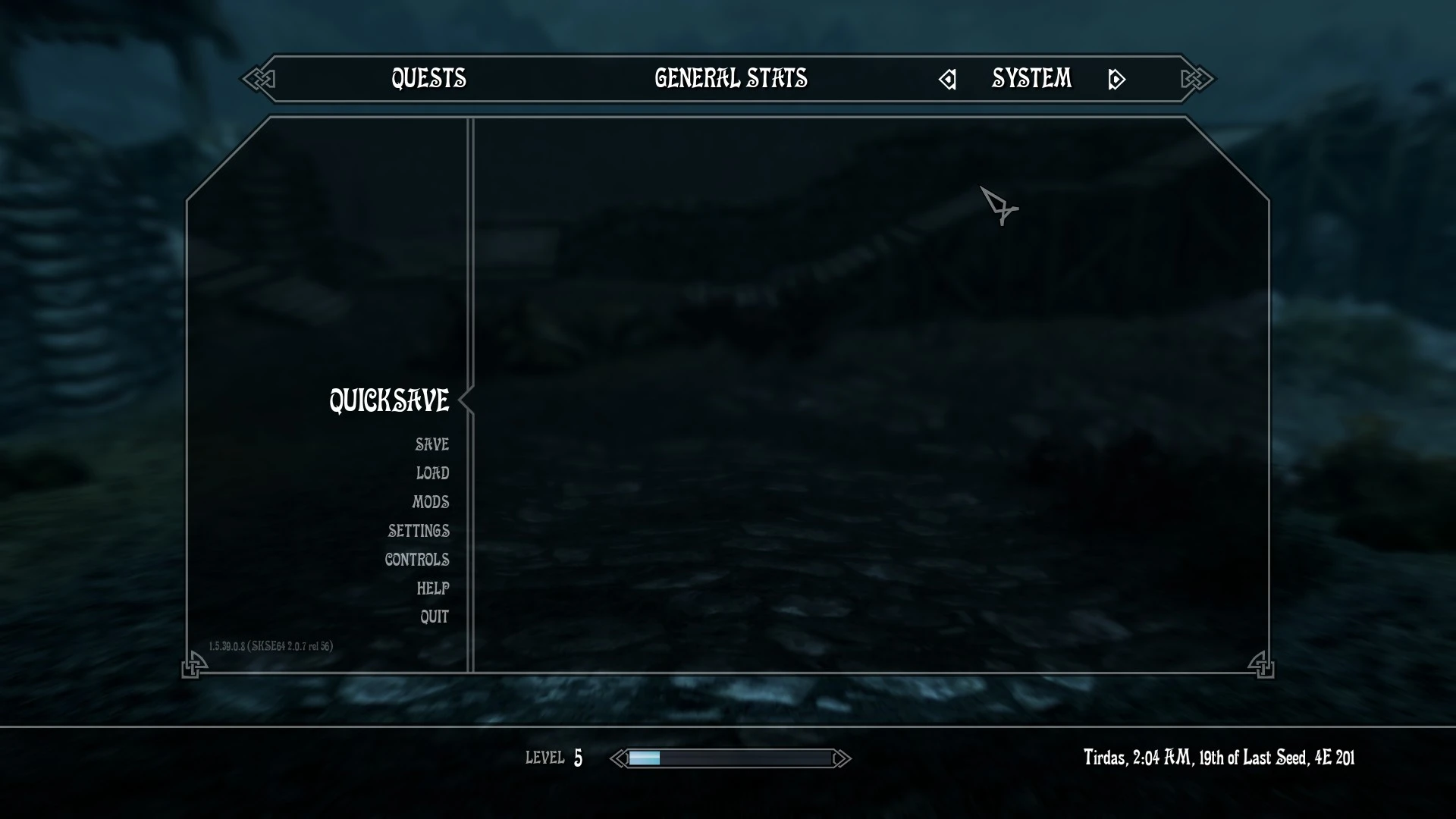
This mod brings back the behavior of original Skyrim's Journal Menu. Whenever you press the Escape key, mod will open the System page instead of Quest page.
Compatible with both Vanilla UI and SkyUI.
That's it all, I think. LOL :D
Requirements:
- Skyrim SE 1. 5. 39
- SKSE64 2. 0. 7
Installation:
- Either use mod manager or manually copy the file.
Uninstallation:
- Either use mod manager or manually delete the file.
File structure:
StayAtSystemPageSE.dll
Credit:
- SKSE team
This small patch restores the original Skyrim Journal Menu behavior, making the Escape key open the System page instead of the Quest page. It's a quality-of-life fix for players who prefer the classic menu navigation, with a solid 2,918 endorsements and 48,374 downloads.
✨ Key Features
📊 Pros & Cons
✅ Pros
- Community favorite with 2,918 endorsements and 48,374 downloads, so it's proven to work for many.
- Simple and effective—does exactly what it says, no bloat.
- Fixes a common annoyance for players who prefer the old menu layout.
⚠️ Cons
- Last updated in 2018, so it might not be compatible with the latest Skyrim Special Edition patches or mods that alter the menu system.
- Only changes the Journal Menu behavior; if you're looking for more menu customization, this won't help.
- Potential conflicts with UI overhaul mods like SkyUI or other menu tweaks that also modify the Journal Menu.
For Skyrim players who miss the original Journal Menu behavior and want the Escape key to open the System page directly. It's perfect for purists who prefer vanilla UI navigation. Skip if you're happy with the default Quest page or use UI mods that already change this behavior.
💡 Beginner Tips
- If you use SkyUI, test this mod after installing it to ensure it doesn't conflict with SkyUI's menu changes.
- Place this mod in your load order after any UI overhaul mods to ensure it takes effect.
- Since it's a simple patch, you can install it manually by dropping the files into your Data folder, but using a mod manager is safer for easy removal.
📊 Mod Details
- Game
- Skyrim Mods
- Author
- User_48928348
- Version
- 1.0.1
- Downloads
- 48,374
- Endorsements
- 2,918
- Category
- Patches
- Created
- 7/5/2018
- Updated
- 7/5/2018
🔧 How to Install Skyrim Mods
Download from Nexus.
📖 Full step-by-step install guide for Skyrim →
Visit the official mod page for specific installation instructions for this mod.
🎮 Need cheat codes or console commands? Check ur gaming wiki for Skyrim commands, item IDs, and more.
Keep browsing — more Skyrim mods await