Stay At The System Page - AE
⚪ Last updated 2022⚠️ Install Order · 5 steps
Install in this order, then this mod last — most mods fail to load without their framework and dependencies in place.
Preview
🔍 Analysis
- 👍 1.1% endorsement rate — high engagement, a strong quality signal
- 🏆 #31 of 154 User Interface mods in this game by downloads
📋 About This Mod
v. 1. 0. 2
Updated for 1. 6. 1170+
Other versions in Old Files section.
"The black wind begins to blow...."
-Magus80, Northern Kingdom
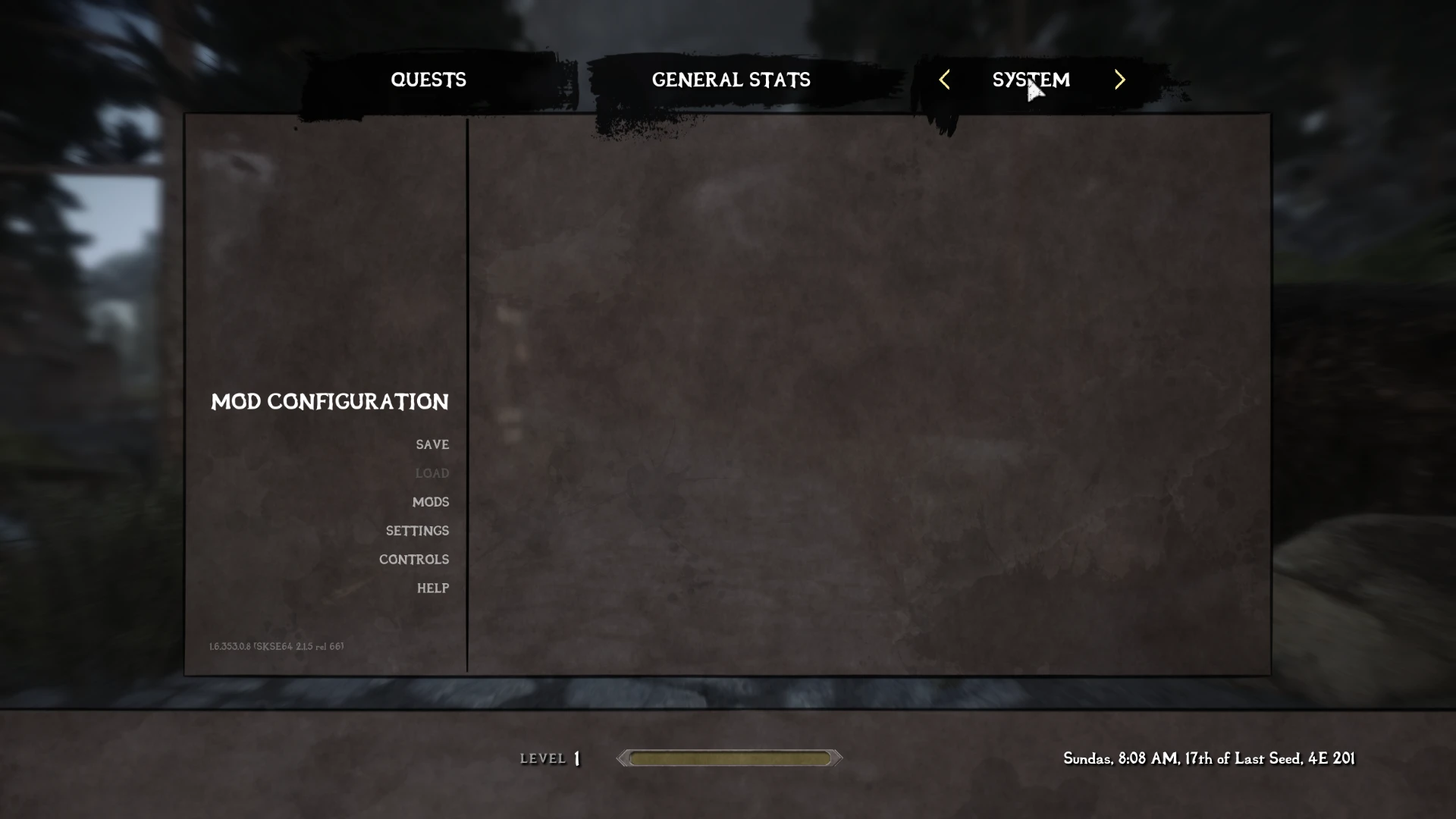
A lightweight UI mod for Skyrim Special Edition that makes the journal menu open on the System tab when pressing ESC. With 2,395 endorsements and over 225k downloads, it's a popular quality-of-life tweak for players who frequently adjust settings.
✨ Key Features
📊 Pros & Cons
✅ Pros
- Community-approved with 2,395 endorsements and 225k downloads—clearly a go-to for many players
- Does exactly what it says: no more accidentally landing on the quest log when you just want to save or quit
- Lightweight and unobtrusive; won't clutter your mod list with unnecessary features
⚠️ Cons
- Last updated in 2022—might not be compatible with the latest Skyrim patches if any have dropped since
- Only affects the ESC key; if you open the journal via other means, you'll still get the default tab
- No detailed documentation or troubleshooting provided by the author, so issues may require community digging
For Skyrim players who frequently hit ESC to save or adjust settings and are tired of landing on the quest log. Also great for modders who want a cleaner UI experience. Skip if you rarely use the ESC key or prefer the default journal behavior.
💡 Beginner Tips
- If you use a mod manager like Vortex or MO2, just download and install—no load order tweaks needed for this simple UI mod.
- Test it right after installing: press ESC and confirm the System tab opens; if not, check for conflicts with other UI mods that alter the journal menu.
- Since it's a small mod, you can safely place it anywhere in your load order, but keeping it near other UI mods can help avoid conflicts.
📊 Mod Details
- Game
- Skyrim Mods
- Author
- Magus80
- Version
- V1.0.2
- Downloads
- 225,091
- Endorsements
- 2,395
- Category
- User Interface
- Created
- 5/11/2022
- Updated
- 11/17/2022
🔧 How to Install Skyrim Mods
Download from Nexus.
📖 Full step-by-step install guide for Skyrim →
Visit the official mod page for specific installation instructions for this mod.
🎮 Need cheat codes or console commands? Check ur gaming wiki for Skyrim commands, item IDs, and more.
Keep browsing — more Skyrim mods await