Sound Fix for Large Sector Drives
⚪ Last updated 2022This mod may not work until the author updates it. Check for an update, or see the rollback guide.
⚠️ Install Order · 6 steps
Install in this order, then this mod last — most mods fail to load without their framework and dependencies in place.
Preview
🔍 Analysis
- 👍 0.2% endorsement rate
- 🏆 #39 of 156 Bug Fixes mods in this game by downloads
📋 About This Mod
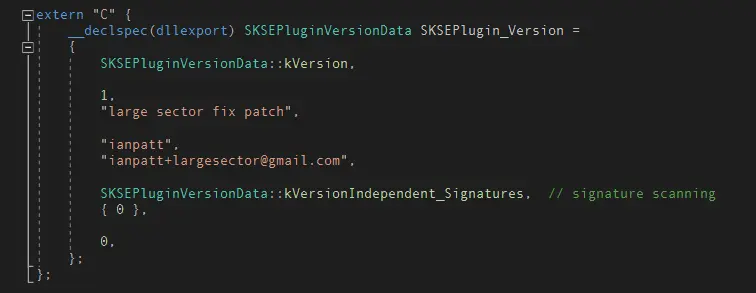
Skyrim's engine has a bug that causes audio to not play most of the time when the game is installed to a drive with a sector size other than 512 (usually referred to as Advanced Format). This is an SKSE plugin that fixes the bug. Compatible with all versions of SE/AE.
Technical Explanation:
This plugin is useful if you have installed Skyrim on a drive that does not use 512 byte sectors. in order to optimize disk access and memory,
and possibly for better performance on consoles, the sound .bsa is opened with the flag FILE_FLAG_NO_BUFFERING. This is an "I know what I am doing" flag that tells the operating system to operate at the raw disk sector level, bypassing the disk cache system. Files that are opened this way take an accelerated path from the disk to memory, avoiding additional copies. This is faster and doesn't pollute the disk cache with transient data, but comes with some restrictions. The primary restriction is that all file operations must both start at an offset and have a size that is an even multiple of the disk sector. This is all well and good when essentially all hard drives have sector sizes of 512 bytes and the game isn't installed to anything else. This assumption worked fine for roughly one year after the game's release, breaking when Windows 8 added support for 4096 byte sectors. With Skyrim installed on one of these drives, most read operations from the sound .bsa fail, only succeeding when the offset and size happen to line up with the larger sector size.
Installation:
Copy to Data/SKSE/Plugins/. Create these folders if they don't exist. Currently there is no log file or feedback; it either works or it doesn't.
This SKSE plugin fixes a Skyrim engine bug that prevents audio from playing when the game is installed on drives with a sector size other than 512 (Advanced Format). It's a targeted fix for a niche but frustrating issue, with strong community support (5,819 endorsements, 2.8M downloads).
✨ Key Features
📊 Pros & Cons
✅ Pros
- Massive community trust: 5,819 endorsements and 2.8M downloads
- Solves a real, annoying bug that breaks audio for some setups
- Lightweight SKSE plugin—no heavy scripts or bloat
⚠️ Cons
- Only relevant if you have an Advanced Format drive—otherwise useless
- Last updated in 2022, so may not be tested with the latest Skyrim patches
For Skyrim players who've noticed missing audio and have their game on a modern large-sector drive. If you're on a standard 512-byte drive, skip it—you don't need this fix.
💡 Beginner Tips
- Make sure you have SKSE installed and launch the game through skse_loader.exe, not the default launcher.
- Check your drive's sector size in Windows (fsutil fsinfo ntfsinfo C:) to confirm if this fix applies to you.
- If you're using a mod manager, just drop the plugin into your Data folder or use the manager's install feature.
📊 Mod Details
- Game
- Skyrim Mods
- Author
- Ian Patterson
- Version
- 4
- Downloads
- 2,834,218
- Endorsements
- 5,819
- Category
- Bug Fixes
- Created
- 7/17/2022
- Updated
- 10/10/2022
🧩 Commonly Used Together
Users add these mods to the same collections — a real compatibility signal, not an AI guess.
🔧 How to Install Skyrim Mods
Download from Nexus.
📖 Full step-by-step install guide for Skyrim →
Visit the official mod page for specific installation instructions for this mod.
🎮 Need cheat codes or console commands? Check ur gaming wiki for Skyrim commands, item IDs, and more.
Keep browsing — more Skyrim mods await