Snakorn's Dark Fantasy ReShade
⚪ Last updated 2016⚠️ Install Order · 5 steps
Install in this order, then this mod last — most mods fail to load without their framework and dependencies in place.
Preview
🔍 Analysis
- 👍 4.7% endorsement rate — high engagement, a strong quality signal
- 🏆 #10 of 23 Presets - ENB and ReShade mods in this game by downloads
📋 About This Mod
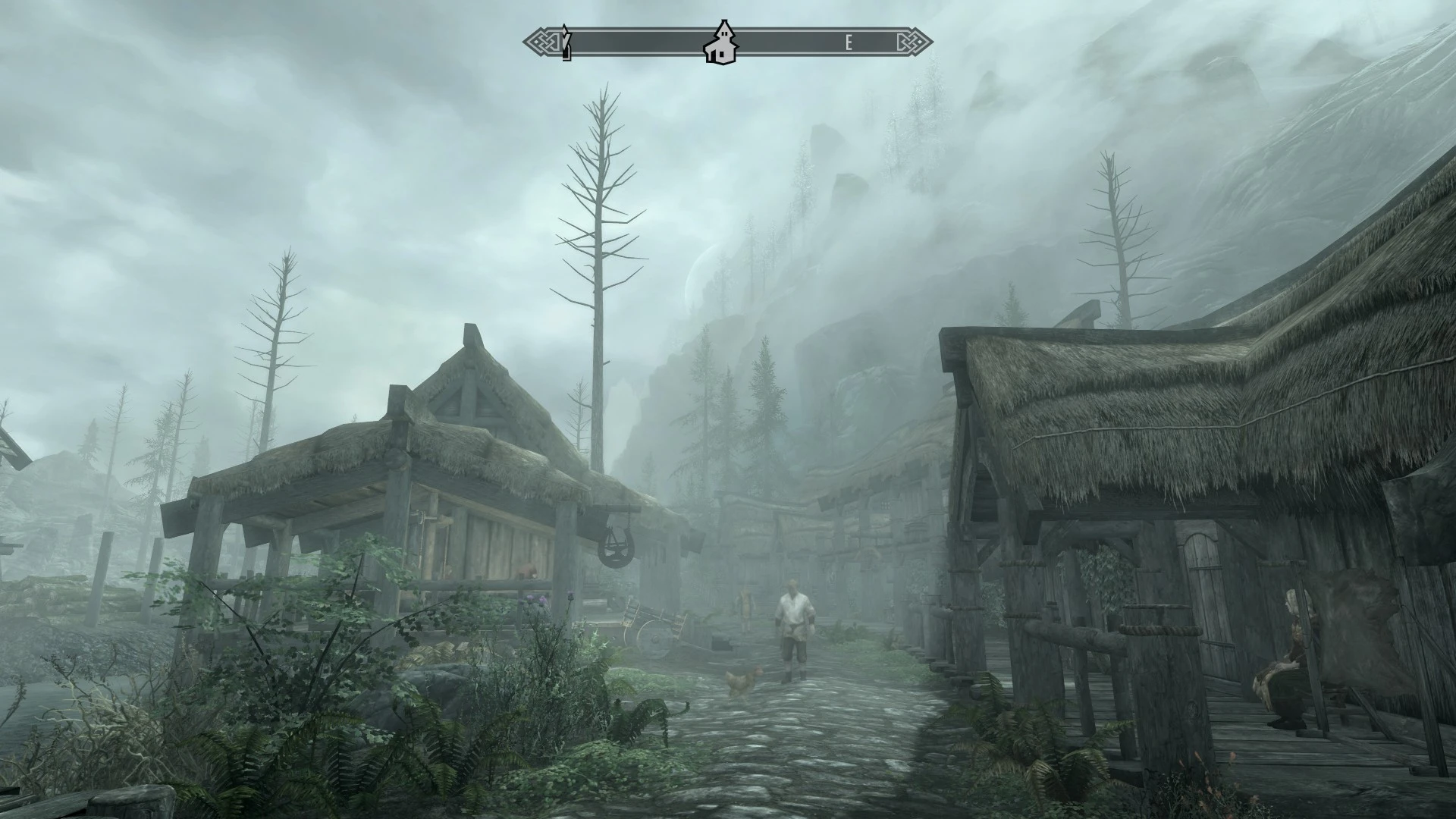
Reshade preset for Skyrim SE. Grimy and dark.
Darker version of each image is the ReShade preset. Sorry for not adding (Vanilla/reShade) texts on it.
1. Download ReShade (3. 0. 3) - https://reshade.me/ 2. Install it and follow the instructions (download all effects when asked to) 3. Close Reshade when there's "Installation succesfull" on ReShade window title. 4. Download -> Unzip -> Put this ini file in main Skyrim SE folder (where SkyrimSE.exe is) 5. Run the game and press shift + f2 and select my preset from dropdown located on top of the window. 5. Close reshade windows shift+f2 6. Profil 7. Thank you for downloading, I hope you'll enjoy it. Let me know what you think! 8. Point 5 is twice on this list.
📊 Mod Details
- Game
- Skyrim Mods
- Author
- Snakorn
- Version
- 1.0
- Downloads
- 7,119
- Endorsements
- 333
- Category
- Presets - ENB and ReShade
- Created
- 10/30/2016
- Updated
- 10/30/2016
🔧 How to Install Skyrim Mods
Download from Nexus.
📖 Full step-by-step install guide for Skyrim →
Visit the official mod page for specific installation instructions for this mod.
🎮 Need cheat codes or console commands? Check ur gaming wiki for Skyrim commands, item IDs, and more.
Keep browsing — more Skyrim mods await