Skyrim Borders Disabled - SSE-Edition
⚪ Last updated 2018⚠️ Install Order · 5 steps
Install in this order, then this mod last — most mods fail to load without their framework and dependencies in place.
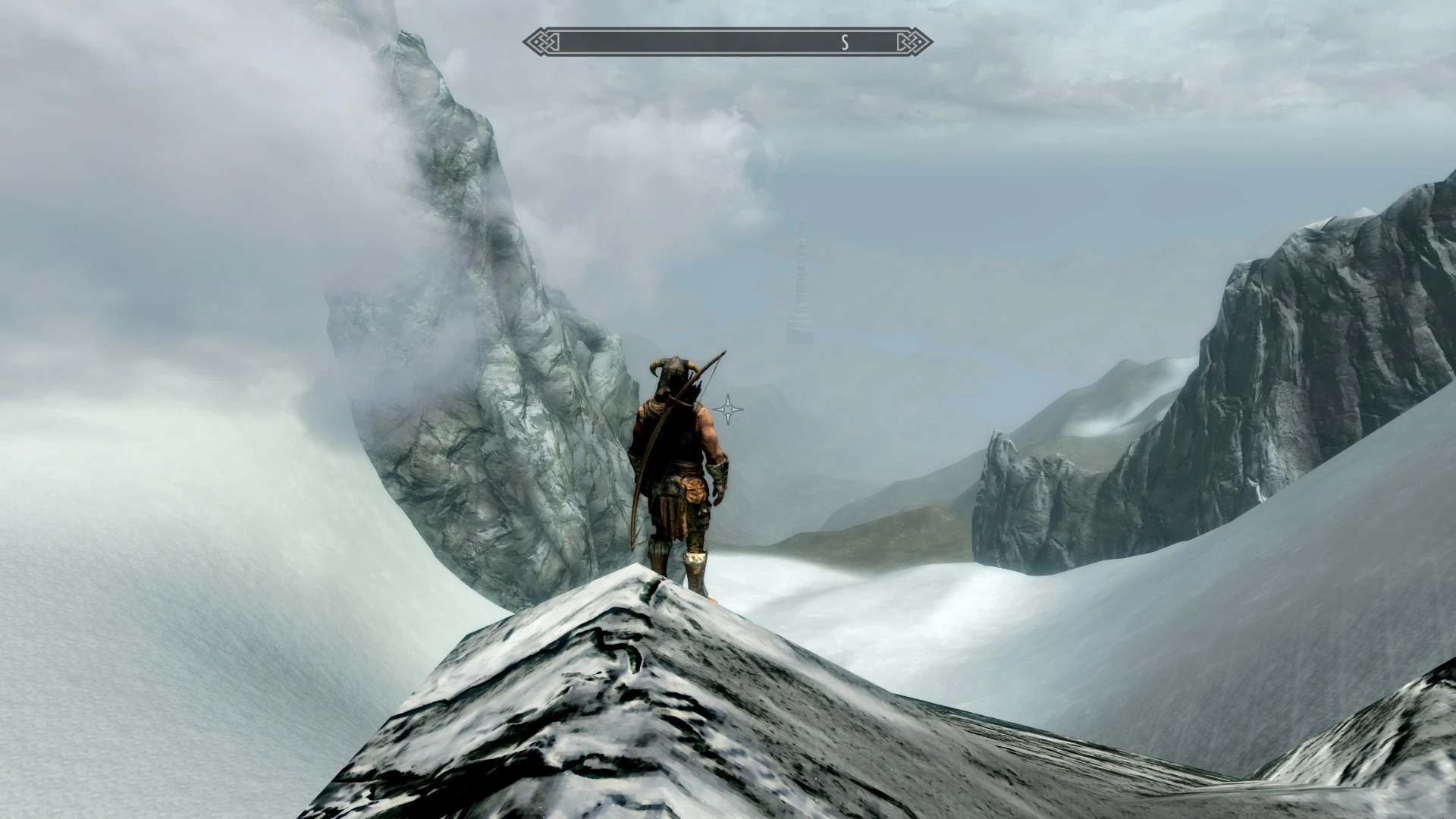
Preview
🔍 Analysis
- 👍 3.0% endorsement rate — high engagement, a strong quality signal
- 🏆 #8 of 66 Environmental mods in this game by downloads
📋 About This Mod
Skyrim Borders Disabled - Skyrim Special Edition-Edition
This is the version for Skyrim Special Edition. The upload for normal Skyrim can be found here on Skyrim Nexus.
This mod just disables the borders of Skyrim (in every version) and the borders of every DLC. Its a modder ressource and a mod at the same time. The player can use it to cross borders and modder can use this plugin for their mods.
Diese Mod deaktiviert die Grenzen von Skyrim (in allen Versionen) und allen DLCs. Sie ist gleichzeitig als Mod und als Modder-Ressource gedacht. Der Spieler kann dieses Plugin nutzen, um die Grenzen zu überqueren und Modder können ihre Mods von diesem Plugin abhängig machen.
What did I do?
I just created an .esm that loads an .ini file with the entry "bBorderRegionsEnabled=0".
Was habe ich gemacht?
Ich habe eine .esm erstellt, welche eine mit dem Eintrag "bBorderRegionsEnabled=0" versehene .ini lädt.
How can one apply the procedure to one's own or other mods so that one does not occupy an additional slot with this mod?
You only need to create an ini file with the same file name as an esm, esp or esl file and in the same directory with which you want to load the ini file. You can then add all the entries you want in the ini file. The Creation Kit Wiki has an official mention of this:
https://www.creationkit.com/index.php?title=INI_files
Wie kann man das Vorgehen auf eigene oder andere Mods anwenden, sodass man mit dieser Mod nicht einen zusätzlichen Slot belegt?
Man braucht nur eine ini-Datei zu erstellen, die den gleichen Dateinamen wie eine esm-, esp- oder esl-Datei trägt und im gleichen Verzeichnis liegt, mit der man die ini-Datei laden möchte. In der ini-Datei können dann alle gewünschten Einträge hinzugefügt werden. Das Creation Kit Wiki hat eine offizielle Erwähnung dazu:
https://www.creationkit.com/index.php?title=INI_files
What does that mean for you?
- No tweak or overwright of your skyrim.ini
- A maximum of compatibility
- This mod does not need translation
Was bedeutet das für euch?
- Keine Änderungen oder Überschreibungen in eurer skyrim.ini
Skyrim Borders Disabled - SSE-Edition removes all border walls from Skyrim and its DLCs, allowing players to cross into unloaded areas. It serves as both a player mod and a modder resource, with 2,388 endorsements and 79,952 downloads. Last updated in October 2018.
✨ Key Features
📊 Pros & Cons
✅ Pros
- Community favorite with 2,388 endorsements and nearly 80k downloads
- Simple concept that works as a modder's resource for other mods
- No dependencies or extra files needed
⚠️ Cons
- Last updated in 2018, so it may not be compatible with the latest Skyrim SE patches
- Crossing borders can lead to broken quests or missing terrain if not used carefully
- Potential conflicts with mods that alter worldspace boundaries
For Skyrim players who want to explore beyond the map borders or modders who need a base plugin to expand the world. Skip if you prefer a stable, vanilla experience without risking glitches.
💡 Beginner Tips
- Place this mod early in your load order to avoid conflicts with other worldspace mods
- Use the console command 'coc' to teleport to border areas and test if the mod works
- If you encounter missing terrain, disable the mod and re-enable it after loading a save
📊 Mod Details
- Game
- Skyrim Mods
- Author
- Lorneos
- Version
- 1.1
- Downloads
- 79,952
- Endorsements
- 2,388
- Category
- Environmental
- Created
- 1/3/2017
- Updated
- 10/5/2018
🔧 How to Install Skyrim Mods
Download from Nexus.
📖 Full step-by-step install guide for Skyrim →
Visit the official mod page for specific installation instructions for this mod.
🎮 Need cheat codes or console commands? Check ur gaming wiki for Skyrim commands, item IDs, and more.
Keep browsing — more Skyrim mods await