SICKM - Skyrim Interface Controller Keyboard Mouse (AE SE LE)
🟠 Updated over a year ago⚠️ Install Order · 5 steps
Install in this order, then this mod last — most mods fail to load without their framework and dependencies in place.
Preview
🔍 Analysis
- 👍 2.6% endorsement rate — high engagement, a strong quality signal
- 🏆 #137 of 147 User Interface mods in this game by downloads
📋 About This Mod
DESCRIPTION
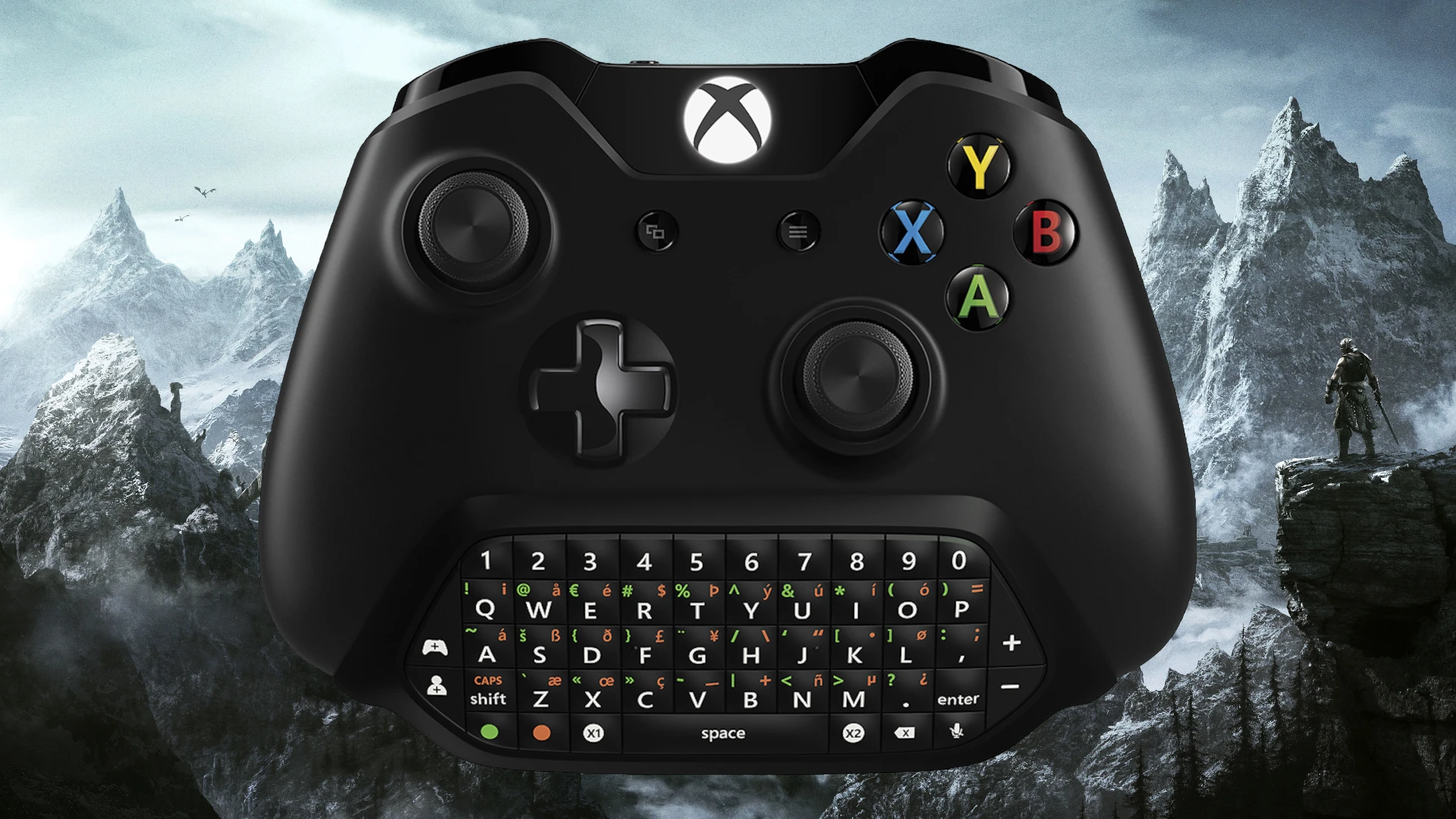
While multiplayer FPS games are best played with a keyboard and mouse, Skyrim was designed to be best played with a controller. With the controller, you can play Skyrim with fewer need to take your eyes off the screen, play from the comfort of the sofa, or play from a reclined position. There's also less chance of carpal tunnel syndrome. The controller does have two very annoying drawbacks and one shortcoming. During an intense battle, it's too easy to accidentally switch in and out of sneak mode or switch between first and third person views. The one shortcoming is the limitation of only two hotkeys. This controlmap will fix all these issues. While there are plenty of other controlmaps, some that do even more, they tend to be overly complex, unintuitive, or require you to learn an entirely new controller layout. SICKM is very true to the vanilla controller layout. The main goal of SICKM is to provide additional functionality without switching a single button. This controlmap is simple, uses the default layout, is intuitive, and allows you to use the controller, keyboard, and mouse all at the same time. This mod was designed to be used with the chatpad, but does not require one. The version 1. 5 options will work for Skyrim 1. 5. 97 - 1. 6. 640. The version 2. 0 options will work for Skyrim 1. 6. 1130 - 1. 6. 1170+.
The new controller mapping is as follows (everything else is the same):
Sneak: LB + Left Stick Button (LSB)
Toggle POV: LB + Right Stick Button (RSB)
Hotkey 3: LB + D-Pad Left
Hotkey 4: LB + D-Pad Right
Hotkey 5: RSB + D-Pad Left
Hotkey 6: RSB + D-Pad Right
Hotkey 7: LSB + D-Pad Left
Hotkey 8: LSB + D-Pad Right
Quick Inventory: LSB + Start/Menu
Quick Map: RSB + Back/View
This mapping is very intuitive and very easy to use. It should only take a few moments to become accustomed to the new mapping. The reason for using only D-Pad Left and D-Pad Right for the hotkeys is that during actual gameplay, Up, Down, and the diagonal buttons could not be reliably pressed and required multiple presses to get right. Sneak can easily be toggle by pressing and holding LSB and pressing LB. FOV can easily be toggle by pressing and holding RSB and pressing LB while moving. Pressing and holding RSB and pressing LB while standing still will enter third person camera zoom mode. The only minor issue with this controlmap is that exiting third person camera zoom mode can be a little difficult. To exit this mode press and hold RSB and then press LB twice or exit by toggling FOV key. The LSB and RSB buttons are free and can be use for hotkeys. RSB works great as a dodge key. The DirectX scancodes for LSB and RSB are 272 and 273. If using TK Dodge RE, set DodgeHotkey = 273 in TK Dodge RE.ini. Now You can dodge 'em
SICKM is a controlmap mod for Skyrim that enhances controller play by adding hotkeys and preventing accidental sneak/POV switches, while keeping the vanilla layout. It supports both keyboard/mouse and controller simultaneously, with versions for Skyrim 1.5.97-1.6.640 and 1.6.1130-1.6.1170+. Popular with 355 endorsements and 13,730 downloads.
✨ Key Features
📊 Pros & Cons
✅ Pros
- Community-approved with 355 endorsements and over 13k downloads
- Stays true to vanilla layout—no need to relearn the entire controller scheme
- Adds meaningful functionality without sacrificing intuitiveness
⚠️ Cons
- Requires specific button combos that may take some getting used to
- Version-specific compatibility—must choose the right version for your Skyrim update
- Potential conflicts with other mods that alter controller mappings or UI
For controller players who want extra hotkeys and fewer accidental toggles without overhauling the control scheme. Also great for those who want to mix controller and keyboard/mouse seamlessly. Skip if you prefer a completely custom controller layout or play with keyboard/mouse only.
💡 Beginner Tips
- Make sure to download the correct version for your Skyrim build (1.5.97-1.6.640 or 1.6.1130-1.6.1170+)
- If you use a mod manager, install via mod manager to keep track of the file easily
- Test the new hotkey combos in a safe area before heading into combat
📊 Mod Details
- Game
- Skyrim Mods
- Author
- Knight Life
- Version
- 2.0
- Downloads
- 13,730
- Endorsements
- 355
- Category
- User Interface
- Created
- 5/16/2021
- Updated
- 1/10/2025
🔧 How to Install Skyrim Mods
Download from Nexus.
📖 Full step-by-step install guide for Skyrim →
Visit the official mod page for specific installation instructions for this mod.
🎮 Need cheat codes or console commands? Check ur gaming wiki for Skyrim commands, item IDs, and more.
Keep browsing — more Skyrim mods await