Rob's Bug Fixes - Our xEdit Scripts
⚪ Last updated 2022⚠️ Install Order · 5 steps
Install in this order, then this mod last — most mods fail to load without their framework and dependencies in place.
Preview
🔍 Analysis
- 👍 0.2% endorsement rate
- 🏆 #15 of 34 Utilities mods in this game by downloads
📋 About This Mod
Just a place to put some xEdit scripts I use. Not the most end user friendly things to be doing to your mods so please don't try this stuff at home unless you either 1. Know what you are doing. or 2. are using them mods you have backed up and thus don't care what happens. you have been warned.
Just 4 right now, but i'll end up putting more on here as the need arises to automate more stuff.
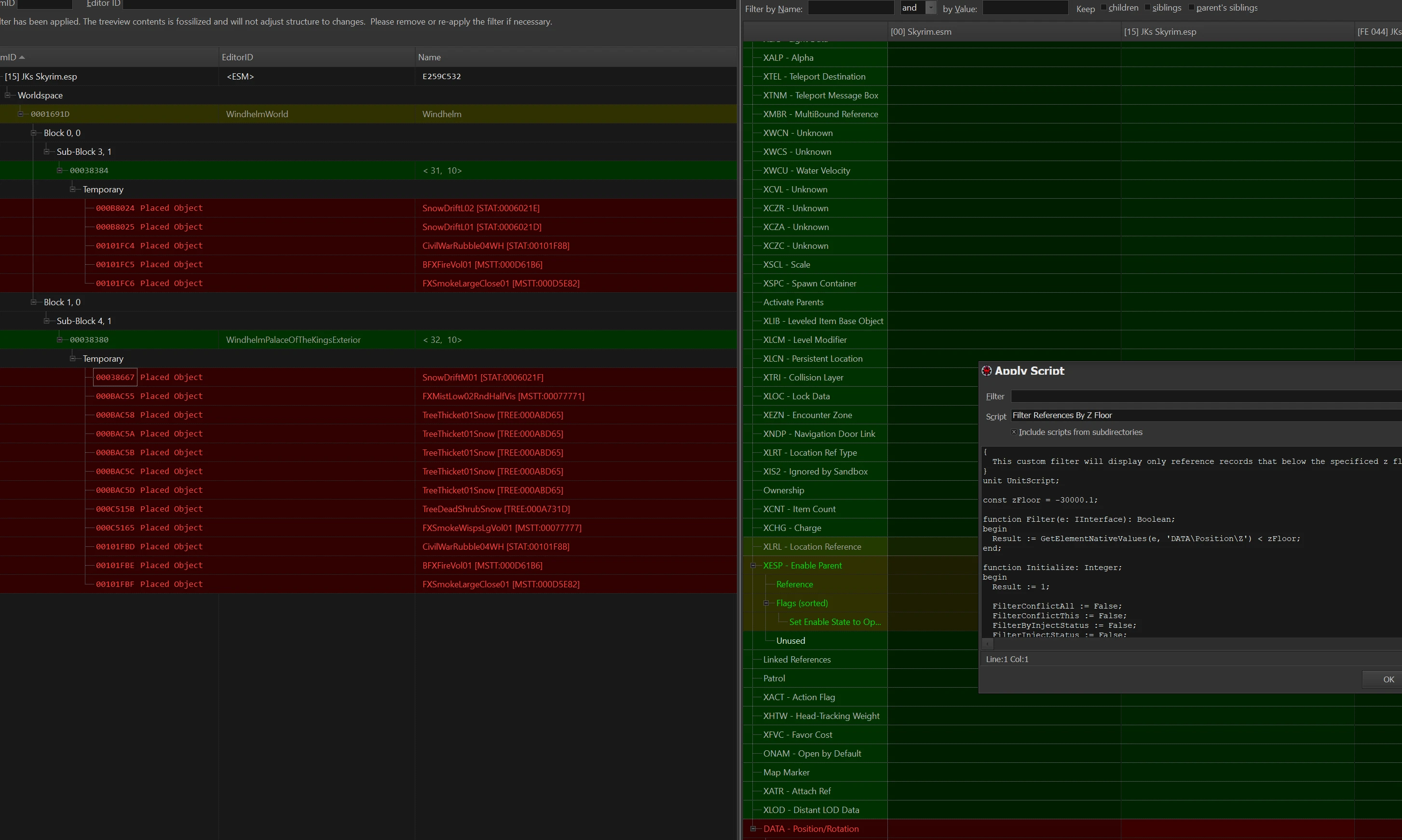
Script #1 will filter by references with a Z (vertical) gps coordinate of less than -30,000.
Script #2 will filter by navmeshes with a minimum Z value of less than -30,000.
Script #3 will set the Z coordinate of every vertex on a navmesh to -30,000
Script #4 will set the Z coordinate of selected references to -30,000
Since people will most certainly be curious about why i needed this. It is known that a worldspace in Skyrim has a 3d gps system to track the position of every object in the world, including references and navmeshes. horizontally in both directions in can theoretically go on forever though boundaries are set on the worldspace record. However vertically the worldspace is capped on a range of Z coordinate minus 30k to positive 30k Mod authors will sometimes in the process of making there mods, need to disable or move vanilla objects out of the way. This is even more common with patches.
Kojak and Myself as well as others who have reported in from testing, have discovered that references and navmeshes (especially navmeshes) with z coordinates outside this -30 to +30k range cause issues with the game engine. Most notably pretty bad micro stutter and hitching. The best example of this was with Kojak's Enhanced Solitude Docks, which if anyone has used it prior to April of 2022, will know its got some pretty bad stutter and hitching and just all manner of performance issues. Well we found that in his work to merge the base mods together to create ESD, there ended up being aproxximately 150+ navmeshes placed way below the -30k z coordinate boundary of the worldspace. And upon deletion of these navmeshes (actual deletion not flagging as deleted) Boom stutter gone.
We had these scripts created to investigate further in other mods and have found that a loot of mods have stuff set below -30k. invididually each item doesnt seem to do too much, but en masse the engine just slows to a crawl. Running the navmesh filter on a 1500 plugin load order in xEdit found almost 800 navmeshes set below -30k, after fixing perf in the effected areas significantly improved. Evidence seems conclusive to us so heres the scripts so you can see for yourself.
Edit: make sure simple records is turned OFF in xEdit when running the navmesh filter script.
In options its the 4th or 5th option from the bottom in the left column
Im not good at wordsmithing so apologies if that was wordy, hopefully th
A collection of xEdit scripts for mod authors and advanced users to fix mods, with 492 endorsements and 206,612 downloads. Not beginner-friendly; requires technical knowledge and backup of mods before use.
✨ Key Features
📊 Pros & Cons
✅ Pros
- Proven track record with 492 endorsements and over 206k downloads
- Author is experienced (robertgk2017) and shares personal scripts
- Fills a niche for advanced modders who need custom xEdit tools
⚠️ Cons
- Not for casual users – you need to know xEdit inside out
- No detailed documentation or usage examples provided
- Potential compatibility risk if used on mods without backups
For experienced mod authors and technical users who are comfortable with xEdit and want to automate bug fixes. Skip if you're a casual player or just want to install mods – this is a developer toolkit, not a plug-and-play mod.
💡 Beginner Tips
- Only use these scripts on mods you have backed up – the author warns against using them without backups.
- Familiarize yourself with xEdit's scripting interface before attempting to run these scripts.
- Test scripts on a dummy mod first to see what changes they make before applying to real mods.
📊 Mod Details
- Game
- Skyrim Mods
- Author
- robertgk2017
- Version
- 2.0
- Downloads
- 206,612
- Endorsements
- 492
- Category
- Utilities
- Created
- 4/17/2022
- Updated
- 4/17/2022
🔧 How to Install Skyrim Mods
Download from Nexus.
📖 Full step-by-step install guide for Skyrim →
Visit the official mod page for specific installation instructions for this mod.
🎮 Need cheat codes or console commands? Check ur gaming wiki for Skyrim commands, item IDs, and more.
Keep browsing — more Skyrim mods await