Remiros' Ebony Blade HD
⚪ Last updated 2020⚠️ Install Order · 5 steps
Install in this order, then this mod last — most mods fail to load without their framework and dependencies in place.
🖼️ Gallery (5 images)

🔍 Analysis
- 👍 0.8% endorsement rate
- 🏆 #158 of 434 Models and Textures mods in this game by downloads
📋 About This Mod
Description:
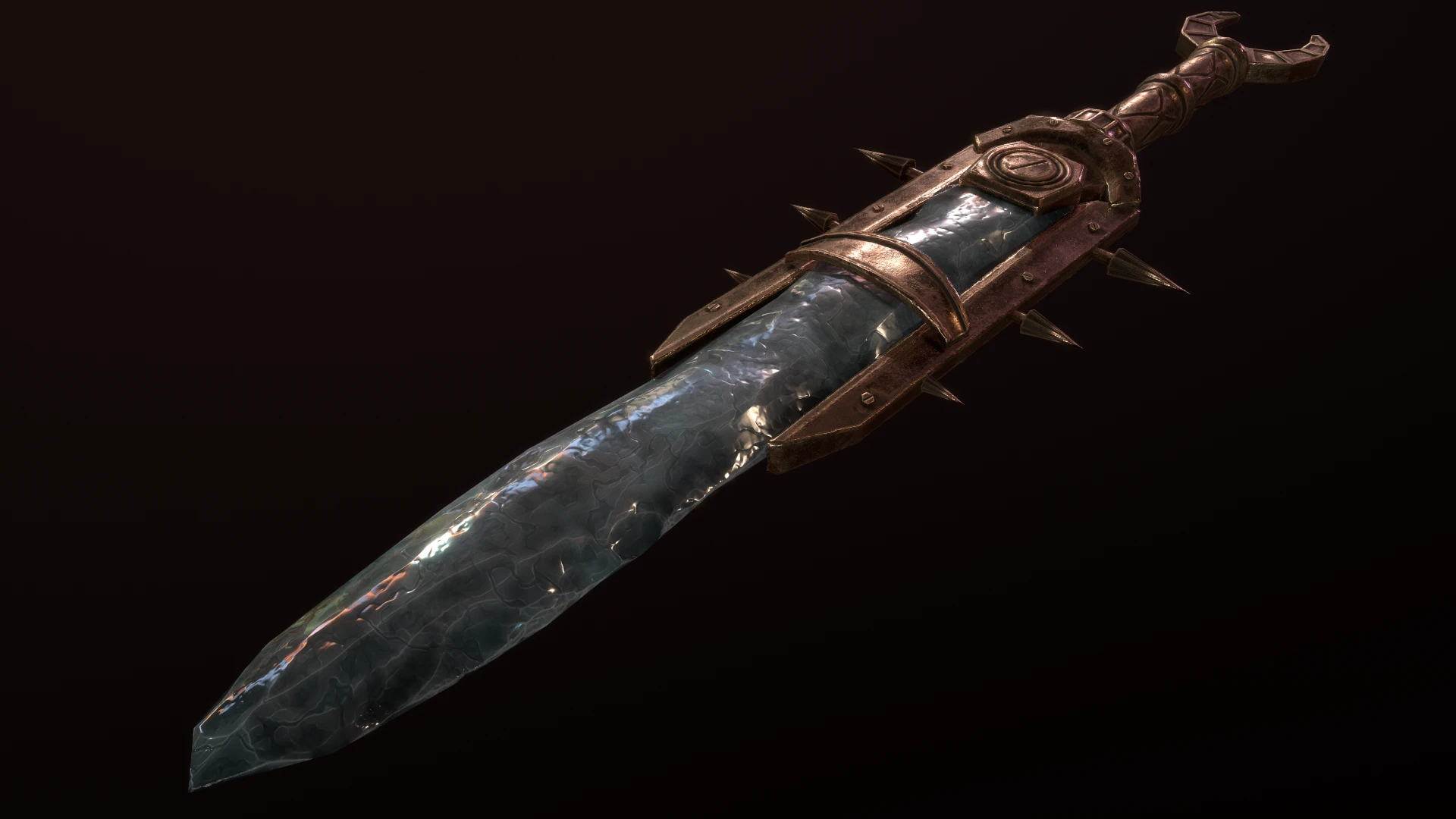
Replaces the textures of the Ebony Blade with higher quality ones. It also replaces the broken vanilla mesh and includes fixes for missing faces, holes in the geometry, wonky normals and incorrect material settings among other things.
=================================================================================================
Installation:
Simply drop the "textures" and "meshes" folders into your "data" folder and let the files
overwrite. Alternatively, just use your mod manager of choice.
=================================================================================================
Uninstallation:
Delete all the textures and meshes that come with this mod or uninstall using your mod manager.
=================================================================================================
This mod only replaces textures and meshes and is therefore compatible with everything.
=================================================================================================
Requirements:
=================================================================================================
Humus and Billyro for Humus Cubemaps for Skyrim
=================================================================================================
Permission:
Feel free to use this mod or its contents however you wish. For the included cubemap, please refer to the permissions and credits section of Humus Cubemaps.
=================================================================================================
Tools used:
ESRGAN and the Superscale model by nmkd (for the base of the normal map)
Substance Designer
Substance Painter
NVIDIA Texture Tools Exporter
Remiros' Ebony Blade HD is a simple texture/model replacement for the Ebony Blade in Skyrim, offering a higher quality version of the weapon. With over 2,700 endorsements and 359,000 downloads, it's a popular choice for players seeking visual improvements. Last updated in December 2020, it remains a reliable cosmetic upgrade.
✨ Key Features
📊 Pros & Cons
✅ Pros
- Community favorite with 2,741 endorsements and 359k downloads—clearly a go-to for many players.
- Simple, focused improvement: just the Ebony Blade, no extra baggage.
- Lightweight mod that won't clutter your load order.
⚠️ Cons
- Only affects the Ebony Blade—if you want more weapon overhauls, this won't cover them.
- Last updated in 2020, so it might not be tested with the latest Skyrim patches or AE content.
For Skyrim players who want a quick visual upgrade to the Ebony Blade without overhauling all weapons. Perfect for those who value a clean, focused mod. Skip if you're looking for comprehensive weapon retextures or gameplay changes.
💡 Beginner Tips
- Since it's a simple replacer, just drop the files into your Data folder or use a mod manager—no special setup needed.
- If you're using other Ebony Blade mods, check for conflicts; load order might matter if multiple mods alter the same weapon.
- For best results, ensure you have the latest Skyrim patch installed, as the mod was last updated in 2020.
📊 Mod Details
- Game
- Skyrim Mods
- Author
- Remiros
- Version
- 1.2
- Downloads
- 359,198
- Endorsements
- 2,741
- Category
- Models and Textures
- Created
- 12/2/2020
- Updated
- 12/3/2020
🔧 How to Install Skyrim Mods
Download from Nexus.
📖 Full step-by-step install guide for Skyrim →
Visit the official mod page for specific installation instructions for this mod.
🎮 Need cheat codes or console commands? Check ur gaming wiki for Skyrim commands, item IDs, and more.
Keep browsing — more Skyrim mods await