Realistic ReShade for Obsidian Weathers and Seasons by BigMike
⚪ Last updated 2017⚠️ Install Order · 7 steps
Install in this order, then this mod last — most mods fail to load without their framework and dependencies in place.
Preview
🔍 Analysis
- 👍 5.7% endorsement rate — high engagement, a strong quality signal
- 🏆 #21 of 21 Presets - ENB and ReShade mods in this game by downloads
📋 About This Mod
BIG MIKE PRESENTS
ReShade for Obsidian Weathers and Seasons
(https://rd.nexusmods.com/skyrimspecialedition/mods/12125?tab=files)
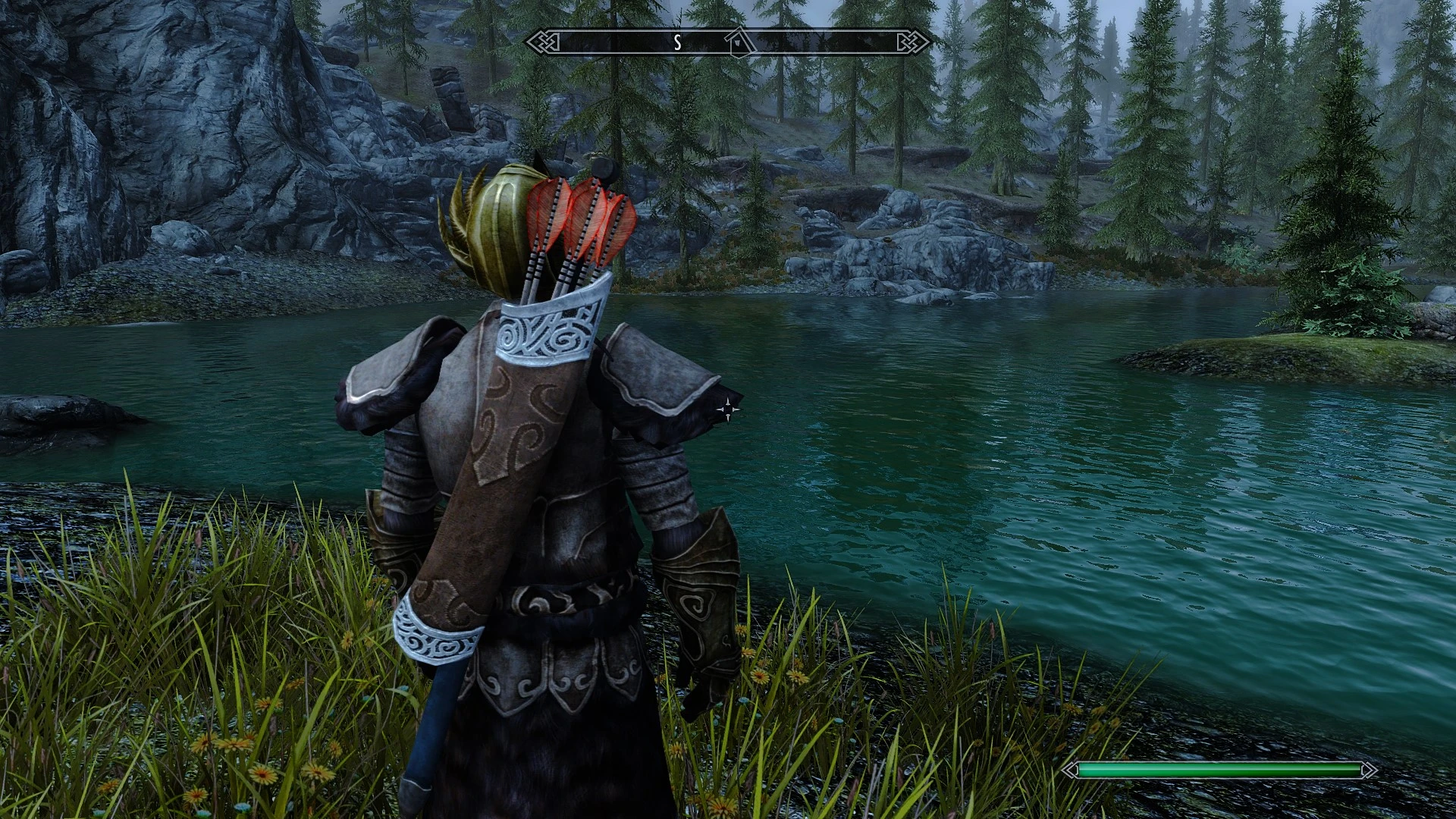
This is my Reshade for Skyrim Special Edition, which improves the graphics making the colors vibrant and realistic, it also improves the quality of surfaces and faces, making them more detailed and realistic.
If the reshade you like, endorse it.
1) Download ReShade (https://reshade.me/) 2) Install it by selecting the SSE executable, selecting DirectX 10/11 3) Select yes when the installer ask you if you want to download the Shaders 4) Select this effects AmbientLight.fx, Curves.fx, LumaSharpen.fx, DPX.fx, LUT.fx, Vibrance.fx, LiftGammaGain.fx, FakeHDR.fx 5) Download my preset 6) Extract my ini file to SkyrimSE.exe location 6) Launch the game, Shift+F2 then select the ini
A ReShade preset for Skyrim Special Edition that pairs with Obsidian Weathers and Seasons, boosting color vibrancy and surface/face detail. Requires manual ReShade setup and preset selection in-game. Community-tested with 455 endorsements and 7,965 downloads.
✨ Key Features
📊 Pros & Cons
✅ Pros
- Community-approved with 455 endorsements and nearly 8k downloads
- Specifically tuned for Obsidian Weathers, so it's a solid match if you use that mod
- Boosts color and detail without needing an ENB, so it's lighter on performance
⚠️ Cons
- Requires manual ReShade setup, which can be fiddly if you're new to it
- Last updated in 2017, so it might not play nice with newer Skyrim SE patches or ReShade versions
- Only works with Obsidian Weathers—if you switch weather mods, you'll need a different preset
For Skyrim SE players who use Obsidian Weathers and want a quick visual boost without the performance hit of an ENB. If you're not into tweaking ReShade settings or you use a different weather mod, skip this one.
💡 Beginner Tips
- Make sure you select the correct effects during ReShade installation—the preset won't work without them.
- After extracting the INI to your SkyrimSE.exe folder, launch the game and press Shift+F2 to open the ReShade menu, then load the preset.
- If the preset looks too strong or too weak, tweak the Vibrance and LumaSharpen values in the ReShade menu to your liking.
📊 Mod Details
- Game
- Skyrim Mods
- Author
- DarthRaze95
- Version
- 1.0
- Downloads
- 7,965
- Endorsements
- 455
- Category
- Presets - ENB and ReShade
- Created
- 12/28/2017
- Updated
- 12/30/2017
🔧 How to Install Skyrim Mods
Download from Nexus.
📖 Full step-by-step install guide for Skyrim →
Visit the official mod page for specific installation instructions for this mod.
🎮 Need cheat codes or console commands? Check ur gaming wiki for Skyrim commands, item IDs, and more.
Keep browsing — more Skyrim mods await