NPC Apachii Hairstyles
⚪ Last updated 2017⚠️ Install Order · 6 steps
Install in this order, then this mod last — most mods fail to load without their framework and dependencies in place.
Preview
🔍 Analysis
- 👍 2.8% endorsement rate — high engagement, a strong quality signal
- 🏆 #31 of 220 Body, Face, and Hair mods in this game by downloads
📋 About This Mod
No longer being updated, see sticky post!
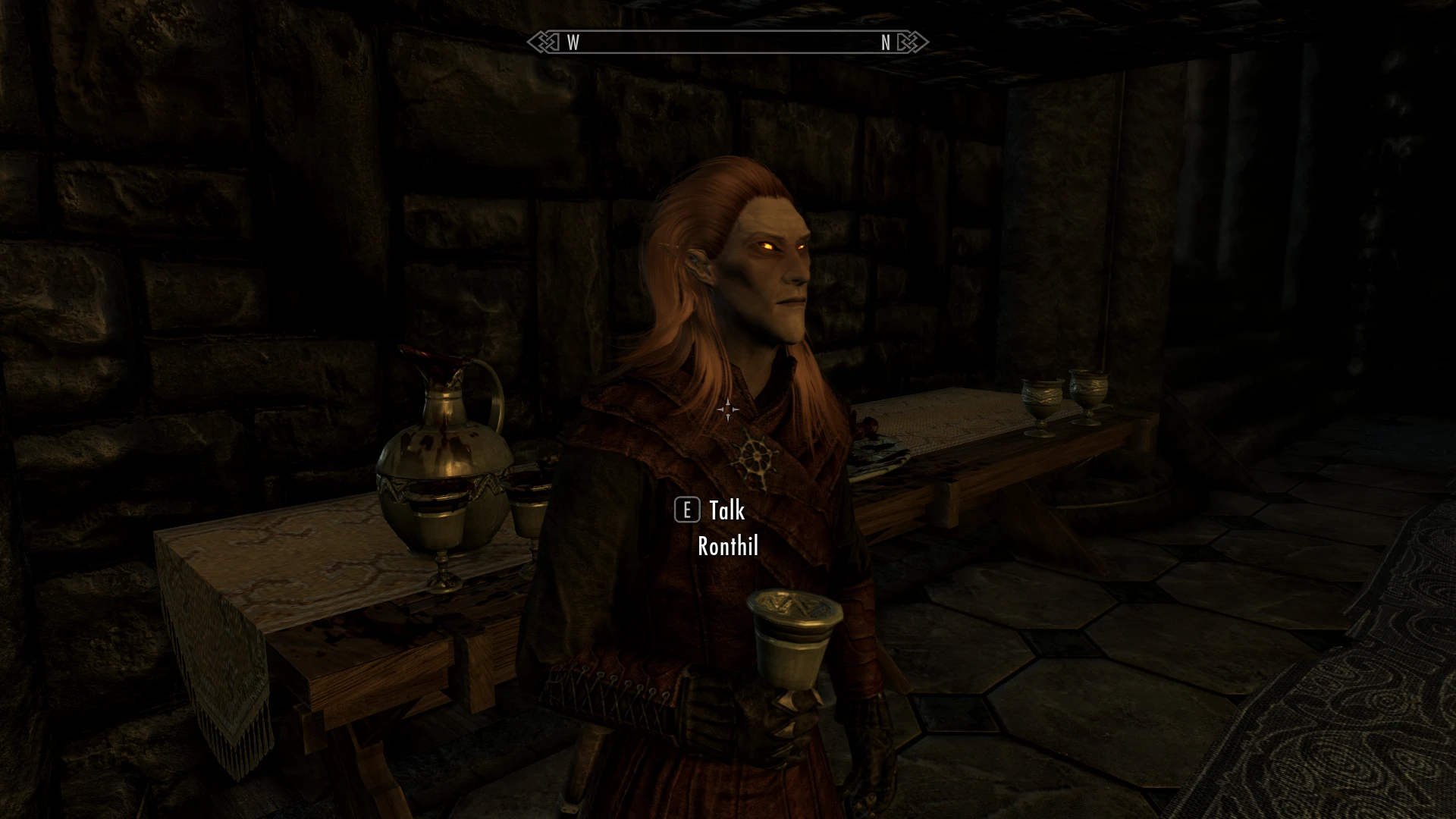
This is a simple plugin (.esp) that changes (almost) all unique NPC's hairstyles to ApachiiSkyHair. Every unique Breton, Imperial, Nord, Dark Elf, Wood Elf, High Elf and vampire (except Serana and Harkon) now have hairstyles made by Apachii.
Requirements
Skyrim Special Edition (obviously)
ApachiiSkyHair_v_1_6_Full
AND
ApachiiSkyHairFemale_v_1_5
AND
ApachiiSkyHairMale_v_1_2
This mod uses hairstyles from all three plugins so make sure to download them all!
Installation
Simply copy the .esp file to ">steamapps>common>Skyrim Special Edition>Data" and activate the plugin in your mod manager (and maybe use LOOT after install or make sure the plugin is loaded after ALL THREE Apachii hair mods)
Compatibility
This is the same as for the ApachiiSkyHair mod
Credits
All credit goes to Apachii and the people that helped him make his mod. I only did some repetitive work by giving all unique npc's different hair.
You shouldn't encounter any problems with this mod but if something does go wrong, feel free to let me know and I'll try to fix it.
For anyone experiencing dark face bug, there is a separate zip folder with meshes and textures. All you have to do is:
Go to your steam folder ">Skyrim Special Edition>Data>Meshes>actors>character>facegendata>facegeom" and let my meshes overwrite the files in that folder.
Then go to ">Skyrim Special Edition>Data>Textures>actors>character>facegendata>facetint" and let my textures overwrite the files in that folder.
Make sure to pay attention when copying these files (meshes to meshes and textures to textures)
A simple Skyrim plugin that replaces all unique NPC hairstyles with ApachiiSkyHair styles. For players who want a consistent, high-quality look across named characters. Requires ApachiiSkyHair. Community-approved with 687 endorsements.
✨ Key Features
📊 Pros & Cons
✅ Pros
- Community-approved with 687 endorsements and over 24k downloads.
- Gives every unique NPC a fresh, high-res hairstyle from ApachiiSkyHair.
- Simple plugin—no complex patches or scripts, just drop it in.
⚠️ Cons
- Requires ApachiiSkyHair, so you need that mod installed first.
- Last updated in 2017, so it might not be fully compatible with the latest Skyrim versions or other NPC overhauls.
- Only affects unique NPCs—generic NPCs keep their vanilla hair.
For Skyrim players who want their named NPCs to look more polished without overhauling the whole game. If you already use ApachiiSkyHair and want consistency, this is a no-brainer. Skip if you're looking for gameplay changes or if you prefer lore-friendly vanilla styles.
💡 Beginner Tips
- Make sure ApachiiSkyHair is installed and active before adding this mod.
- Load this mod after ApachiiSkyHair in your load order to ensure the hairstyles apply correctly.
- If you use other NPC overhaul mods, test for conflicts—this mod changes NPC records, so it may clash with mods that edit the same NPCs.
📊 Mod Details
- Game
- Skyrim Mods
- Author
- rosschedossche
- Version
- final
- Downloads
- 24,263
- Endorsements
- 687
- Category
- Body, Face, and Hair
- Created
- 4/17/2017
- Updated
- 4/22/2017
🔧 How to Install Skyrim Mods
Download from Nexus.
📖 Full step-by-step install guide for Skyrim →
Visit the official mod page for specific installation instructions for this mod.
🎮 Need cheat codes or console commands? Check ur gaming wiki for Skyrim commands, item IDs, and more.
Keep browsing — more Skyrim mods await