Nordic UI - Less Intrusive Hud II Patch
⚪ Last updated 2021⚠️ Install Order · 7 steps
Install in this order, then this mod last — most mods fail to load without their framework and dependencies in place.
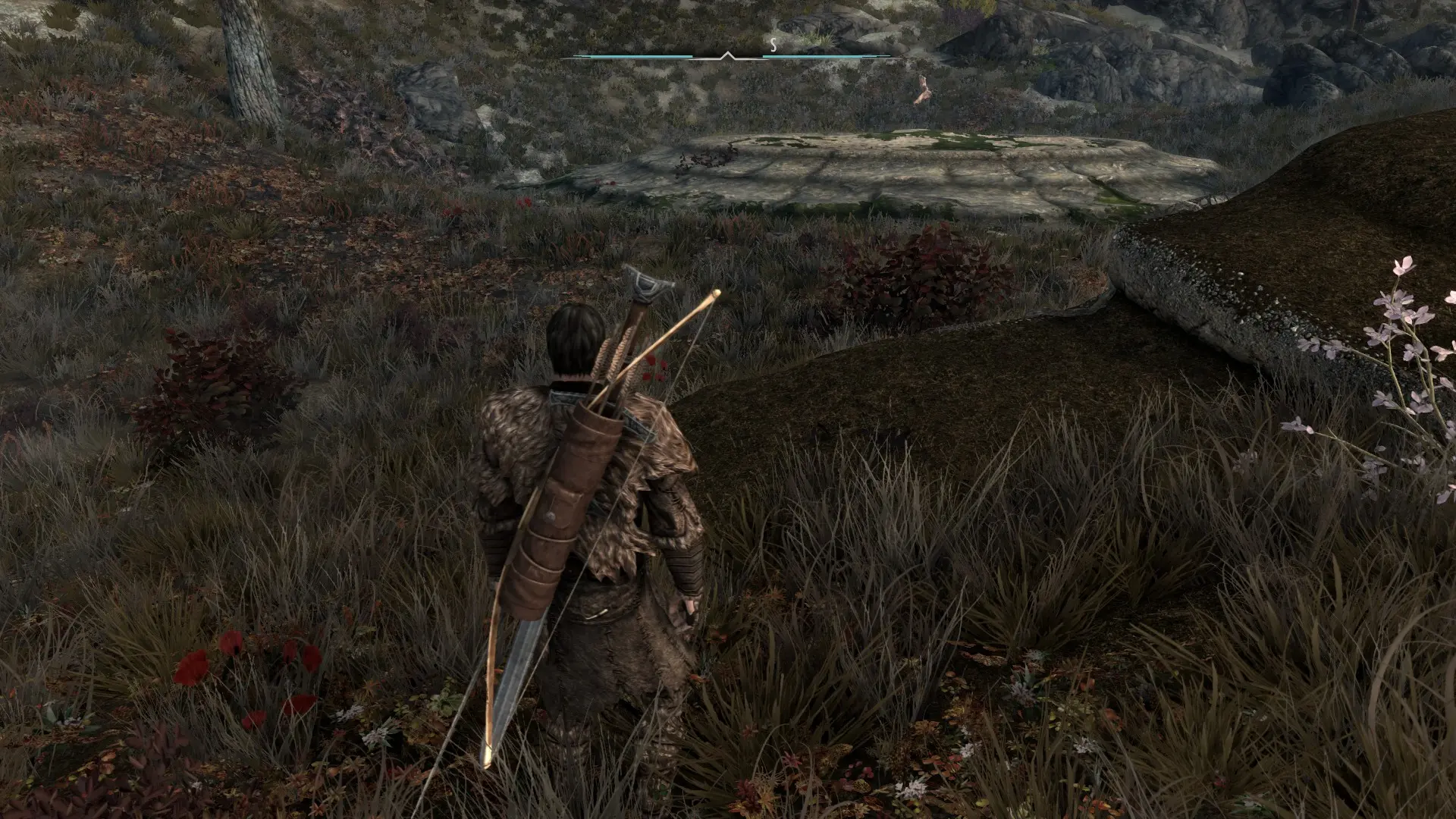
Preview
🔍 Analysis
- 👍 1.0% endorsement rate
- 🏆 #47 of 123 User Interface mods in this game by downloads
📋 About This Mod
There isn't much to say besides this mod changes the Less Intrusive HUD II to the Nordic UI hud, previously only achievable with SkyHUD.
Installation:
Install Less Intrusive HUD II, Nordic UI, and then this patch AFTER both of those and make sure to overwrite them. If you want to use my preset which I HIGHLY recommend (even though it's not perfect, it's still a great starting point) make sure to download the "Less Intrusive HUD II SE - FISSES Patch -towatot" in the optional files section of Less Intrusive HUD II, as well as obviously FileAccess Interface for Skyrim SE Scripts - FISSES. Once you've downloaded all that, go in game wait for Less Intrusive HUD II to load then go into the Mod Configuration Menu, go to Less Intrusive HUD, General Settings, and tick the Load Personal Preset Option on the right side. Check the screenshots for a visual of the menu.
Bugs & Issues:
As far as I can tell, none. I don't wanna claim this patch is perfect, it was a pain in the ass to make. But I think I got most if not all of it. Again there can definitely be some things I missed, if so please let me know. But for the most part I think I captured the essence of the HUD.
If you enjoy this mod & enjoy using a PlayStation controller check out my other mods:
NORDIC UI - PlayStation Icons Patch
Playstation 4 Button Icons for SkyUI - Special Edition
Playstation 4 Button Icons for SkyUI - Legendary Edition
Dear Diary - PlayStation Buttons Patch
SkyUI The Adventurer Theme Mod - PS4 Icons Patch
Fallout 3 - Playstation 4 Button Icons
Fallout New Vegas - Playstation 4 Button Icons
Sekiro - PlayStation Icons
DOOM ETERNAL - PlayStation Icons
The Elder Scrolls IV: Oblivion - Playstation Button Icons
Imperial UI for SkyUI
Bioshock Remastered Playstation Button Icons
Bioshock 2 Remastered - PlayStation Icons
Dark Souls 3 PS4 Controller Icons
Mafia: Definitive Edition - PlayStation Icons
Mafia 3 - PlayStation Icons
Mafia 2: Definitive Edition - PlayStation Icons
Mafia 2: Classic - PlayStation Icons
Witcher 3 - PlayStation 4 Icons
Mass Effect 2 PlayStation Icons
Far Cry 3 - PlayStation Buttons Mod
ESO Gamepad UI
Xbox One Buttons Icons for SkyUI
This is a compatibility patch that makes Nordic UI HUD work with Less Intrusive HUD II, including a preset. It's a small, focused mod for Skyrim players who want both mods together. With 425 endorsements and 44,417 downloads, it's proven useful in the community.
✨ Key Features
📊 Pros & Cons
✅ Pros
- Solid track record: 425 endorsements and 44k downloads show it's trusted.
- Does exactly what it says—no bloat, just the compatibility fix.
- Comes with a preset, so you don't have to fiddle with settings yourself.
⚠️ Cons
- Last updated in 2021, so it might not play nice with newer mod versions.
- Only works if you have both Nordic UI and Less Intrusive HUD II installed.
- Potential conflicts with other UI overhauls that touch the same elements.
For Skyrim players who love Nordic UI's look but want the cleaner, less cluttered HUD from Less Intrusive HUD II. If you're running both mods and seeing overlaps or missing elements, this patch is your fix. Skip if you only use one of those mods or prefer a different UI style.
💡 Beginner Tips
- Install this patch after both Nordic UI and Less Intrusive HUD II, and let it overwrite their files.
- Use a mod manager like Vortex or MO2 to keep load order clean—place this patch near the end.
- If you use other UI mods, test in-game to ensure nothing overlaps; adjust the preset if needed.
📊 Mod Details
- Game
- Skyrim Mods
- Author
- EASKATER
- Version
- 3.0
- Downloads
- 44,417
- Endorsements
- 425
- Category
- User Interface
- Created
- 8/25/2021
- Updated
- 8/27/2021
🔧 How to Install Skyrim Mods
Download from Nexus.
📖 Full step-by-step install guide for Skyrim →
Visit the official mod page for specific installation instructions for this mod.
🎮 Need cheat codes or console commands? Check ur gaming wiki for Skyrim commands, item IDs, and more.
Keep browsing — more Skyrim mods await