No Pesky Planter Message Boxes
⚪ Last updated 2020⚠️ Install Order · 5 steps
Install in this order, then this mod last — most mods fail to load without their framework and dependencies in place.
Preview
🔍 Analysis
- 👍 4.2% endorsement rate — high engagement, a strong quality signal
- 🏆 #123 of 147 User Interface mods in this game by downloads
📋 About This Mod
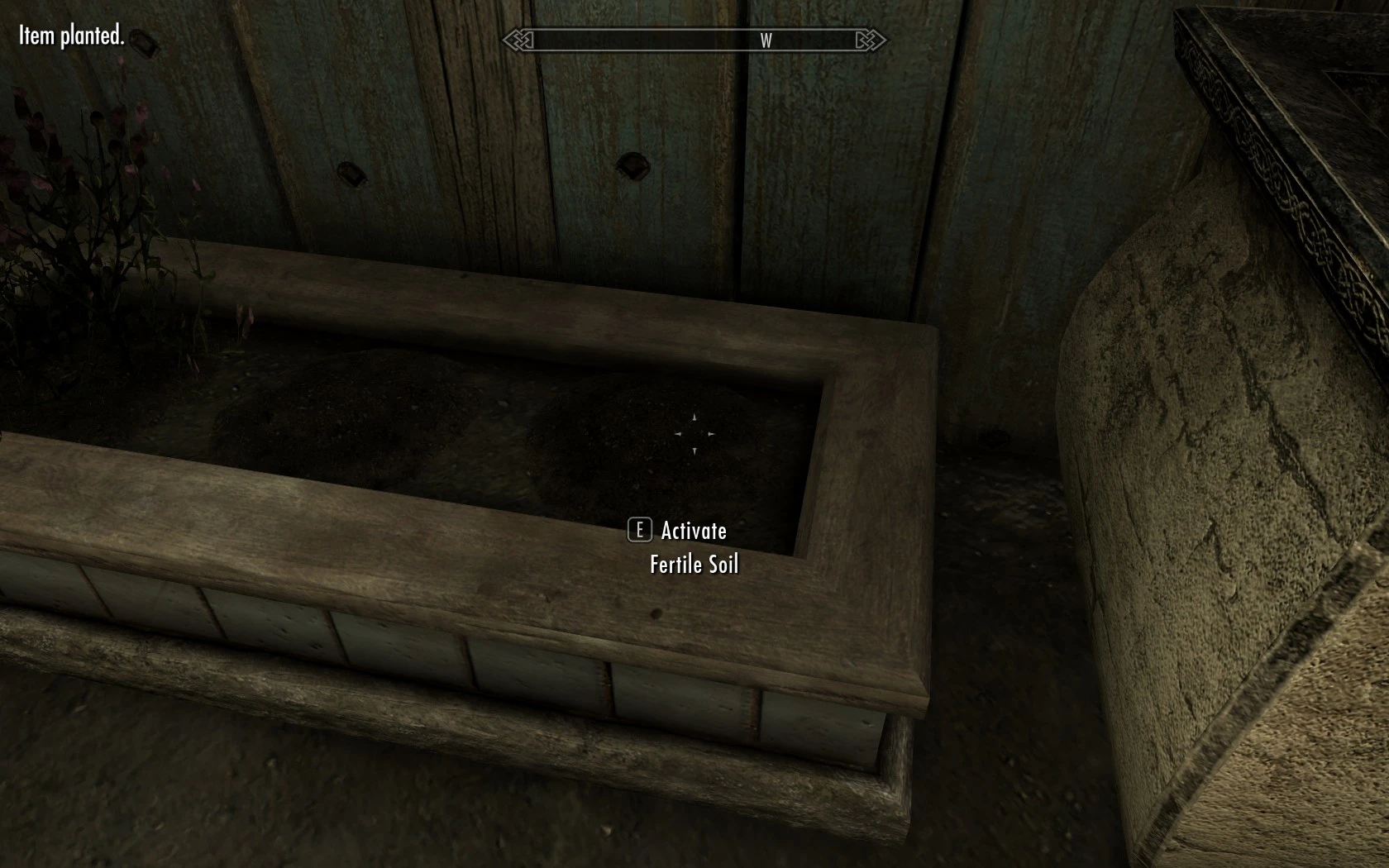
Are you tired of being interrupted in your farming session by all those "Item planted." message boxes? If so, this mod is for you. Send those pesky message boxes to oblivion and stop being interrupted.
This mod replace the "Item planted." and "Previous item removed." message boxes with a message appearing to the top-left of the screen, so you won't be interrupted every time you plant an item.
Compatibility
It should works with any other mods since it doesn't change any object.
For bugs, complaints, suggestions or anything else leave a comment or send me a private message.
No Pesky Planter Message Boxes replaces the intrusive 'Item planted.' and 'Previous item removed.' pop-up boxes with a subtle top-left screen message, so farming sessions aren't interrupted. A lightweight UI tweak with 601 endorsements and 14,277 downloads, last updated January 2020.
✨ Key Features
📊 Pros & Cons
✅ Pros
- Community-approved with 601 endorsements and over 14k downloads.
- Lightweight UI tweak that doesn't alter game objects, so it plays nice with other mods.
- Solves a real annoyance for farmers—no more pop-ups breaking your flow.
⚠️ Cons
- Last updated in January 2020, so it might be outdated for newer game versions.
- Only affects two specific message types; other pop-ups remain untouched.
- Potential compatibility risk if other UI mods alter the same message system.
For Stardew Valley farmers who hate being interrupted by message boxes while planting or removing items. If you're a UI purist who wants a cleaner screen, this is a quick fix. Skip if you don't mind the pop-ups or want broader UI changes.
💡 Beginner Tips
- Since it's a simple file drop, just place the mod folder into your Mods directory and launch the game.
- If you use other UI mods, test this one first to ensure no conflicts with message placement.
- Check the mod page for any game version compatibility notes before installing.
📊 Mod Details
- Game
- Skyrim Mods
- Author
- PzCampus
- Version
- 1.2
- Downloads
- 14,277
- Endorsements
- 601
- Category
- User Interface
- Created
- 1/27/2020
- Updated
- 1/27/2020
🔧 How to Install Skyrim Mods
Download from Nexus.
📖 Full step-by-step install guide for Skyrim →
Visit the official mod page for specific installation instructions for this mod.
🎮 Need cheat codes or console commands? Check ur gaming wiki for Skyrim commands, item IDs, and more.
Keep browsing — more Skyrim mods await