Modpocalypse NPCs - Project AHO
⚪ Last updated 2021⚠️ Install Order · 6 steps
Install in this order, then this mod last — most mods fail to load without their framework and dependencies in place.
Preview
🔍 Analysis
- 👍 0.1% endorsement rate
- 🏆 #79 of 81 NPC mods in this game by downloads
📋 About This Mod
Self-Promotion
-
[]My Nexus Mods
[
]My Modding Website[]My YouTube Channel
[]My Patreon
Description
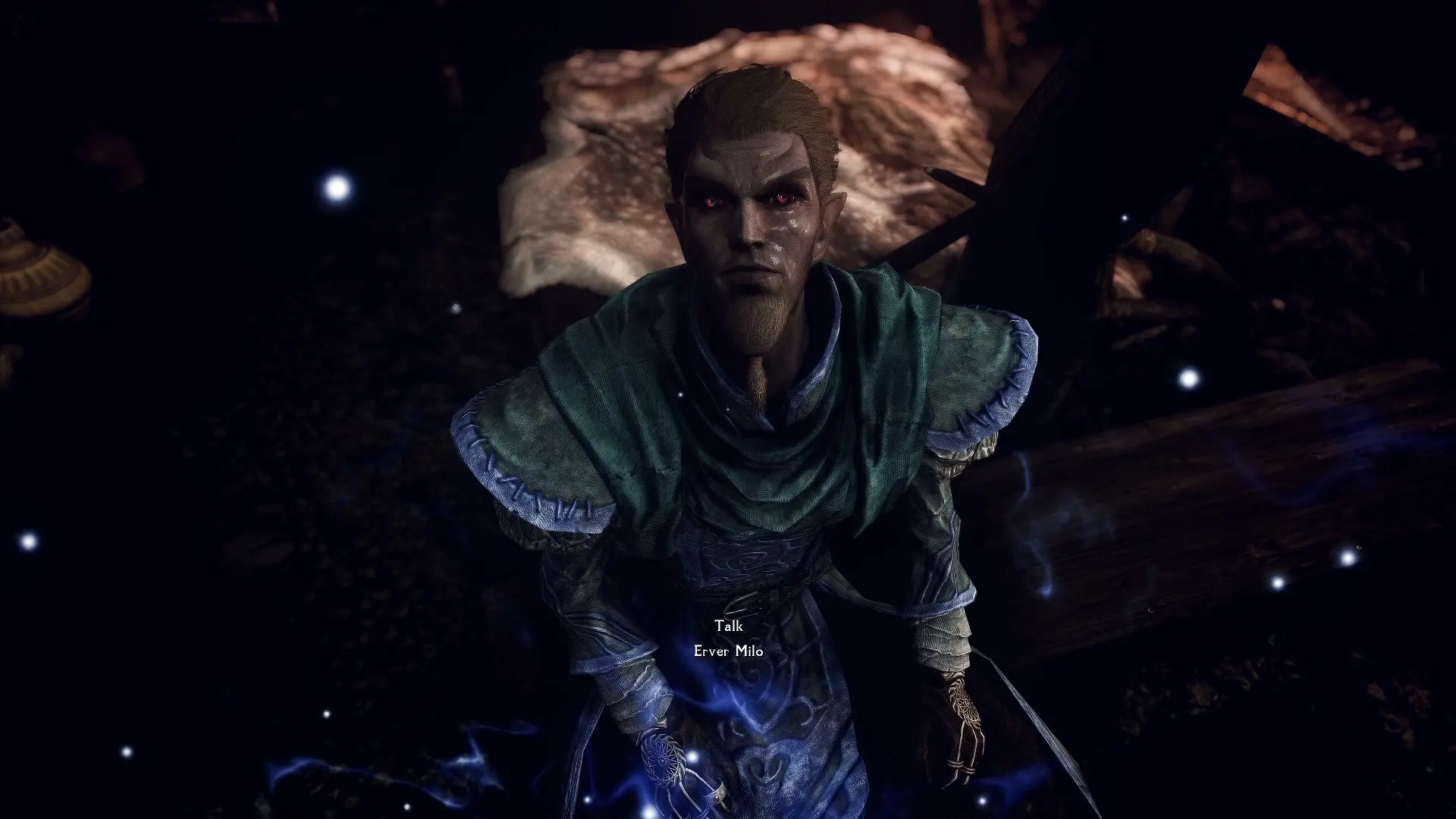
This is an appearance overhaul for the new NPCs added by the mod "Project AHO".
It does not include any skin or body textures... it is only an ESP + FaceGeom/FaceTint.
How the NPCs look will vary wildly depending on what other mods you have installed.
See the credits section for more information.
Versions
-
[]v1 - High Poly Vanilla Hair for Males and Females
[
]v2 - High Poly Vanilla Hair for Males, KS Hair for Females[]v3 - KS Hair for Males and Females
Hard Requirements
-
[]Project AHO
[]Modpocalypse NPCs - Resources
Soft Requirements
-
[]Expressive Facegen Morphs SE
[]Expressive Facial Animation -Female Edition-
[]Expressive Facial Animation -Male Edition-
Mod Creation Process
I am working on a script that automatically improves the appearances of NPCs in a semi-random way. I didn't create any of these manually.
All FaceGen was created using the Creation Kit.
This means that users who know how can use the ESP to export their own FaceGen using their own load order if they want to.
Load Order & Compatibility Patches
Please use Automatic Compatibility Patch Creation Script (xEdit) to create your own patches.
Because this mod was created using a script, the EditorIDs will change every time I upload a new version.
In other words, compatibility patches will only work for specific versions of the mod.
For this reason, I strongly recommend using the automatic patcher instead of creating them manually.
The load order of the meshes/textures on the left side of Mod Organizer 2 should match the ESP data on the right side.
If you get the infamous "black face bug", it means there is a mod conflict in your load order, and you didn't patch it correctly.
It should be compatible with all body and texture replacers.
If you are also using another NPC overhaul (for example: the Bijin series), then you should load them after this mod.
Credits
These were used in the creation of the NPCs. If you want the player's character to look like them, then you will need to download these separately.
[]High Poly Head by KouLeifoh
[]SUEMR SSE with Bijin AIO 2019 Support by Ruhadre
[]Eyes AO Clipping Fix by Artsick
[]Double Si
-
[]Expressive Facegen Morphs SE
-
[]Project AHO
-
[]v1 - High Poly Vanilla Hair for Males and Females
This mod overhauls the appearances of NPCs introduced by the popular quest mod Project AHO, giving them a fresh look. It's a cosmetic enhancement for Skyrim players who want their AHO characters to look better. With 1,180 endorsements and over a million downloads, it's a well-received addition.
✨ Key Features
📊 Pros & Cons
✅ Pros
- Huge download count (1.1M) shows it's a go-to for AHO players.
- Simple cosmetic mod—no conflicts with gameplay mods.
- Active community support (1,180 endorsements) means it's trusted.
⚠️ Cons
- Last updated in 2021—might not be compatible with the latest Skyrim version or newer mods.
- Requires Project AHO as a dependency, so it's useless without that mod.
For Skyrim players who use Project AHO and want the new NPCs to look more polished. If you're a completionist who cares about visual consistency, this is a must-have. Skip if you don't use Project AHO or prefer gameplay over looks.
💡 Beginner Tips
- Make sure Project AHO is installed first, then drop this mod's files into your Data folder or use a mod manager.
- Load this mod after Project AHO in your load order to ensure the appearance changes apply.
- If you're using a mod manager, enable the mod and check for conflicts with other NPC overhauls.
📊 Mod Details
- Game
- Skyrim Mods
- Author
- ModpocalypseGaming
- Version
- 1.0
- Downloads
- 1,062,031
- Endorsements
- 1,180
- Category
- NPC
- Created
- 10/8/2021
- Updated
- 10/8/2021
🔧 How to Install Skyrim Mods
Download from Nexus.
📖 Full step-by-step install guide for Skyrim →
Visit the official mod page for specific installation instructions for this mod.
🎮 Need cheat codes or console commands? Check ur gaming wiki for Skyrim commands, item IDs, and more.
Keep browsing — more Skyrim mods await