Mild Hair Colors
⚪ Last updated 2020⚠️ Install Order · 5 steps
Install in this order, then this mod last — most mods fail to load without their framework and dependencies in place.
🖼️ Gallery (7 images)



🔍 Analysis
- 👍 1.9% endorsement rate — high engagement, a strong quality signal
- 🏆 #121 of 222 Body, Face, and Hair mods in this game by downloads
📋 About This Mod
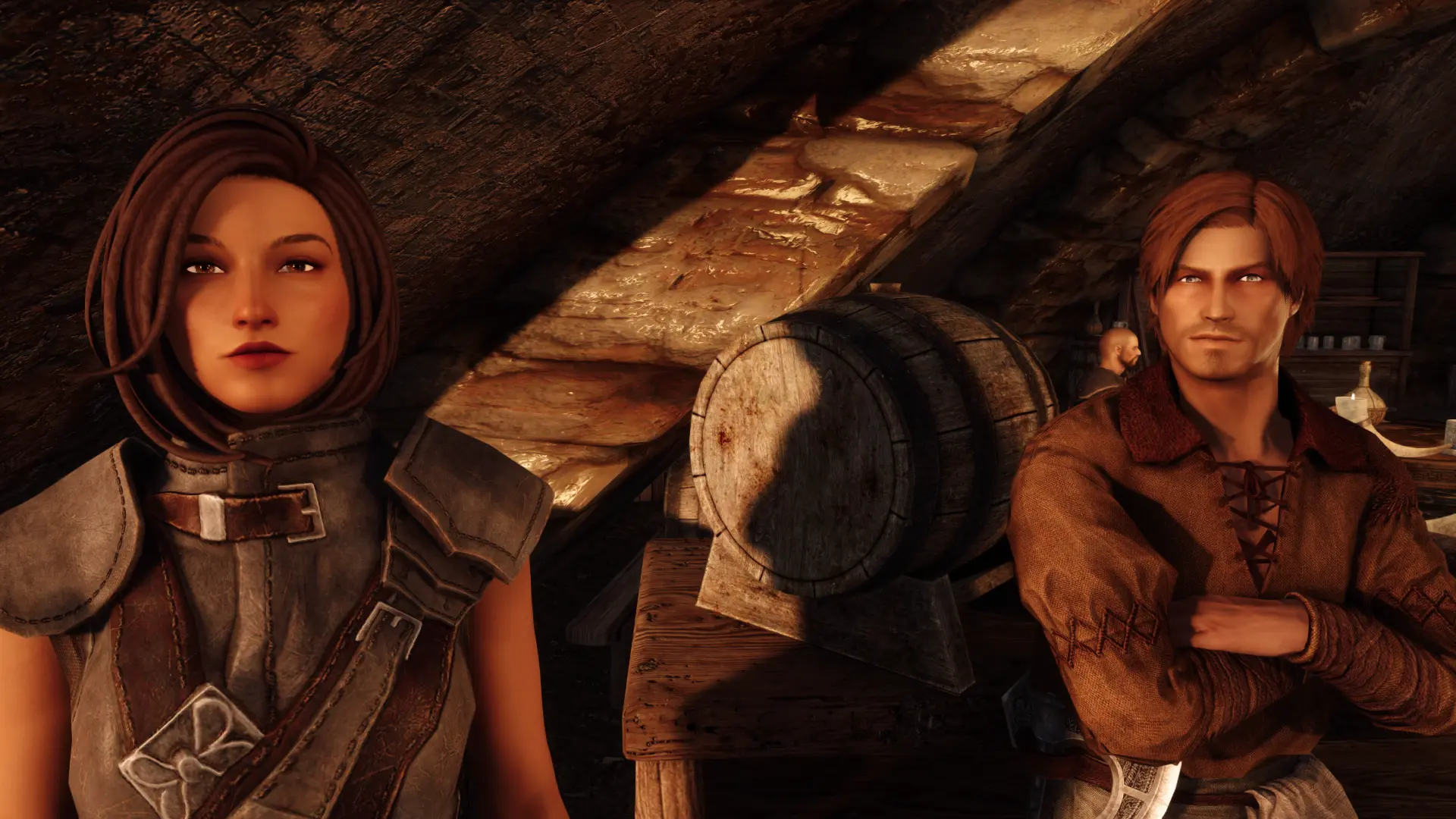
Hair colors that are realistic and varied, replacing the defaults.
Natural, un-dyed, non-radioactive hair for the player and NPCs.
Installation
Install via your mod manager.
Compatibility
Compatible with hair retextures, but they will affect the colors. Conflicts with mods that change the default hair colors — one of the mods will be supersede the other without harming gameplay.
Recommendations
Superior Lore-Friendly Hair is fully compatible despite being created for Skyrim LE.
Mild Hair Colors replaces the default hair color options in the game with more realistic and varied shades. It's a simple cosmetic mod for players who find the original colors too vibrant or unnatural. With 1,266 endorsements and 66,479 downloads, it has a solid following despite being last updated in 2020.
✨ Key Features
📊 Pros & Cons
✅ Pros
- Community favorite with 1,266 endorsements and 66k downloads – clearly hits the mark for many.
- Gives you more natural-looking hair colors, perfect if the vanilla palette feels too cartoonish.
- Lightweight and to the point – no bloat, just better hair colors.
⚠️ Cons
- Last updated in 2020, so it might not be compatible with the latest game patches.
- Only changes hair colors – if you wanted new styles or textures, this isn't it.
- Potential conflicts with other mods that alter hair color lists or character creation.
For players who want a more grounded, realistic look for their characters without overhauling the whole game. If you're tired of neon pink and electric blue hair options, this is for you. Skip if you're looking for new hairstyles or major character creation changes – this is purely a color swap.
💡 Beginner Tips
- Since it's a simple replacer, just drop the files into your mod manager or game folder – no extra steps.
- If you're using other character creation mods, check load order to ensure this one takes effect.
- Test in character creation to see the new colors – if they don't show up, make sure the mod is enabled.
📊 Mod Details
- Game
- Skyrim Mods
- Author
- nicostein
- Version
- 2.0
- Downloads
- 66,479
- Endorsements
- 1,266
- Category
- Body, Face, and Hair
- Created
- 6/30/2019
- Updated
- 9/8/2020
🔧 How to Install Skyrim Mods
Download from Nexus.
📖 Full step-by-step install guide for Skyrim →
Visit the official mod page for specific installation instructions for this mod.
🎮 Need cheat codes or console commands? Check ur gaming wiki for Skyrim commands, item IDs, and more.
Keep browsing — more Skyrim mods await