Look what you see - Camera head tracking SE
⚪ Last updated 2022⚠️ Install Order · 5 steps
Install in this order, then this mod last — most mods fail to load without their framework and dependencies in place.
Preview
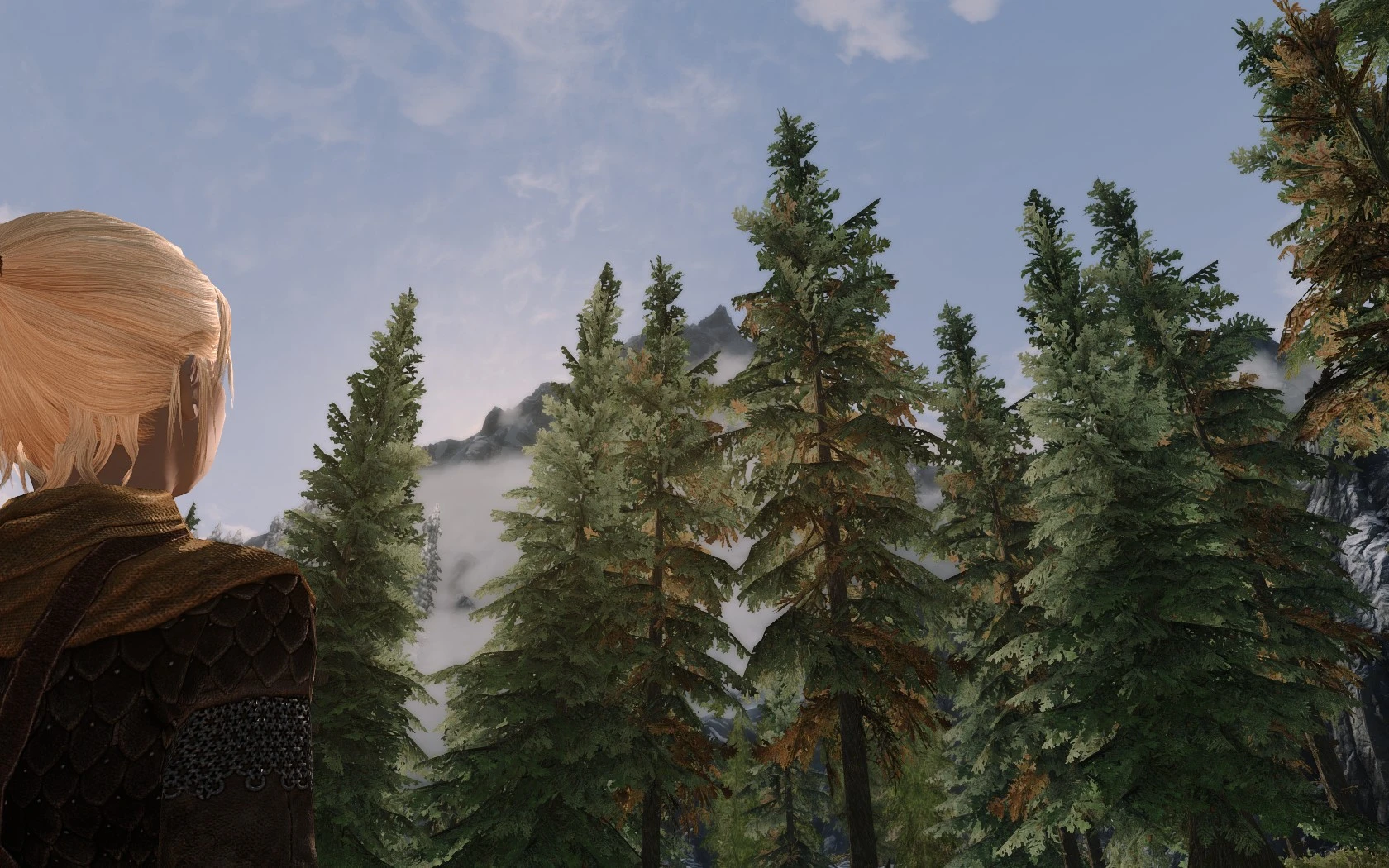
🔍 Analysis
- 👍 3.2% endorsement rate — high engagement, a strong quality signal
- 🏆 #110 of 123 Animation mods in this game by downloads
📋 About This Mod
Look what you see !
Regarde c'que tu vois !
Version 2. 7 SE - 2. 10 AE
Français
Requierement
Description
===========
This mod allows the player's head to follow the camera movements in 3rd person view.
It also allows the player to automatically look towards his interlocutor during dialogues.
It is inspired by hiryuu19's Camera Directed Head Tracking mod but completely rewritten because using a SKSE plugin. It adds several new features and options.
There are 3 modes with 3 corresponding keys, configurable in an MCM menu :
Mode "Follow the a camera"
In this mode, the player's head follow the camera movements, looking in the same direction
Press again the key to stop the mode
Mode "Look at the sceen"
In this mode the player's head looks towards the screen, as if watching us. This mod did not exist in the Skyrim mod of hiryuu19, however not very useful but funny :)
Press again the key to stop the mode
The "Follow the camera" and "Look at the sceen" modes now have 3 operating options:
- Full: With this option, the mode is always active. This is the working of version 1. 0
- 180°: With this option, the headtracking only work on 180° ( 240°, in fact, for "Follow the camera" mode )
In one case, the mode alternates between the "Follow the camera" mode (when the camera is behind the player) and normal mode (when the camera is in front of the player)
In the other case, the mode alternates between the "Look at the sceen" mode (when the camera is in front of the player) and normal mode (when the camera is behind the player)
- Hybrid: With this option, the mode alternates between the "Follow the camera" mode (when the camera is behind the player) and "Look at the screen" mode (when the camera is in front of the player)
This option is identical for the 2 modes
Mode "Keep the pose"
In this mode, activated after one of the 2 previous modes, the player's head locks in the direction where it was.
Press again the key returns to the previous mode
- A unique key "Change mode" allow to cycle the modes: "Follow the camera" then "Look at the screen" then stop the modes
A long press activates the "Keep the pose" mode. And then, a normal press returns to the previous mode.
- An option allow to disable all modes when
A head tracking mod for Skyrim SE that makes your character's head follow the camera and automatically locks onto dialogue partners during conversations. With 4,824 endorsements and 152,302 downloads, it's a popular, lightweight animation enhancement for immersive roleplay.
✨ Key Features
📊 Pros & Cons
✅ Pros
- Community favorite with 4,824 endorsements
- Massive adoption with over 152k downloads
- Simple, focused feature set that just works
⚠️ Cons
- Last updated in 2022, so may not be compatible with the latest Skyrim SE patches
- No detailed feature list, so you're trusting the description at face value
- Potential conflicts with other animation or camera mods that alter head movement
For Skyrim SE players who want more lifelike character animations without heavy scripting. Perfect for roleplayers and screenshot enthusiasts. Skip if you're on Skyrim VR or expect extensive customization options.
💡 Beginner Tips
- Make sure you have Skyrim Script Extender (SKSE) installed, as most head tracking mods require it.
- Use a mod manager like Vortex or Mod Organizer 2 to avoid overwriting other animation mods.
- Test in third-person view during a conversation to see the auto-lock feature in action.
📊 Mod Details
- Game
- Skyrim Mods
- Author
- Tissendel
- Version
- 2.10
- Downloads
- 152,302
- Endorsements
- 4,824
- Category
- Animation
- Created
- 8/21/2018
- Updated
- 9/21/2022
🔧 How to Install Skyrim Mods
Download from Nexus.
📖 Full step-by-step install guide for Skyrim →
Visit the official mod page for specific installation instructions for this mod.
🎮 Need cheat codes or console commands? Check ur gaming wiki for Skyrim commands, item IDs, and more.
Keep browsing — more Skyrim mods await