Instant Shouts SE
⚪ Last updated 2018⚠️ Install Order · 5 steps
Install in this order, then this mod last — most mods fail to load without their framework and dependencies in place.
Preview
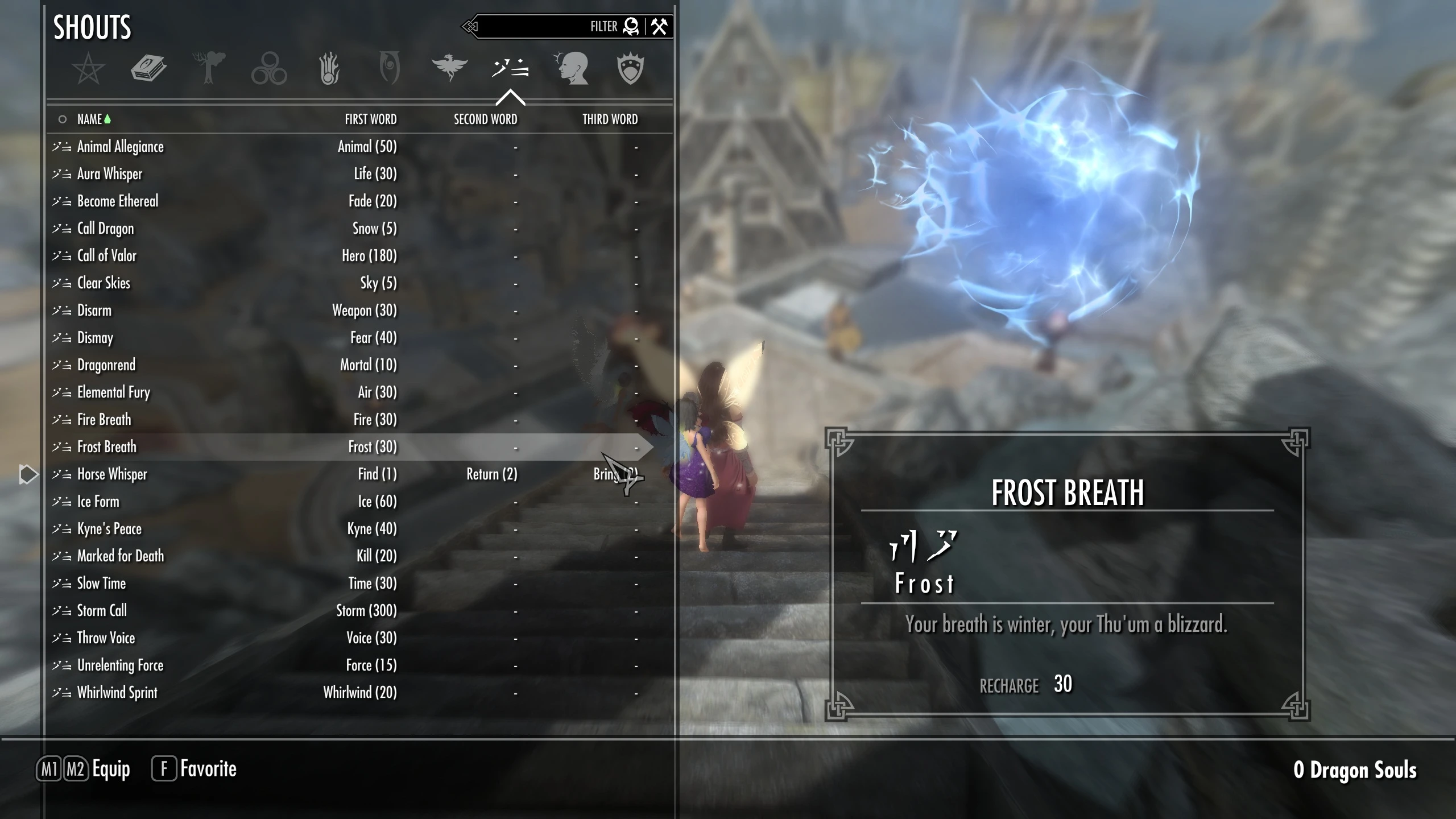
🔍 Analysis
- 👍 3.8% endorsement rate — high engagement, a strong quality signal
- 🏆 #2 of 27 Cheats and God items mods in this game by downloads
📋 About This Mod
This is a port of my oldrim mod to SE
Description / Instructions
Fed up of trying to level up your shouts, running all over Skyrim looking for words or dragon souls. Or cheating the hard way looking for console codes for shouts and adding them one by one. It takes forever! There are 60 standard shouts in Skyrim - a lot of hard work.
Now you can cheat the easy way just by typing one console command - great for when you've played Skyrim several times and you just want an easy life! Or if you set up multiple profiles with mod organizer and want to progress quickly. There are 3 levels of shouts to add (each level will give you either the first, second or third words for ALL shouts).
Installation
This is a set of 3 files that you simply copy into your Skyrim directory (where you installed Steam - not the data directory as you would with normal mod files).
Once the files are in the right place, simply open the console by pressing the tilde key (`) and type in the command bat filename...
for example...
bat 1stWord (although the files have the .txt extension you must not include this - just "bat 1stWord" will do the job)
Now you have the first word of ALL shouts! You can then change your mind and type "bat 2ndWord" and get the 2nd word of all shouts or "bat 3rdWord" and get ALL shouts fully unlocked!!! (Don't include the quotation marks).
FILES INCLUDED IN ZIP FILE
1stWord - adds the 1st word of all shouts
2ndWord - adds the 2nd word of all shouts
3rdWord - adds the 3rd word of all shouts
If you want to change the shouts that you get, simply edit the text files and delete the ones you don't want, or add the ones you do. The 3rdWord file contains all the shout codes so editing this file might be your quickest solution).
Using mod managers
If you use profiles with Mod Organizer, don't put them in the profile folder, just the main Skyrim folder. I don't think any mod manager will install this for you - you have to do it manually! If someone knows how to get a mod manager to do this please feel free to edit at will...
Compatibility
Shouldn't clash with anything as far as I know - these files don't use any resources or scripts and aren't installed like normal mods in the data folder so they shouldn't cause any problems. It should also count as an extra mod you can have without adding to the limit that mod organizer can handle!
Incompatibility
Nothing as far as I know
Instant Shouts SE is a console-command cheat mod for Skyrim Special Edition that adds all shout words via three batch files. It's a port of an Oldrim mod, offering a quick way to unlock shouts without hunting for words or souls. With 298 endorsements and 7,759 downloads, it's a niche utility for players who want to skip the grind.
✨ Key Features
📊 Pros & Cons
✅ Pros
- Saves hours of grinding for dragon souls and word walls—one command unlocks everything.
- Simple to use: just drop files in your Skyrim folder and type 'bat 1stWord' in the console.
- Community-tested with 298 endorsements and 7,759 downloads, so it's proven to work.
⚠️ Cons
- Last updated in 2018, so it may not be compatible with the latest Skyrim SE patches or other mods that alter shouts.
- Requires manual file placement in the Skyrim directory, which can be confusing for mod manager users.
- Unlocking all shouts might break immersion or conflict with shout overhaul mods like Thunderchild.
For veteran Skyrim players who've beaten the game multiple times and just want to mess around with all shouts without the grind. Also great for mod authors testing shout-related mods or players setting up new playthroughs with Mod Organizer profiles. Skip if you're a first-time player or want a lore-friendly experience—this is pure convenience.
💡 Beginner Tips
- Place the .txt files directly in your Skyrim Special Edition folder (where SkyrimSE.exe is), not in Data.
- Open the console with the tilde key (~) and type 'bat 1stWord'—don't include the .txt extension.
- If you use Mod Organizer, don't put the files in the profile folder; put them in the game directory instead.
📊 Mod Details
- Game
- Skyrim Mods
- Author
- NexusNexus5
- Version
- v1.0
- Downloads
- 7,759
- Endorsements
- 298
- Category
- Cheats and God items
- Created
- 5/2/2018
- Updated
- 5/2/2018
🔧 How to Install Skyrim Mods
Download from Nexus.
📖 Full step-by-step install guide for Skyrim →
Visit the official mod page for specific installation instructions for this mod.
🎮 Need cheat codes or console commands? Check ur gaming wiki for Skyrim commands, item IDs, and more.
Keep browsing — more Skyrim mods await