Ice's Legacy Museum Rack O Matic
⚪ Last updated 2020⚠️ Install Order · 5 steps
Install in this order, then this mod last — most mods fail to load without their framework and dependencies in place.
Preview
🔍 Analysis
- 👍 4.6% endorsement rate — high engagement, a strong quality signal
- 🏆 #182 of 279 Patches mods in this game by downloads
📋 About This Mod
As of Legacy V6, the museum has its own custom display system inspired by this project and Rack-O-Matic SHOULD NOT be
installed with V6 or any later versions. This mod will remain available
for use with V5.
3500+ dedicated display spaces not enough?
Already filled the Armory; main, east AND west?
Don't use a full load out of Legacy supported mods and can't stand the blank space?
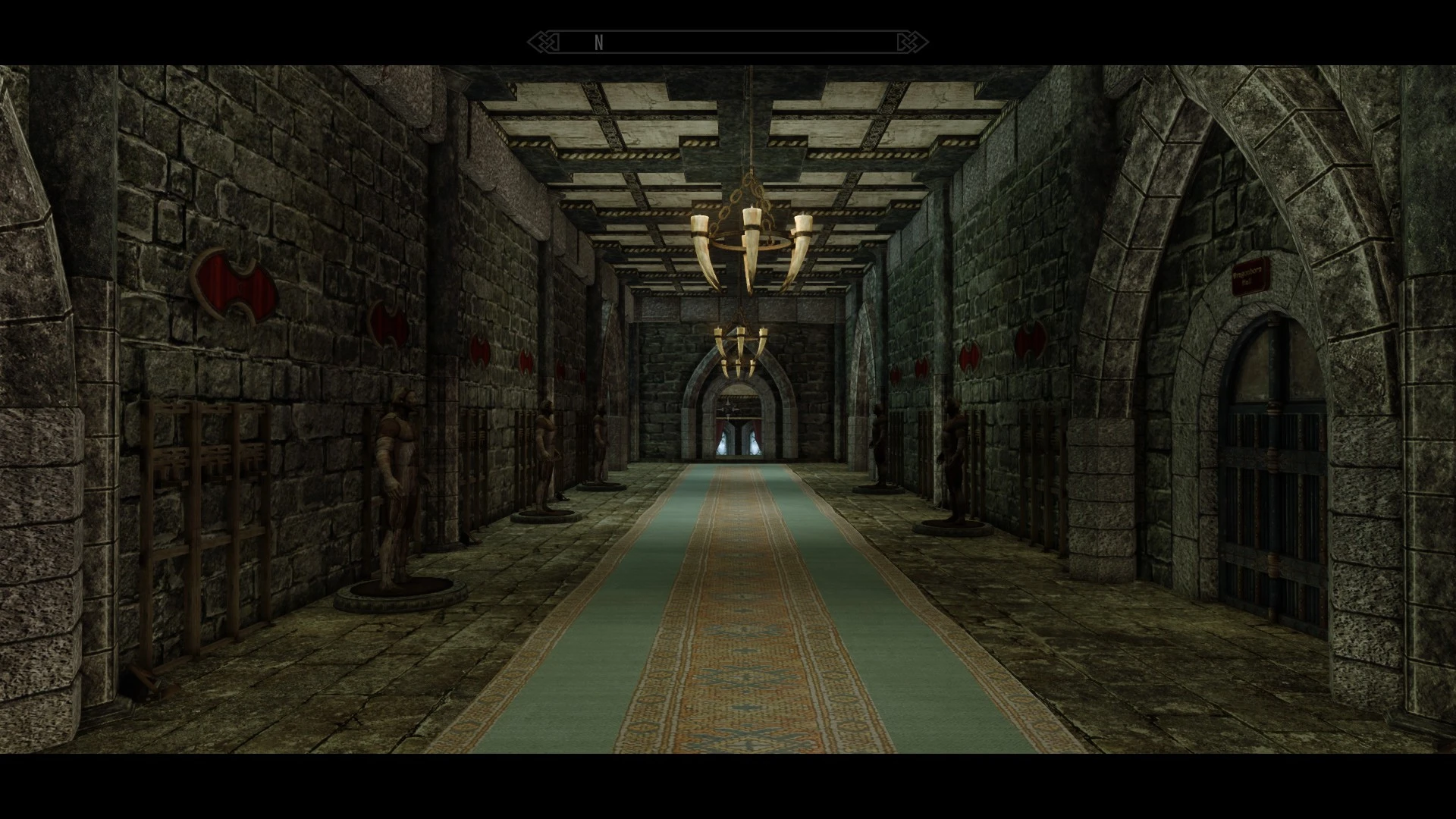
Well look no further! Ice's Rack-o-matic has the answer for you! With this handy plugin you will now be able to enable any number of additional rack and mannequin displays all throughout the museum! On the floor to the left of any applicable niche or wall will have a small tool bag which you can activate to install new racks!
Simply activate, leave the cell and return and they are ready to go!
If the section has mannequins, make sure to poke the mannequin to make sure it behaves, then disable and re-enable the display once in order to put them right before leaving the cell and returning and they are ready to serve!
Just be aware that if you disable a rack section with items displayed, the mannequins will eat your items, so take them back first.
This is an ESL flagged ESP file which will not take any space in your load order, is very light and can be installed mid playthrough with no issues.
NOTE on Daedric Gallery and Hall of Lost Empires racks: To utilize the space under the stairs, you must use console to select the stone backdrops of the door reliefs and DISABLE them. This will clear the way. The tool bag is to the left of the doorway on the right.
Ice's Legacy Museum Rack O Matic is a patch mod for Skyrim's Dragonborn Museum that adds customizable display racks and mannequins to fill vacant wall and niche space. Players can choose exactly which areas get additional displays, making it a flexible option for museum enthusiasts. With 970 endorsements and 20,980 downloads, it's a well-received utility for those wanting more display options.
✨ Key Features
📊 Pros & Cons
✅ Pros
- Community-approved with 970 endorsements and over 20k downloads.
- Gives you control over which walls and niches get racks, so you can tailor the museum to your taste.
- Fills empty space that would otherwise just sit there, making the museum feel more complete.
⚠️ Cons
- Last updated in 2020, so it might not be compatible with the latest Skyrim versions or other museum mods.
- As a patch, it likely requires the Dragonborn Museum mod, so it's not standalone.
- Potential conflicts with other mods that alter the same museum interior.
For Skyrim players who love the Dragonborn Museum and want to maximize their display space. If you're a collector who's run out of room for your treasures, this mod is for you. Skip if you don't use the museum or prefer a more hands-off approach to modding.
💡 Beginner Tips
- Make sure you have the Dragonborn Museum mod installed first, as this patch builds on it.
- Use a mod manager like Vortex or MO2 to install and manage this patch easily.
- Check the load order to ensure this patch loads after the museum mod.
📊 Mod Details
- Game
- Skyrim Mods
- Author
- Icecreamassassin
- Version
- 1.0.4
- Downloads
- 20,980
- Endorsements
- 970
- Category
- Patches
- Created
- 12/30/2019
- Updated
- 8/15/2020
🔧 How to Install Skyrim Mods
Download from Nexus.
📖 Full step-by-step install guide for Skyrim →
Visit the official mod page for specific installation instructions for this mod.
🎮 Need cheat codes or console commands? Check ur gaming wiki for Skyrim commands, item IDs, and more.
Keep browsing — more Skyrim mods await