High Poly Head SR Preset
⚪ Last updated 2020⚠️ Install Order · 7 steps
Install in this order, then this mod last — most mods fail to load without their framework and dependencies in place.
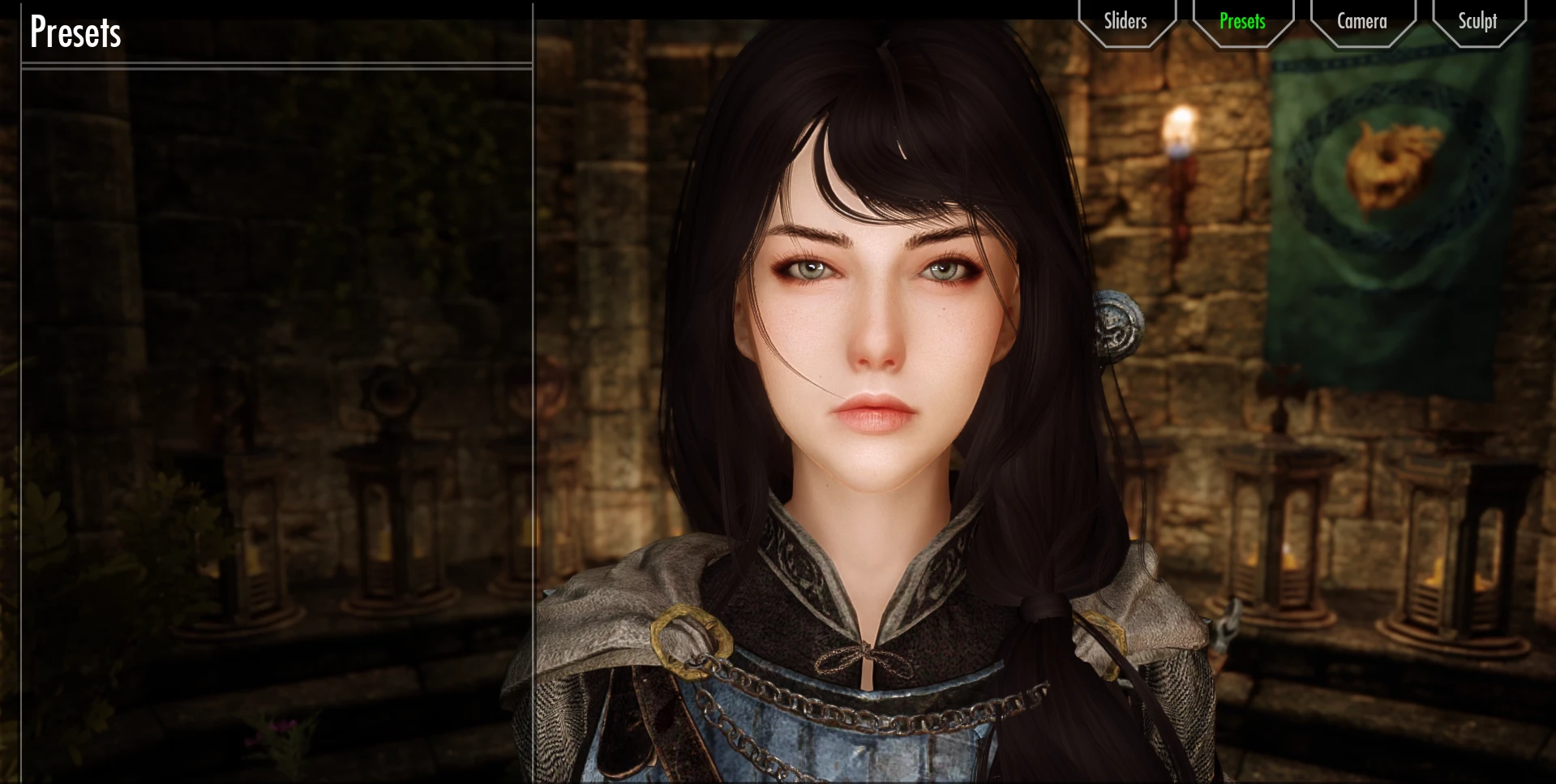
Preview
🔍 Analysis
- 👍 2.7% endorsement rate — high engagement, a strong quality signal
- 🏆 #200 of 220 Body, Face, and Hair mods in this game by downloads
📋 About This Mod
high poly head 1. 3~1. 4 preset. (high poly head preset version of SR Serana Replace)
put in SKSE\Plugins\CharGen\Presets in race menu load preset.
Racemenu
High Poly Head(High Poly Head 1. 3~1. 4
)
Bijin Skin UNP and CBBE SE
The Eyes Of Beauty SSE
SG female eyebrows
KS Hairdos SSE
EFM SE - Racemenu plugin(option plugin only. Notice:Do not install Main files. face will be deformed.)
[
Recommendation]
Expressive Facial Animation -Female Edition-
EFA Mouth SSE
Fair Skin Complexion(Mouth only. no using Skin)
llygaid Eye Improver
SC - Cubemaps(eye Cubemap)
[
Using mod]
Rudy ENB SE for CoT - NAT - Aequinoctium - Vivid - Rustic - Obsidian - Dolomite Weathers - ELE - ELFX - RLO by rudy102
Enhanced Lights and FX by anamorfus
Dark Souls Pack by Team TAL(Herald)
Random Emotions SE
Lifelike Idle Animations by HHaleyy for SE
A preset for High Poly Head 1.3~1.4 that adds a character appearance to Skyrim Special Edition. Install by placing the file in SKSE\Plugins\CharGen\Presets and loading it in RaceMenu. With 519 endorsements and 19,081 downloads, it's a popular choice for players seeking a specific look.
✨ Key Features
📊 Pros & Cons
✅ Pros
- Community-approved with 519 endorsements and 19k downloads
- Works with both High Poly Head 1.3 and 1.4
- Easy to install—just drop the file and load it in RaceMenu
⚠️ Cons
- Requires High Poly Head mod and RaceMenu to function
- Only one preset, so limited variety if you want multiple looks
- Compatibility risk with other mods that alter head meshes or presets
For Skyrim SE players who use High Poly Head and RaceMenu and want a ready-made face preset. Skip if you prefer to sculpt your own character or don't use those mods.
💡 Beginner Tips
- Make sure High Poly Head and RaceMenu are installed and active before loading the preset.
- In RaceMenu, use the preset tab to load the file—it won't appear in the character creation sliders.
- If the preset looks different from screenshots, check that your High Poly Head version matches (1.3 or 1.4).
📊 Mod Details
- Game
- Skyrim Mods
- Author
- saltmaxwellpshk
- Version
- Ver.1.1
- Downloads
- 19,081
- Endorsements
- 519
- Category
- Body, Face, and Hair
- Created
- 8/20/2020
- Updated
- 8/21/2020
🔧 How to Install Skyrim Mods
Download from Nexus.
📖 Full step-by-step install guide for Skyrim →
Visit the official mod page for specific installation instructions for this mod.
🎮 Need cheat codes or console commands? Check ur gaming wiki for Skyrim commands, item IDs, and more.
Keep browsing — more Skyrim mods await