Fix Note Icon for SkyUI (SKSE64 plugin)
⚪ Last updated 2022This mod may not work until the author updates it. Check for an update, or see the rollback guide.
⚠️ Install Order · 6 steps
Install in this order, then this mod last — most mods fail to load without their framework and dependencies in place.
Preview
🔍 Analysis
- 👍 0.6% endorsement rate
- 🏆 #36 of 156 Bug Fixes mods in this game by downloads
📋 About This Mod
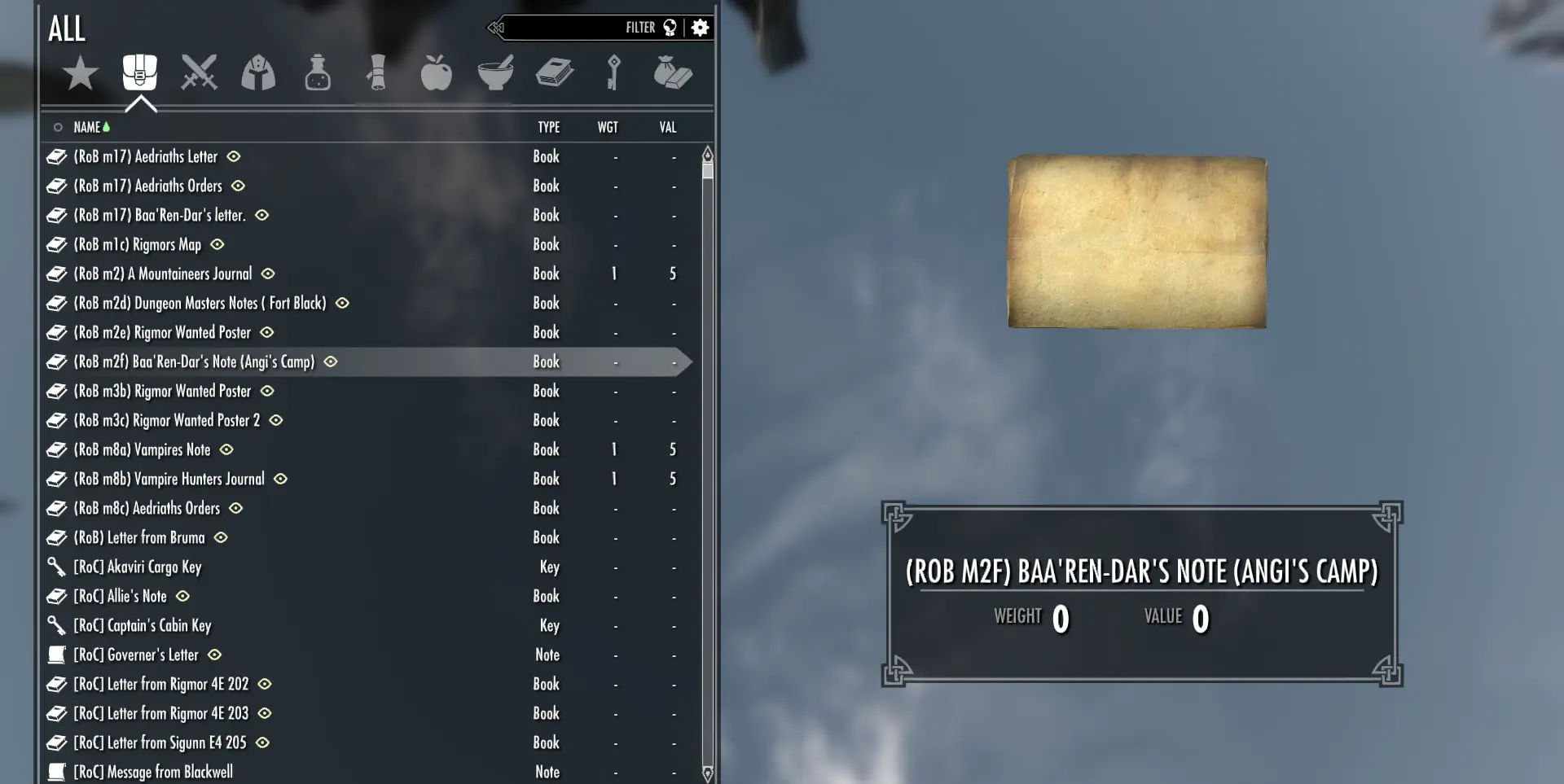
According to Porting a mod from LE to SSE SSE no longer uses the Note/Scroll value in the BOOK DATA\Type field,
which breaks the SKSE64 method of differentiating letters and notes from books.
This plugin extends SKSE64 to detect Letters/Notes by checking the inventory art object name.
Installation
Install the plugin using your mod manager or manually.
Uninstallation
Use your mod manager
Delete 'FixNotesForSkyUI.dll' from <SSE>\Data\SKSE\Plugins.
Troubleshooting
The plugin saves a log file in Documents\My Games\Skyrim Special Edition\SKSE\FixNotesForSkyUI.log.
You can also check Documents\My Games\Skyrim Special Edition\SKSE\skse64.log for the following line:
...steamapps\common\Skyrim Special Edition\Data\SKSE\Plugins\\FixNotesForSkyUI.dll (00000001 FixNotesForSkyUI 00000001) loaded correctly
A SKSE64 plugin that fixes the Letter/Note icon and type for SkyUI. It's a small, focused bug fix with massive community adoption (19,772 endorsements, 3.1M downloads). Last updated in 2022, it remains essential for Skyrim modders using SkyUI.
✨ Key Features
📊 Pros & Cons
✅ Pros
- Huge community trust: 19,772 endorsements and 3.1M downloads.
- Does exactly what it says—fixes the note icon, no bloat.
- Lightweight SKSE plugin, no extra dependencies beyond SKSE64.
⚠️ Cons
- Last updated in 2022—might not be tested with the latest Skyrim patches.
- Only fixes the icon and type, not other SkyUI quirks.
- Requires SKSE64, so console players or non-SKSE users can't use it.
For Skyrim modders who use SkyUI and are annoyed by the incorrect note icon. It's a must-have for anyone running a modded setup with SkyUI. Skip if you don't use SkyUI or play on console.
💡 Beginner Tips
- Install with your mod manager and ensure SKSE64 is installed first.
- Place the plugin in your Data folder or use a mod manager—it's a simple drop-in.
- Check that your Skyrim version matches the SKSE64 version to avoid crashes.
📊 Mod Details
- Game
- Skyrim Mods
- Author
- 0xC0000005
- Version
- 1.2.6
- Downloads
- 3,090,733
- Endorsements
- 19,772
- Category
- Bug Fixes
- Created
- 2/11/2020
- Updated
- 9/22/2022
🧩 Commonly Used Together
Users add these mods to the same collections — a real compatibility signal, not an AI guess.
🔧 How to Install Skyrim Mods
Download from Nexus.
📖 Full step-by-step install guide for Skyrim →
Visit the official mod page for specific installation instructions for this mod.
🎮 Need cheat codes or console commands? Check ur gaming wiki for Skyrim commands, item IDs, and more.
Keep browsing — more Skyrim mods await