Enhanced Volumetric Lighting and Shadows (EVLaS)
⚪ Last updated 2022This mod may not work until the author updates it. Check for an update, or see the rollback guide.
⚠️ Install Order · 6 steps
Install in this order, then this mod last — most mods fail to load without their framework and dependencies in place.
🖼️ Gallery (12 images)




🔍 Analysis
- 👍 0.6% endorsement rate
- 🏆 #9 of 108 Visuals and Graphics mods in this game by downloads
📋 About This Mod
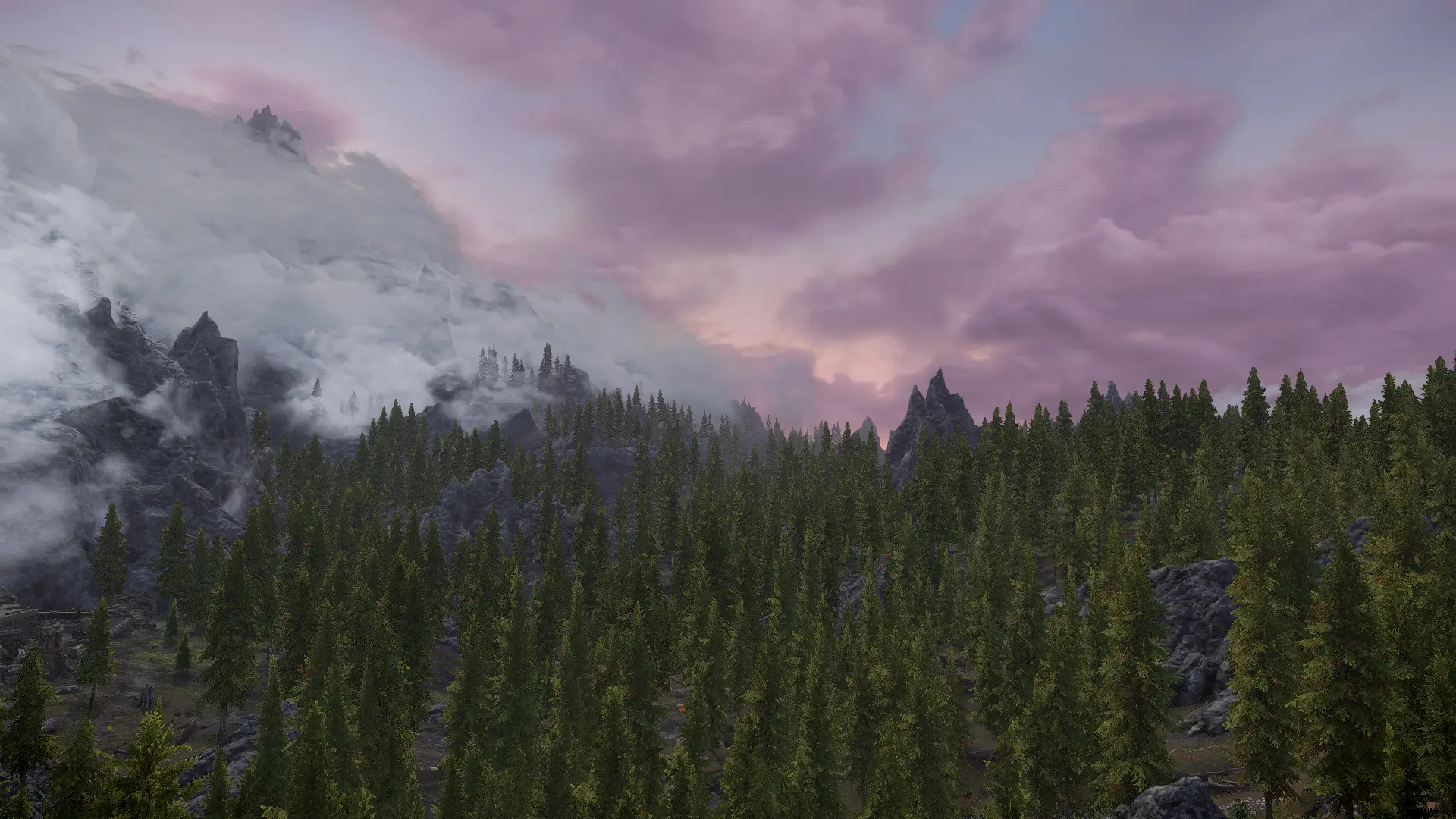
Skyrim's shadows and by extension volumetric lighting (VL) aren't synchronized with the sun all the time, during sunrise/-set they disconnect from the visible sun. EVLaS fixes this problem by synchronizing the shadows with the visible sun for the entire duration of the day. This inherently fixes specular from the sun and moon(s) as well.
Another problem EVLaS solves is shadows/VL during the night. Normally they follow a invisble, backwards moving sun but with this mod they will be synchronized to one of Skyrim's moons (Masser by default) instead. This new moonlight will also vary in strength depending on the current moon phase for that extra bit of immersion.
Requirements:- []Skyrim Script Extender (SKSE64)
[]Address Library for AE or SE depending on your game version
Installation:
- []Download and install EVLaS with a modmanager of your choice
[
]After that you have two choices:[]Either download and install the Skyrim Underside mesh from the download section
[]Or (highly recommended) generate a load order specific terrain underside using DynDOLOD 3. 0 or newer
Compatiblity:It's compatible with everything out of the box but your ENB or weather mod may need to be tweaked to accomodate for the more realistic shadows/VL.
How it works:EVLaS hooks into various parts of the games weather and shadow system to ensure a robust implementation of the above mentioned effects. It not only takes over computations of the shadow incident vector but it also adjusts volumetric and direct lighting intensity to allow a smooth transition between day and night mode. Fruthermore EVLaS will adapt itself to different weather setups by reading the current moon phase and timings at runtime, ensuring constant perfect synchronization without having to set anything up manually.
How to customize:This mod contains a extensive hierarchical configuration file using an override based design. You can specify which shadow behaviour mode should be used for day and night separately and change those individually for each climate. The behaviour ranges from sun sync over separate Masser and Secunda sync to zenith lock or fully custom vectors.
Keep in mind that the moon sync mode requires active moons in the current climate
EVLaS is an SKSE plugin that synchronizes Skyrim's volumetric lighting and shadows with the sun and moon positions, fixing the vanilla issue where light sources don't align with celestial bodies. With 31,674 endorsements and 5.5M downloads, it's a highly popular visual enhancement for modded Skyrim setups.
✨ Key Features
📊 Pros & Cons
✅ Pros
- Huge community trust (31,674 endorsements, 5.5M downloads)
- Fixes a real visual bug that breaks immersion
- Lightweight SKSE plugin – no heavy scripts or textures
⚠️ Cons
- Requires SKSE – not for console or non-SKSE setups
- Last updated in 2022 – may need testing with latest Skyrim patches
- Only affects lighting alignment – no other visual changes
For Skyrim modders who care about realistic lighting and have SKSE installed. Essential for ENB users who notice the sun/moon mismatch. Skip if you play without SKSE or don't notice lighting inconsistencies.
💡 Beginner Tips
- Install with a mod manager like MO2 or Vortex to keep your load order clean.
- Make sure SKSE is installed and launched via skse64_loader.exe, not the default launcher.
- Pair with an ENB or weather mod to see the most noticeable improvement.
📊 Mod Details
- Game
- Skyrim Mods
- Author
- Kitsuune
- Version
- 1.3.1
- Downloads
- 5,548,306
- Endorsements
- 31,674
- Category
- Visuals and Graphics
- Created
- 3/2/2022
- Updated
- 9/18/2022
🧩 Commonly Used Together
Users add these mods to the same collections — a real compatibility signal, not an AI guess.
🔧 How to Install Skyrim Mods
Download from Nexus.
📖 Full step-by-step install guide for Skyrim →
Visit the official mod page for specific installation instructions for this mod.
🎮 Need cheat codes or console commands? Check ur gaming wiki for Skyrim commands, item IDs, and more.
Keep browsing — more Skyrim mods await