Easy WheelMenu II SSE
⚪ Last updated 2024⚠️ Install Order · 5 steps
Install in this order, then this mod last — most mods fail to load without their framework and dependencies in place.
Preview
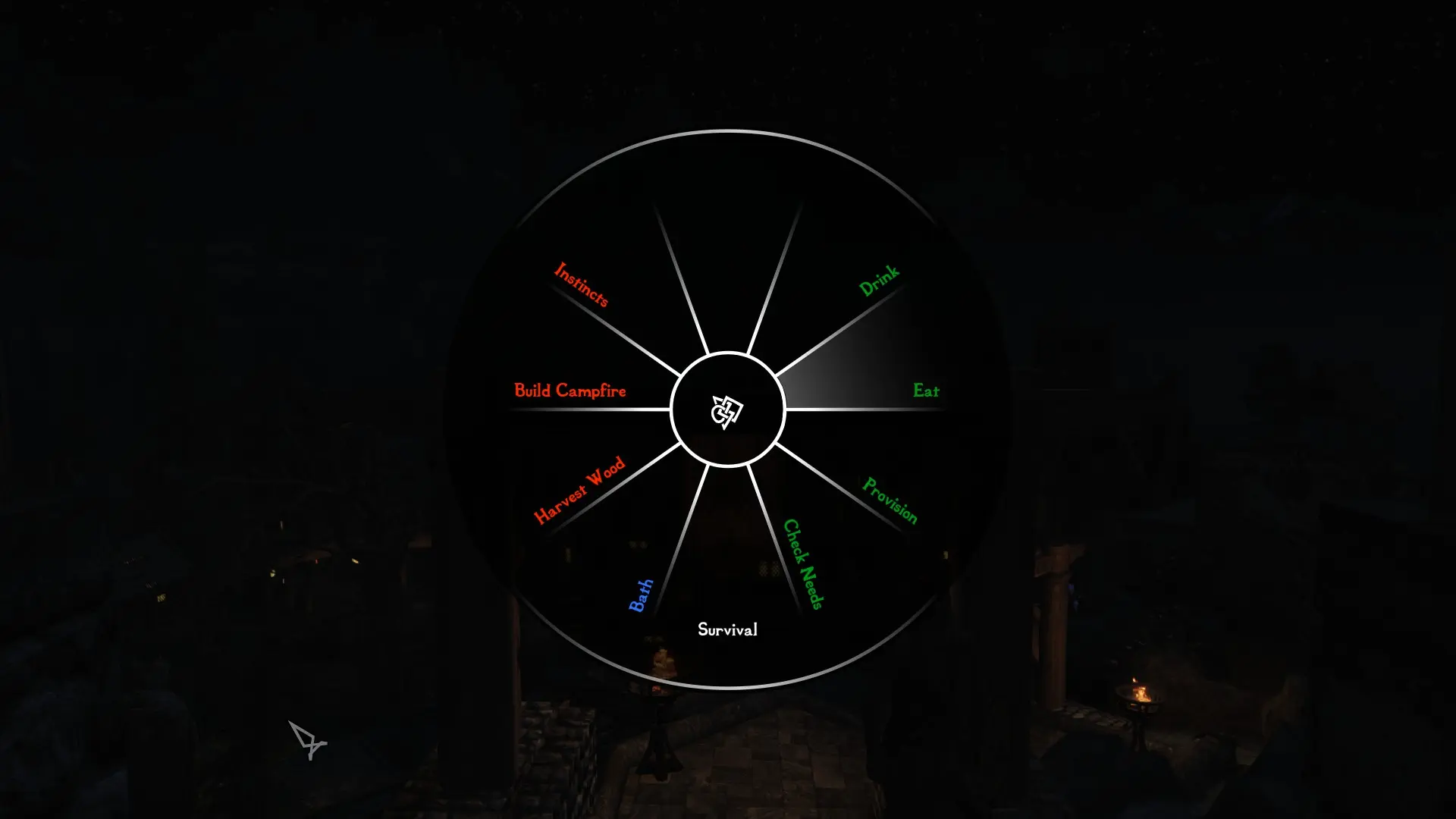
🔍 Analysis
- 👍 0.8% endorsement rate
- 🏆 #80 of 154 User Interface mods in this game by downloads
📋 About This Mod
A new conversion of Easy WheelMenu (LE) from its original DevKit, with some extra features. Multi taps hotkey operations. Colored wheel menus. Named layouts. Layout templates. Import/Export of menu layouts. Selective spells removal. Native support of popular mods. Load Order friendly (ESPFE).
Features
Wheel Menus
Define up to 16 active wheel menus. Each wheel menu has 8 entries for any supported mod functions.
Invoke a Wheel Menu
Invoke a wheel menu using 3 navigation hotkeys (Show/Next/Prev) or the wheel menu assigned hotkey. Single tap hotkey invokes the assigned wheel menu, double tap invokes the following wheel menu, triple tap the previous wheel menu. Long tap (> 1 sec) invokes a wheel menu of first 8 or last 8 wheel menus to choose from. Empty wheel menus are ignored and bypassed when selecting a next or previous menu.
Single Hotkey multi taps operation
For example, with 3 wheel menus defined and a single hotkey assigned to first wheel menu, a single tap will invoke the first wheel menu, a double tap directly the second, and a triple tap the third (ie. going backward searching for a previous to the first, it will find the third). When a wheel menu is shown, single tap hotkey will always bring the assigned wheel menu for this hotkey, but double tap will bring the next following wheel menu for the shown wheel menu, and triple tap the previous. Using a single hotkey assigned to the first wheel menu, you could go thru all 16 wheels using double (going forward) or triple taps (going backward).
Change the color associated with a mod functions to ease recognition within the wheel menu.
Named layouts
Name your wheel menu layout for ease of use.
Import/Export of layouts
Export a named layout to a Json file for later use (new game, previous save, etc). Import a named layout unto any of the 16 wheel menus.
Layout templates
Several prebuild layouts are available for import (Survival, Adventure, Appearance) with popular mod functions.
Selective spells removal
Remove from you magic inventory, globally or for specific mods, spells used in wheel menus.
Light footprint in your load order as this mod ESP is an ES
Easy WheelMenu II SSE is a UI overhaul for Skyrim Special Edition that brings back the popular wheel menu with extra features. It supports single and multi-tap hotkey operations, colored wheel menus, named layouts, import/export of layouts, selective spell removal, and native support for popular mods. With over 1,500 endorsements and 189,000 downloads, it's a well-established tool for players who want faster access to items and spells.
✨ Key Features
📊 Pros & Cons
✅ Pros
- Community favorite with 1,552 endorsements and 189,751 downloads
- Load order friendly, so it won't mess up your mod setup
- Packed with features like colored menus and layout import/export
⚠️ Cons
- UI mods can conflict with other interface overhauls, so check compatibility
- Last updated in August 2024, so it might not be fully tested with the latest game patches
- Requires some setup to get the wheel menu configured to your liking
For Skyrim players who want faster, more intuitive access to their spells and items without digging through menus. If you're tired of pausing to switch gear or cast spells, this is for you. Skip if you prefer vanilla UI or don't use hotkeys.
💡 Beginner Tips
- Use a mod manager like Vortex or MO2 to install and manage this mod easily
- Check for compatibility patches if you use other UI mods like SkyUI
- Take time to customize your wheel layouts in the MCM menu for optimal gameplay
📊 Mod Details
- Game
- Skyrim Mods
- Author
- CommonDominator
- Version
- 1.5
- Downloads
- 189,751
- Endorsements
- 1,552
- Category
- User Interface
- Created
- 12/11/2021
- Updated
- 8/29/2024
🔧 How to Install Skyrim Mods
Download from Nexus.
📖 Full step-by-step install guide for Skyrim →
Visit the official mod page for specific installation instructions for this mod.
🎮 Need cheat codes or console commands? Check ur gaming wiki for Skyrim commands, item IDs, and more.
Keep browsing — more Skyrim mods await