Dynamic Impact - Slash Effects X
⚪ Last updated 2023⚠️ Install Order · 5 steps
1🛠️ SKSE64 — Skyrim Script Extender 64 Download ↗
2🔧 USSEP — Unofficial Skyrim Special Edition Patch Download ↗
3🖥️ SkyUI — SkyUI (MCM framework) Download ↗
4🧩 Address Library — Address Library for SKSE Plugins Download ↗
5🔧 SSE Engine Fixes — SSE Engine Fixes Download ↗
Install in this order, then this mod last — most mods fail to load without their framework and dependencies in place.
Preview
🔍 Analysis
- 👍 0.5% endorsement rate
- 🏆 #76 of 113 Gameplay mods in this game by downloads
📋 About This Mod
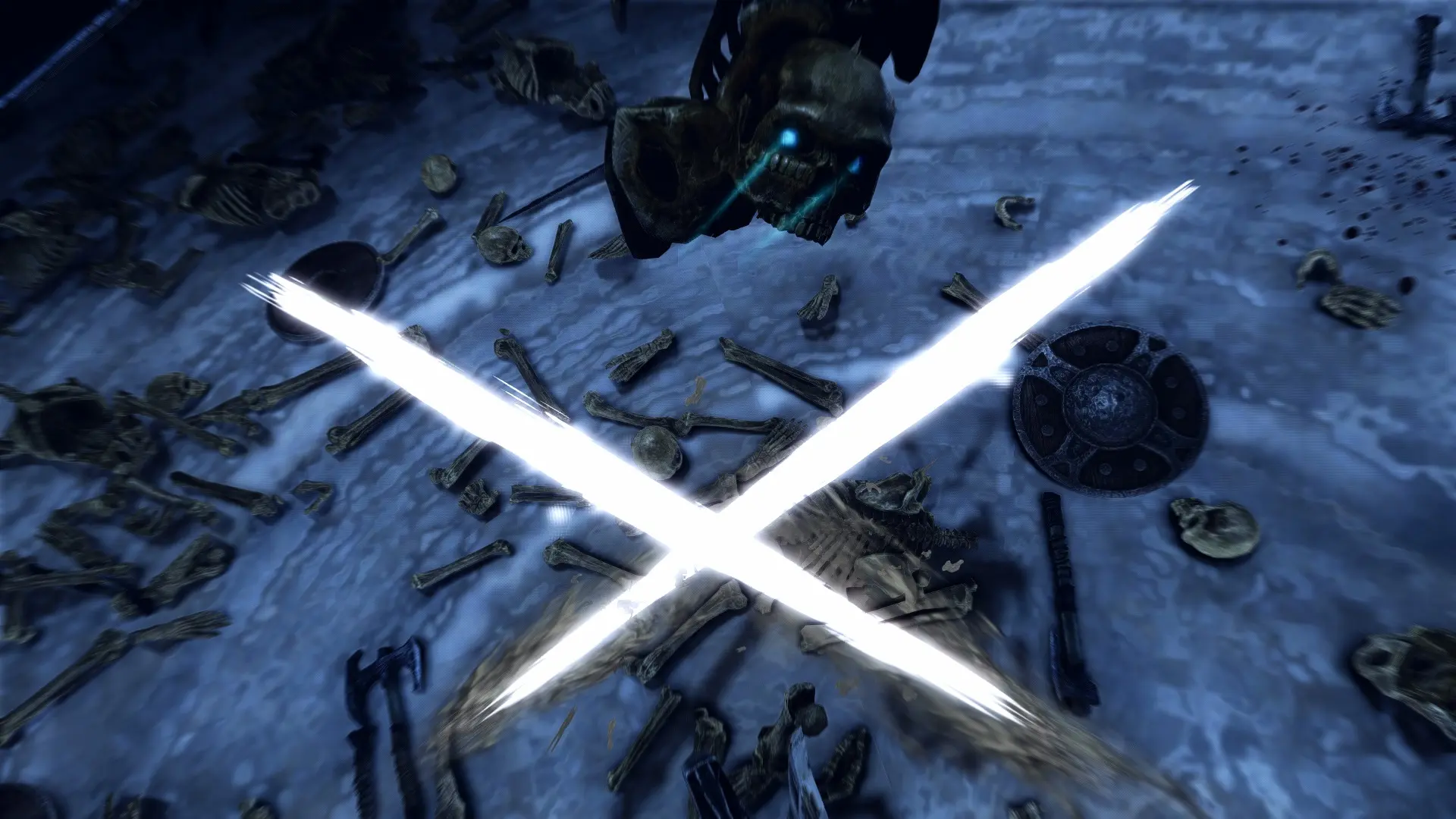
Applies a new particle effect when hitting with a weapon. All effects are visual only and do not affect gameplay.
🤖 AI-enhanced — based on mod data
Dynamic Impact - Slash Effects X is a visual-only mod that adds new particle effects when hitting with a weapon. It does not alter gameplay, making it a safe cosmetic enhancement for players who want more satisfying combat feedback.
✨ Key Features
Adds new particle effects on weapon hits
Visual only, no gameplay changes
Compatible with any weapon type
📊 Pros & Cons
✅ Pros
- Huge community trust with 6,836 endorsements and 1.5 million downloads
- Pure visual upgrade—no risk of breaking game balance
- Simple concept, likely easy to install
⚠️ Cons
- Last updated in December 2023—may not be compatible with the latest game version
- Effects are visual only, so if you're looking for gameplay depth, this isn't it
🎯 Is This For You?
For players who want more impactful combat feedback without changing game mechanics. Perfect for those who enjoy visual polish and don't mind a purely cosmetic mod. Skip if you're after gameplay changes or if you're sensitive to performance hits from extra particles.
For players who want more impactful combat feedback without changing game mechanics. Perfect for those who enjoy visual polish and don't mind a purely cosmetic mod. Skip if you're after gameplay changes or if you're sensitive to performance hits from extra particles.
📦 Install:Easy· Under 1 minute
💡 Beginner Tips
- Check the mod's file structure—if it's a loose file, just drop it into your game's Data folder.
- If you're using a mod manager, import the archive and activate it to keep things tidy.
- Test in a low-stakes area first to see if the effects are to your liking.
📊 Mod Details
- Game
- Skyrim Mods
- Author
- ap05
- Version
- 1.20b
- Downloads
- 1,478,563
- Endorsements
- 6,836
- Category
- Gameplay
- Created
- 3/2/2023
- Updated
- 12/2/2023
🔧 How to Install Skyrim Mods
Download from Nexus.
📖 Full step-by-step install guide for Skyrim →
Visit the official mod page for specific installation instructions for this mod.
🎮 Need cheat codes or console commands? Check ur gaming wiki for Skyrim commands, item IDs, and more.
Keep browsing — more Skyrim mods await