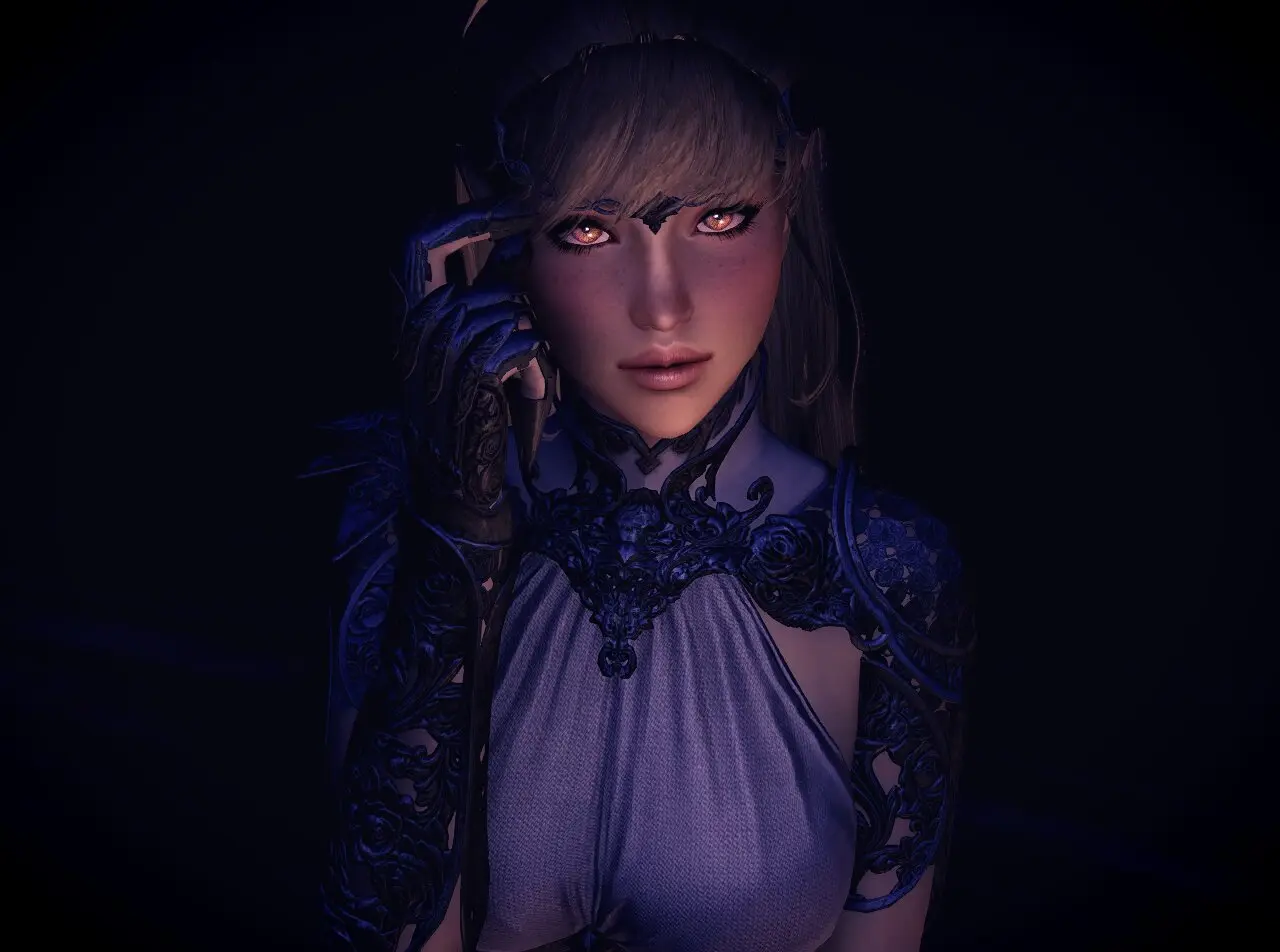
Dark Elf Preset Natsh SE
⚪ Last updated 2020⚠️ Install Order · 5 steps
Install in this order, then this mod last — most mods fail to load without their framework and dependencies in place.
🖼️ Gallery (5 images)


🔍 Analysis
- 👍 2.5% endorsement rate — high engagement, a strong quality signal
- 🏆 #30 of 278 Body, Face, and Hair mods in this game by downloads
📋 About This Mod
Put the .jslot in: Skyrim Special Edition > Data > SKSE > Plugin > CharGen > Presets
zu5ohU6wjjA
Requirements
Mandatory
KS hairdo SSE
Fair skin complexion(or another skin)
SG female eyebrows (You can choose if you want another eyebrow mod)
Eyes of beauty(You can choose if you want another eye beautification mod)
Optional for the tattoos
Community overlays 1
Community overlays 2
if you do not want Tats community overlays, and your body or face becomes purple, -----> REMOVE ANY MAKEUP OR BODY PAINT
Requirements for High Poly
The above mentioned
High Poly Head in vectorplexis...
note symmetrical eyes should be enabled in the options
Dark Elf Preset Natsh SE is a character preset for Skyrim Special Edition, offering a pre-made dark elf appearance. It has 914 endorsements and 35,870 downloads, last updated in October 2020. The mod is a simple file rearrangement and re-release, providing a ready-to-use face preset for players who want a specific dark elf look without creating it themselves.
✨ Key Features
📊 Pros & Cons
✅ Pros
- Solid track record with 914 endorsements and 35k downloads, so plenty of players are using it.
- Drop-in preset—no complex setup, just install and use in character creation.
- Works for anyone who wants a ready-made dark elf look without fiddling with sliders.
⚠️ Cons
- It's just a preset, so no new textures or meshes—you're relying on your existing mods for the actual look.
- Last updated in 2020, so it might not be tested with the latest Skyrim SE patches or other mods.
- Potential compatibility issues with other mods that alter character presets or race menus.
For Skyrim SE players who want a quick, pre-made dark elf face without spending time in the character creator. It's also for those who like to collect presets for variety. Skip if you're looking for new assets or gameplay changes—this is purely cosmetic and depends on your other mods for the final appearance.
💡 Beginner Tips
- Make sure you have Skyrim Special Edition and a mod manager like Vortex or MO2 to easily install the preset.
- After installing, load the preset in the character creation menu by selecting 'Preset' and choosing Natsh.
- If the preset looks different than expected, check that you have compatible body and texture mods installed, as the preset relies on them.
📊 Mod Details
- Game
- Skyrim Mods
- Author
- GumDrops73
- Version
- 1
- Downloads
- 35,870
- Endorsements
- 914
- Category
- Body, Face, and Hair
- Created
- 7/27/2020
- Updated
- 10/14/2020
🔧 How to Install Skyrim Mods
Download from Nexus.
📖 Full step-by-step install guide for Skyrim →
Visit the official mod page for specific installation instructions for this mod.
🎮 Need cheat codes or console commands? Check ur gaming wiki for Skyrim commands, item IDs, and more.
Keep browsing — more Skyrim mods await