CIWM - Custom Idle WheelMenu SE
⚪ Last updated 2020⚠️ Install Order · 10 steps
Install in this order, then this mod last — most mods fail to load without their framework and dependencies in place.
Preview
🔍 Analysis
- 👍 3.0% endorsement rate — high engagement, a strong quality signal
- 🏆 #22 of 66 Animation mods in this game by downloads
📋 About This Mod
Overview:
This is a SE port of CIWM - Custom Idle WheelMenu by Maxsu.
Permission was granted by Maxsu to port this mod to SE, post a Patreon link, and include a special gesture.
Special Gesture:
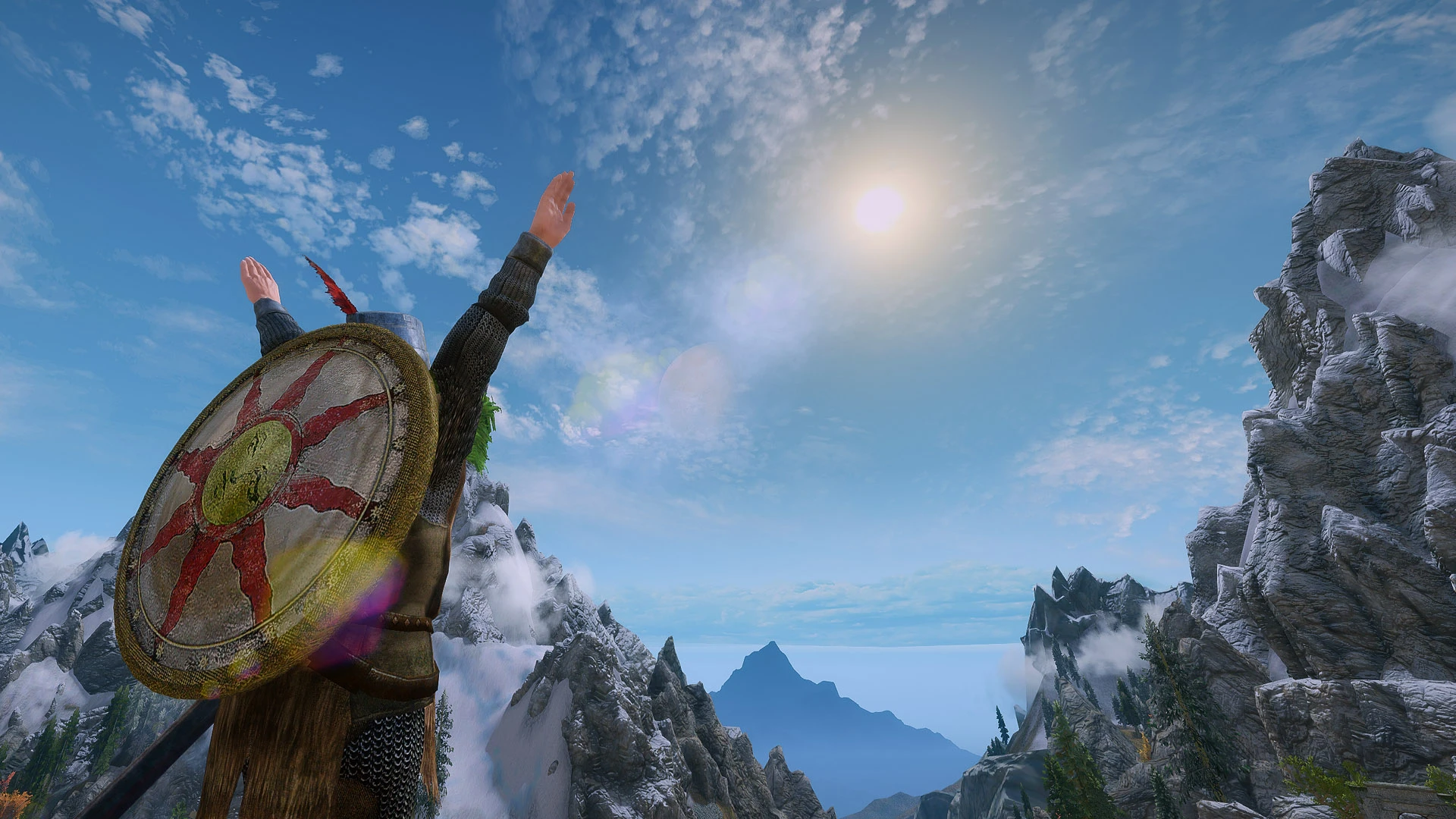
This version includes the famous "Praise the Sun" gesture from the Dark Souls series pre-installed.
J6Sgqd6fdaY
Installation:
1) SKSE64, UIExtensions, SkyUI, Dynamic Animation Replacer, and FNIS or Nemesis 0. 84 or higher are required.2) Run your FNIS or Nemesis patcher with this mod activated.
3) In game, set your Custom Idle WheelMenu hotkey and enable Group settings in MCM.
4) As a start, Group 0, Slot 0 is the "Praise the Sun" gesture pre-installed.
Add New Animations:
1) Open this mod's folder and go to "Data\meshes\actors\Character\animations\DynamicAnimationReplacer\_CustomConditions\3130XX" folder, XX represents the Slot index of the animation. For example, 313034 means the Group 3, Slot 4.
2) Put your animation in the 313034 folder, and rename your animation to "CIWM_BasicIdle.hkx" and "CIWM_LoopIdle.hkx"
3) In game, open your Custom Idle WheelMenu using the hotkey and select Group 3, Slot 4 to play the animation.
Credit:
Maxsu for CIWM - Custom Idle WheelMenu
Expired6978 for UIExtensions
Felisky384 for Dynamic Animation Replacer
CIWM - Custom Idle WheelMenu SE is a Skyrim Special Edition port of Maxsu's mod, adding a customizable wheel menu for playing idle animations. It includes the 'Praise the Sun' gesture from Dark Souls and requires SKSE64, UIExtensions, SkyUI, Dynamic Animation Replacer, and FNIS or Nemesis. Users can assign animations to groups and slots via folder structure.
✨ Key Features
📊 Pros & Cons
✅ Pros
- Community-tested port with 219 endorsements and over 7,300 downloads.
- The 'Praise the Sun' gesture is a fun addition for Dark Souls fans.
- Flexible system: assign any idle animation to any group/slot via simple folder naming.
⚠️ Cons
- Requires a heavy dependency stack (SKSE64, SkyUI, DAR, FNIS/Nemesis) — not for modding newbies.
- Last updated in 2020, so may have compatibility issues with newer Skyrim SE versions or mods.
- Setting up custom animations requires manual file renaming and folder structure, which can be fiddly.
For Skyrim SE players who want a quick way to play custom idle animations, especially those who love Dark Souls references. If you're already using DAR and FNIS/Nemesis, this is a neat addition. Skip if you don't want to deal with multiple dependencies or prefer simpler animation mods.
💡 Beginner Tips
- Make sure to run FNIS or Nemesis after installing this mod, or the animations won't work.
- When adding custom animations, remember to name them exactly 'CIWM_BasicIdle.hkx' and 'CIWM_LoopIdle.hkx' inside the correct folder (e.g., 313034 for Group 3, Slot 4).
- Set your hotkey and enable Group settings in the MCM before trying to use the wheel.
📊 Mod Details
- Game
- Skyrim Mods
- Author
- Maxsu
- Version
- 1.10
- Downloads
- 7,357
- Endorsements
- 219
- Category
- Animation
- Created
- 6/27/2020
- Updated
- 7/15/2020
🔧 How to Install Skyrim Mods
Download from Nexus.
📖 Full step-by-step install guide for Skyrim →
Visit the official mod page for specific installation instructions for this mod.
🎮 Need cheat codes or console commands? Check ur gaming wiki for Skyrim commands, item IDs, and more.
Keep browsing — more Skyrim mods await