Alternative Sounds for Climates of Tamriel
⚪ Last updated 2017⚠️ Install Order · 6 steps
Install in this order, then this mod last — most mods fail to load without their framework and dependencies in place.
Preview
🔍 Analysis
- 👍 5.8% endorsement rate — high engagement, a strong quality signal
- 🏆 #35 of 53 Audio mods in this game by downloads
📋 About This Mod
CLIMATES OF TAMRIEL IS REQUIRED
The default sounds in Climates of Tamriel were not to my taste, so I made some new ones.
I always thought there was too much thunder, so it is now decreased by 30%. Theoretically it should be much more random, and thunder sounds should now fade during dialogue too.
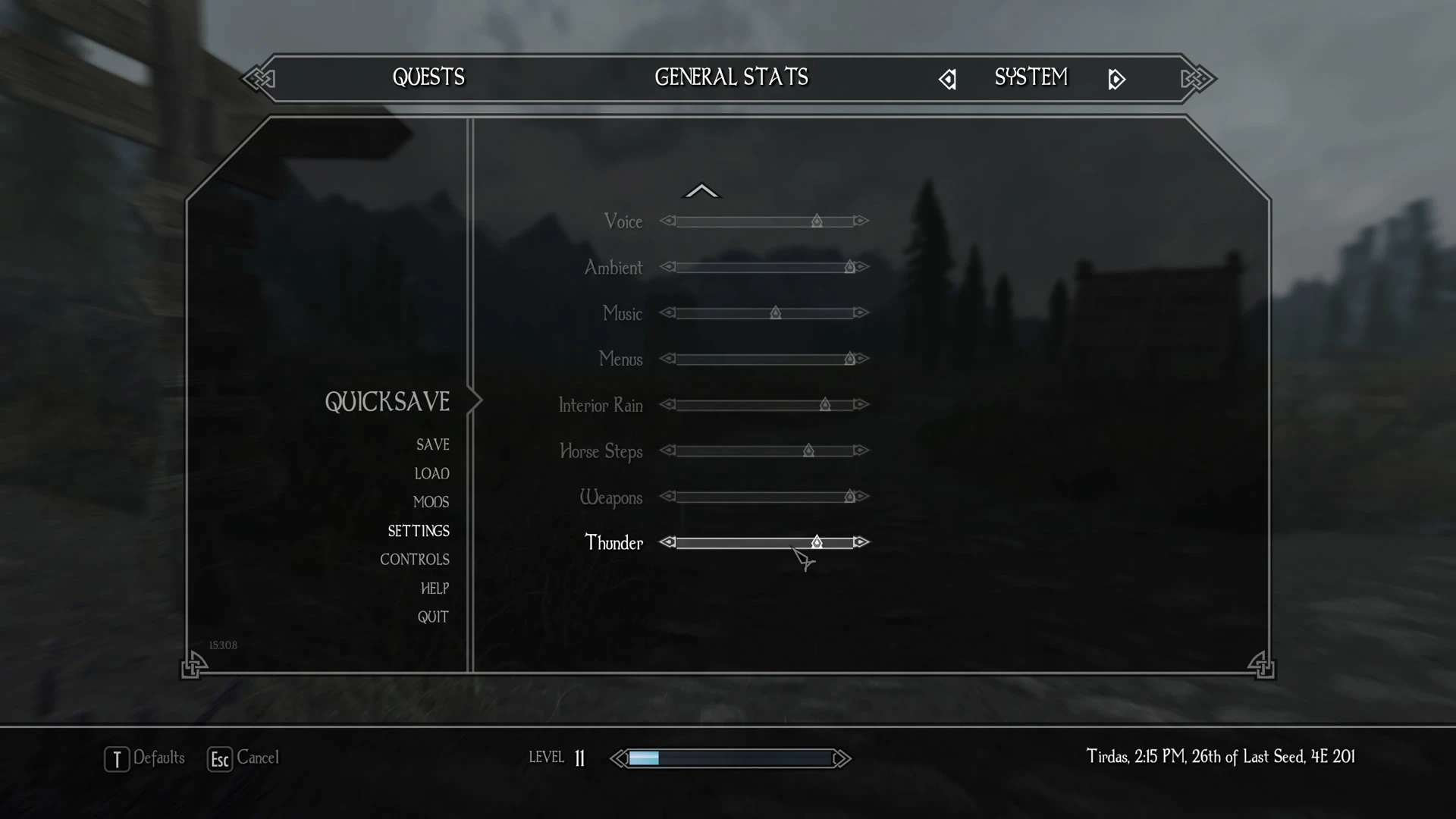
As of CoT 5. 7SE, the volume slider for LightningFX does not appear to work (Technically it does, but only for the special lightning spell CoT uses) and the thunder volume is tied to the effects slider. I have assigned all thunder sounds to their own category, which I called 'Thunder' (derp).
MRY2bYacwj0
SSE ENGINE FIXES IS HIGHLY RECOMMENDED
Volume levels for the new 'Thunder' slider will not be saved unless SSE Engine Fixes is installed. This is a game engine bug. It is not a bug with this mod.
INSTALLATION
Install as usual using your mod manager of choice, for manual installation, simply copy the files into the data directory.
Place this mod so it loads after Climates of Tamriel in your load order.
COMPATIBILITY
Audio Overhaul for Skyrim SE - Load this mod after Audio Overhaul for Skyrim SE.
As for now, this mod is only compatible with Climates of Tamriel 5. 7SE. It may be with others.
As for other conflicting mods, you may run into issues with anything that messes with ambient thunder sounds. I am currently using it with Immersive Sounds: Compendium, and it works fine.
UNINSTALLATION
Should be safe just to uninstall whenever. If you're paranoid:
1. Go indoors. (Proper indoors, like in a house or cave.)
2. Save your game. (Just in case, so you can go back to it.)
3. Open the console (~), Type 'fw 81a'
4. Save again.
5. Exit game.
6. Uninstall in mod manager, or delete all files from this mod from the data directory.
7. Reload the save from step 4.
HOW TO FORCE STORMY WEATHER
Save your game. Press tilde (~) to bring up the console. Type 'fw 1044831'. Don't mess with the console if you don't know what you're doing.
Thanks and enjoy.
Alternative Sounds for Climates of Tamriel replaces thunder and interior rain audio in Skyrim, adding a new volume slider for thunder, reducing thunder frequency by 30%, making thunder fade during dialogue, and randomizing thunder timing. A compact audio overhaul for players using Climates of Tamriel who want more subtle weather ambience.
✨ Key Features
📊 Pros & Cons
✅ Pros
- Community-trusted with 385 endorsements and over 6.6k downloads.
- Gives you direct control over thunder volume with a dedicated slider.
- Makes weather feel more natural with random thunder and dialogue-aware fading.
⚠️ Cons
- Requires Climates of Tamriel as a base mod, so it's not standalone.
- Last updated in 2017, so it may not be compatible with newer Skyrim versions or mod setups.
- Only tweaks thunder and rain sounds—if you wanted broader audio changes, this won't cover them.
For Skyrim players who use Climates of Tamriel and want less intrusive thunder that doesn't drown out dialogue. Also great for those who prefer more randomized weather audio. Skip if you don't use Climates of Tamriel or want a full audio overhaul.
💡 Beginner Tips
- Make sure you have Climates of Tamriel installed first, then drop this mod's files into your Data folder or use a mod manager.
- After installing, check the in-game audio settings for the new thunder volume slider to adjust to your preference.
- If you use other weather or audio mods, load this one after them to ensure its sounds take priority.
📊 Mod Details
- Game
- Skyrim Mods
- Author
- d3sim8
- Version
- 1.0
- Downloads
- 6,672
- Endorsements
- 385
- Category
- Audio
- Created
- 9/13/2017
- Updated
- 9/13/2017
🔧 How to Install Skyrim Mods
Download from Nexus.
📖 Full step-by-step install guide for Skyrim →
Visit the official mod page for specific installation instructions for this mod.
🎮 Need cheat codes or console commands? Check ur gaming wiki for Skyrim commands, item IDs, and more.
Keep browsing — more Skyrim mods await