Adventurer's Basement - BHM
⚪ Last updated 2016⚠️ Install Order · 5 steps
Install in this order, then this mod last — most mods fail to load without their framework and dependencies in place.
Preview
🔍 Analysis
- 👍 5.5% endorsement rate — high engagement, a strong quality signal
- 🏆 #27 of 65 Player homes mods in this game by downloads
📋 About This Mod
- -----
- Description
- -----
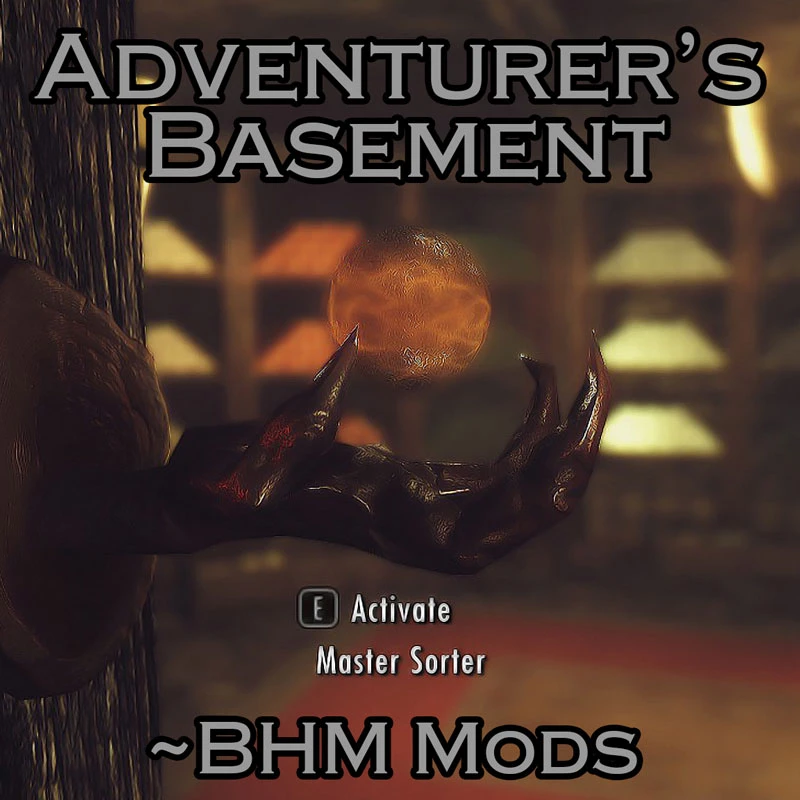
- Adventurer's Basement adds a linked basement to each of the Vanilla, Hearthfire and Dragonborn player houses. The primary purpose of this basement is to automatically sort all crafting materials, food, ingredients and potions in the players inventory and display them throughout the basement as individual physical items. The basement also contains the full suite of crafting, improving and enchanting appliances.
The basement is either automatically added upon the acquisition of a player house (Whiterun and Solstheim), or purchasable as a house decoration from the steward of the applicable town (Riften, Markarth, Windhelm and Solitude). The basement is also automatically added to the outdoors area of each Hearthfire house, and can be moved indoors or disabled via the Drafting Table at each site. The basement can also be added to custom mod houses via the use of a spell which can be learnt from inside the basement. While the same singular basement is accessible from any of these locations, the exit ladder will return the player to the same house they entered from. This mod can therefore not be used for teleportation.
The basement's sorting system handles all items used in the crafting or improvement of any weapon or armor, all items used or created via cooking, all ingredients, all potions not created by the player, and all items used in the construction of the Hearthfire Houses (with the exception of the trophies in the Trophy Room). ----- Video Demonstration -----
umJq-Zn7nlY
- ----
- Features
- ----
- A system that sorts and stocks all crafting materials (as physical items on shelves). - Forge, Smelter, Workbench, Grindstone, Tanning Rack, Wood Chopping Block, Enchanting Table Alchemy Table,
- Storage for crafting materials, food, ingredients, potions, and Hearthstone building supplies.
- Basement automatically added to Breezehome and Severin Manor upon acquisition by player.
- Basement is a purchasable decoration in Honeyside, Vlindrel Hall, Hjerim and Proudspire Manor.
- Basement available at Hearthfire house plots. Can be moved indoors or disabled via Drafting Table.
- Basement addable to custom mod houses via the use of a spell.
- ----
- Installation
- ----
- Option A:
- Use Nexus Mod Manager
Option B: (Manual) Extract the contents of the .rar file into your Skyrim/Data folder
Compatibility: This mod may conflict with any mod that changes the internal structure of player houses. This can be fixed within the mod, as the options menu al
Adds a linked, functional basement to all Vanilla, Hearthfire, and Dragonborn player houses, automatically sorting and stacking crafting materials, food, ingredients, and potions as physical items on shelves. A popular quality-of-life mod with 1,766 endorsements, last updated in 2016.
✨ Key Features
📊 Pros & Cons
✅ Pros
- Community favorite with 1,766 endorsements and over 31k downloads.
- Turns messy storage into a visually satisfying, organized display.
- Works across all official DLC houses, so it's a one-stop solution.
⚠️ Cons
- Last updated in 2016, so it may have compatibility issues with newer mods or game versions.
- Physical item sorting can be performance-heavy in large basements, especially on lower-end rigs.
- Potential conflicts with mods that alter player homes or add new ones, since it edits vanilla locations.
For Skyrim players who love immersive, physical storage and want their homes to feel lived-in. Perfect for hoarders who enjoy seeing their loot on shelves. Skip if you prefer abstract inventory management or use mods that overhaul player homes.
💡 Beginner Tips
- Make sure to have all DLCs (Hearthfire, Dragonborn) installed for full functionality.
- If you use a mod manager, install this mod and let it overwrite any conflicting house mods to ensure the basements appear.
- In-game, check the basement in your first house to see if the sorting works; if items don't stack, try waiting a few in-game hours.
📊 Mod Details
- Game
- Skyrim Mods
- Author
- Bluntaxe
- Version
- v2.4
- Downloads
- 31,935
- Endorsements
- 1,766
- Category
- Player homes
- Created
- 11/10/2016
- Updated
- 11/19/2016
🔧 How to Install Skyrim Mods
Download from Nexus.
📖 Full step-by-step install guide for Skyrim →
Visit the official mod page for specific installation instructions for this mod.
🎮 Need cheat codes or console commands? Check ur gaming wiki for Skyrim commands, item IDs, and more.
Keep browsing — more Skyrim mods await