Zoners High Performance ENB 2_0
⚪ Last updated 2013⚠️ Install Order · 5 steps
Install in this order, then this mod last — most mods fail to load without their framework and dependencies in place.
Preview
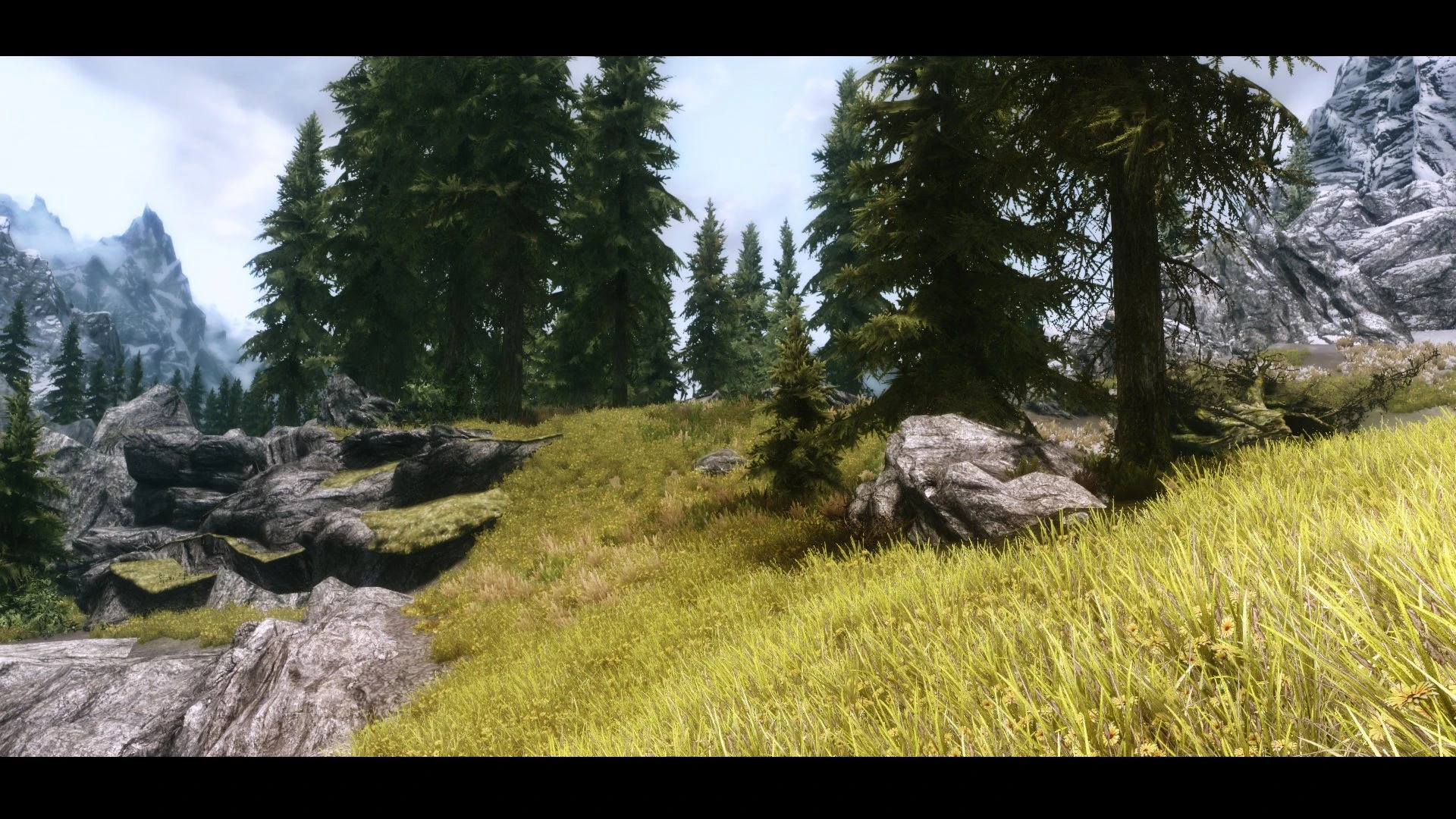
🔍 Analysis
- 👍 2.7% endorsement rate — high engagement, a strong quality signal
- 🏆 #11 of 65 Visuals and Graphics mods in this game by downloads
📋 About This Mod
- []Performance Options: While ZHPenb v1. 0-v1. 5 were purely no frills high performance ENBs; v2. 0 includes plenty of performance options. []Still High-Performance: I tested the high-performance versions of this ENB on my laptop, I assure you, if a GT420M can run it, you can. []SweetFX Injector: ZHPenb v2. 0 uses SweetFX as a proxy DLL, which basically means FXAA + SMAA & more all in one; if you use 4x AA or lower, you can switch it off and use one of the SweetFX presets in the \"Options\" folder for a performance boost! []Skyrim is Skyrim: I believe that the Weather and Lighting of Vanilla Skyrim is great, I have tried to keep most of that character intact.
- []If this is the first time you are installing an ENB; please watch the video above. []If you hate watching videos, hate youtube, hate Hodilton, have a bandwidth limit, or are super-intelligent and realized this enb has more specific instructions; read below. []First Download, extract and copy the ENB 0. 126 files to your Skyrim folder. (If you are confused about Injector/Wrapper, read the next section) []Download and extract this ENBs files anywhere. (Just NOT Skyrims\' folder) []First Copy the \'Core Files\' folder files to Skyrim\'s folder. (Overwrite) []Then choose a pefrormance preset from the folder called \"Select your Pefrormance\"; and copy it to Skyrim\'s folder (Overwrite) []There are a lot of optional files inside the \"Options\" folders that are optional.. really. Just copy what you need to Skyrim\'s folder (Overwrite)
Zoners High Performance ENB 2.0 is a performance-oriented ENB preset for Skyrim, updated for ENB 0.126 and SweetFX 1.3. It offers six performance options across High and Extreme quality presets, aiming to enhance visuals on a wide range of hardware. With over 1,100 endorsements, it's a community favorite for balanced graphics.
✨ Key Features
📊 Pros & Cons
✅ Pros
- Community-approved with 1,152 endorsements and 42k downloads
- Six performance options mean you can tune it to your rig
- SweetFX integration adds extra visual punch without extra cost
⚠️ Cons
- Last updated in 2013 — likely outdated for current Skyrim versions and ENB series
- Performance claims are vague; 'for every computer' is optimistic without specific benchmarks
For Skyrim players with mid-range PCs who want a visual upgrade without tanking FPS. Also for ENB enthusiasts who like tweaking presets to find the sweet spot. Skip if you're on the latest Skyrim version or want modern ENB features like ray tracing.
💡 Beginner Tips
- Make sure to disable the game's anti-aliasing and anisotropic filtering in the launcher to avoid conflicts with ENB.
- Start with the lowest performance preset and work up to find the best balance for your system.
- If you're using a mod manager, manually place the ENB files in your Skyrim root folder, not the Data folder.
📊 Mod Details
- Game
- Skyrim LE Mods
- Author
- Shrutesh
- Version
- 2.35
- Downloads
- 42,159
- Endorsements
- 1,152
- Category
- Visuals and Graphics
- Created
- 11/11/2012
- Updated
- 1/5/2013
🔧 How to Install Skyrim LE Mods
Download from Nexus.
📖 Full step-by-step install guide for Skyrim LE →
Visit the official mod page for specific installation instructions for this mod.
🎮 Need cheat codes or console commands? Check ur gaming wiki for Skyrim LE commands, item IDs, and more.
Keep browsing — more Skyrim LE mods await