WIP - XP32 Maximum Skeleton Weapons Positions Modified
⚪ Last updated 2013⚠️ Install Order · 4 steps
Install in this order, then this mod last — most mods fail to load without their framework and dependencies in place.
Preview
🔍 Analysis
- 👍 6.0% endorsement rate — high engagement, a strong quality signal
- 🏆 #97 of 299 Models and Textures mods in this game by downloads
📋 About This Mod
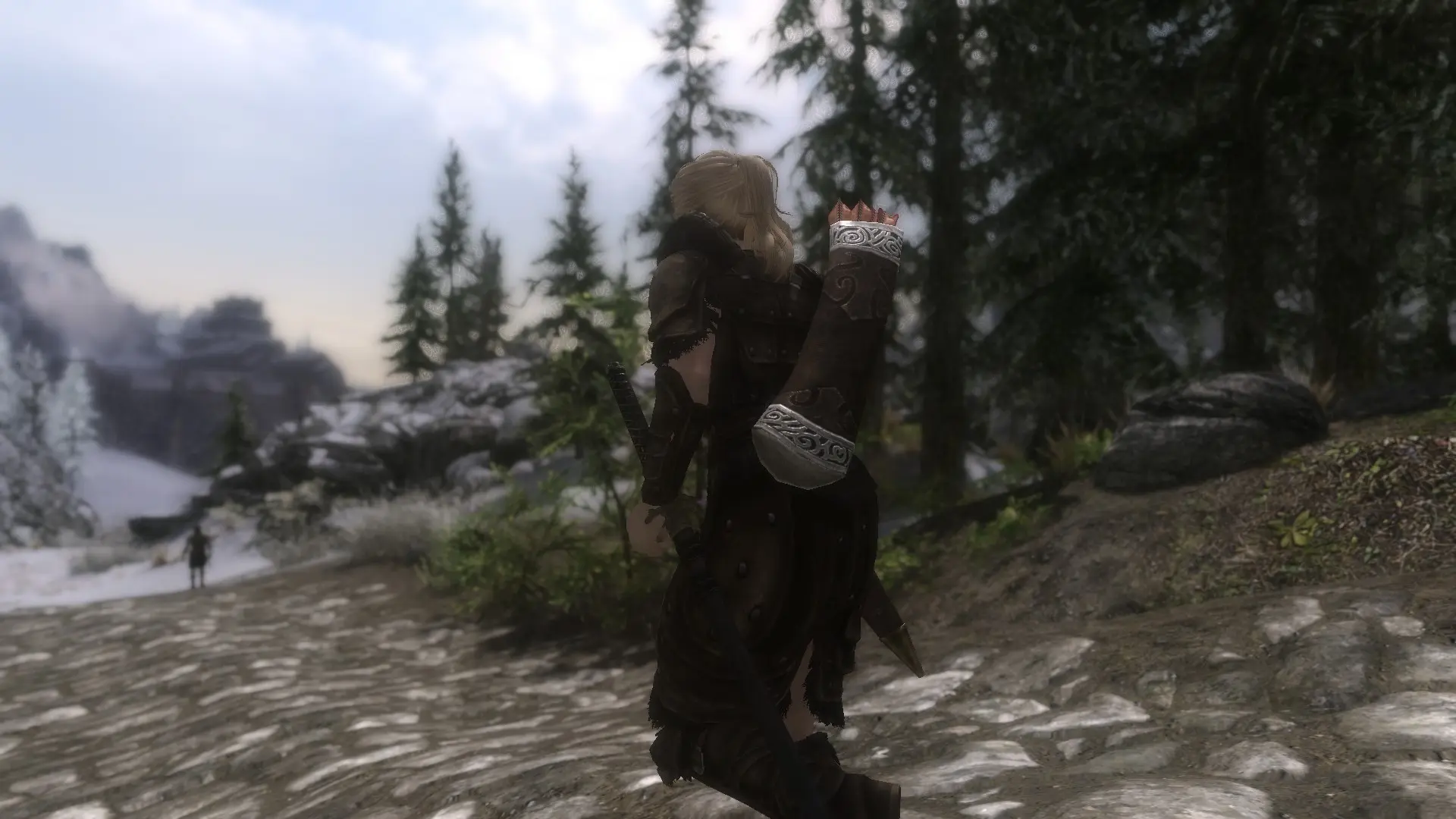
Requires: http://skyrim.nexusmods.com/mods/26800/ I wasn\'t happy with the default weapons positions when using XP32\'s Maximum Skeleton, so I tweaked them. Whether it\'s better now or not is a matter of taste and priority. So far, only the male and female skeletons are done. I\'ll do beast next. You will likely get increased clipping with some animations. This is a consequence of having the weapons in what I think are more realistic positions (mostly more forward and sometimes higher). I\'ve also rotated the bow so it looks slung over the shoulder. Unfortunately, there\'s no way to not have the string clipping through the body like this. I\'ll also upload another set of meshes with the bow in a more \"default\" position. And I\'m thinking of a way to maybe have a longer-ish bow string when the bow is not in the hand to get around this draw back. Maybe something like Dual Sheath Redux using a spell and a separate mesh for the slung position. I tested using the vanilla bodies/armor, Sundracon, Favored Soul, CBBE curvy, CBBE++ (my custom body), and UNP/B, and tried to balance between all of them. If you see clipping/floating weapons with non-vanilla armor, you likely need to adjust the armor offset in the armor record. I\'ve noticed most modders that release esp-based mods don\'t bother to adjust this from the default, but the positioning should be pretty good with vanilla weapons/armor. So before reporting floating weapons, please try a vanilla armor/weapon and see if the problem occurs with that combination. TL;DR: unzip into your data folder and let it overwrite XP32\'s skeleton.
This mod tweaks the default weapon positions in XP32's skeleton for Skyrim, offering a more customized look for how weapons are displayed on the character. It's a niche adjustment for players who want finer control over weapon placement, with a solid following of 2,432 endorsements.
✨ Key Features
📊 Pros & Cons
✅ Pros
- Community-approved with 2,432 endorsements and over 40k downloads
- Simple tweak that changes weapon positioning without overhauling the skeleton
- Ideal for players who want a different look for their equipped weapons
⚠️ Cons
- Last updated in 2013 — may be outdated for current Skyrim versions
- Requires XP32's skeleton as a base, so it's not standalone
For Skyrim modders who use XP32's skeleton and want to tweak weapon display positions. Skip if you're looking for a full skeleton overhaul or gameplay changes — this is purely cosmetic.
💡 Beginner Tips
- Make sure you have XP32's skeleton installed first, as this mod modifies its weapon positions.
- Use a mod manager like Mod Organizer 2 to easily toggle this mod on and off if you want to compare positions.
- Check the mod's posts section for any user-reported compatibility notes with other skeleton mods.
📊 Mod Details
- Game
- Skyrim LE Mods
- Author
- xp32 with tweaks by narphous
- Version
- 1.02
- Downloads
- 40,676
- Endorsements
- 2,432
- Category
- Models and Textures
- Created
- 7/7/2013
- Updated
- 11/9/2013
🔧 How to Install Skyrim LE Mods
Download from Nexus.
📖 Full step-by-step install guide for Skyrim LE →
Visit the official mod page for specific installation instructions for this mod.
🎮 Need cheat codes or console commands? Check ur gaming wiki for Skyrim LE commands, item IDs, and more.
Keep browsing — more Skyrim LE mods await