Warmaiden's Overhaul
⚪ Last updated 2014⚠️ Install Order · 3 steps
Install in this order, then this mod last — most mods fail to load without their framework and dependencies in place.
Preview
🔍 Analysis
- 👍 10.3% endorsement rate — high engagement, a strong quality signal
- 🏆 #2 of 44 Cities, Towns, Villages, and Hamlets mods in this game by downloads
📋 About This Mod
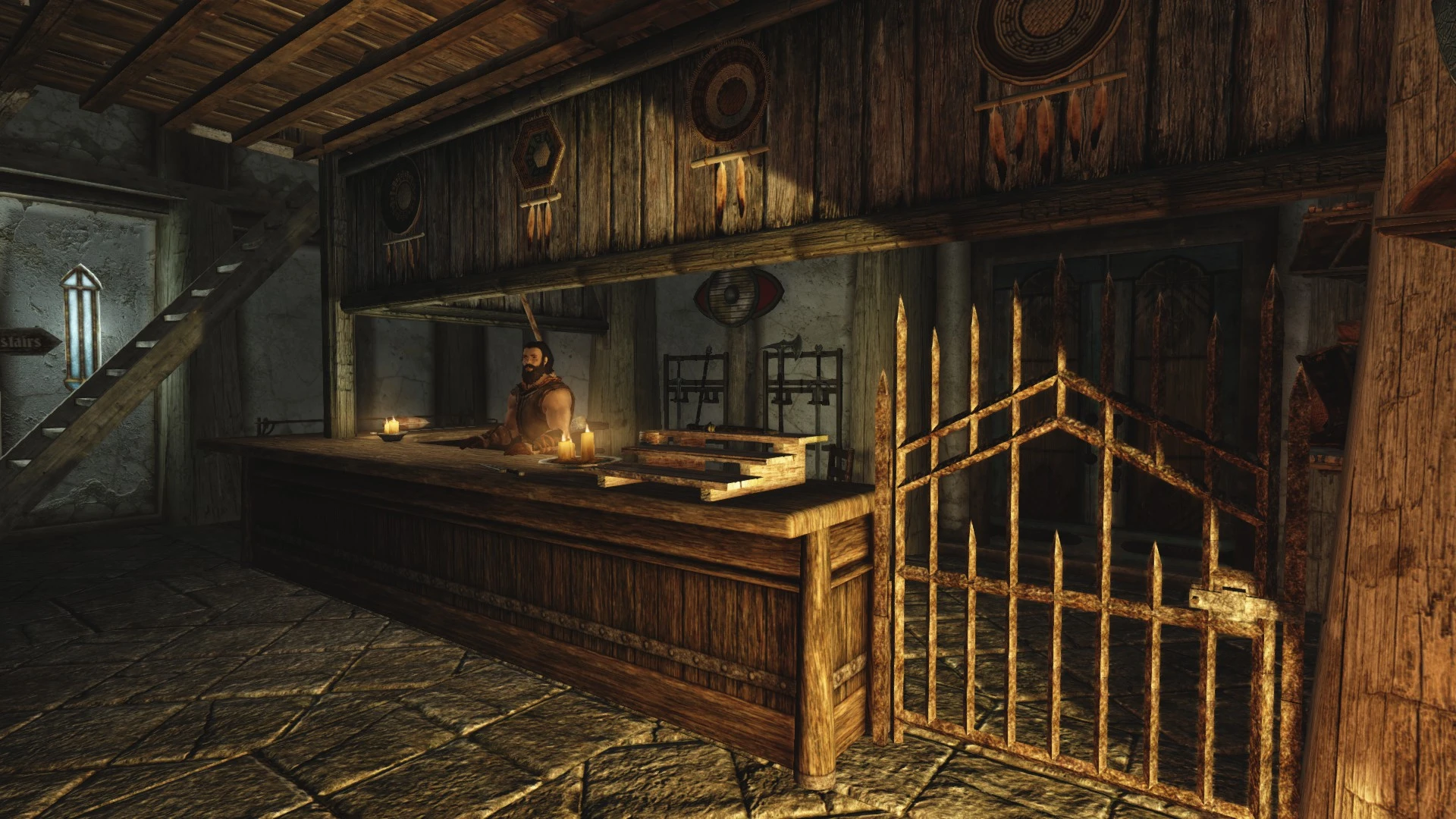
Warmaiden's Overhaul Introduction: I always found Warmaiden's to be a bit boring. Being the town's main blacksmith shop (apart from Eorland), I felt that they should stock many more items than in the vanilla game. My mod expands Warmaiden's, not only in the shop's floorspace, but also in the variety of stock they have for sale, so now there's pots and pans, locks, axes, saws and knives and forks for sale, as well as the traditional Warmaiden's weapons, shields and armour.
Features: • Many new static items and changes including... • Redesigned layout with seperate downstairs and upstairs showrooms; downstairs for homeware and upstairs for armour and weapons • Upstairs changing room • Mannequin display showcasing their armours • Other displays for weapons, helmets and shields • Boot and gauntlet shelves • Axes, saws and hoes • Pots and pans • And much, much more! (Items have been made static because I thought it would be too OP to have loads of items sitting around waiting to be stolen!)
Requirements: No DLC is required for Warmaiden's Overhaul to work.
Installation: To install, use NMM or manually drag and drop the .esp file and mesh and texture folders into Skyrim's "Data" folder.
Conflicts: Will conflict with any similar mod that changes the "WhiterunWarmaidens" cell. If you experience flickering lights, this is a conflict with your lighting mod (like ELFX, RLO etc). In this case, put Warmaiden's Overhaul on top of your chosen lighting overhaul in the load order.
My other mods: If you like this shop overhaul then you'll love my other mods: Radiant Raiment Overhaul Bannered Mare Overhaul Riverwood Trader Overhaul
Warmaiden's Overhaul is a compact Skyrim mod that adds new items to the interior of Warmaiden's, the blacksmith shop in Whiterun. With 253 endorsements and over 2,400 downloads, it's a niche cosmetic enhancement for players who want more visual detail in a familiar location. Last updated in 2014, it may not be compatible with the latest Skyrim versions.
✨ Key Features
📊 Pros & Cons
✅ Pros
- Community-approved with 253 endorsements—players who use it seem to like it.
- Tiny download and install—perfect for a quick visual tweak without bloat.
- Adds flavor to Warmaiden's, making the shop feel more lived-in.
⚠️ Cons
- Last updated in 2014—may be incompatible with Skyrim Special Edition or the latest patches.
- Very niche—only affects one interior, so if you don't spend time in Warmaiden's, it's pointless.
For Skyrim players who want to spice up Whiterun's blacksmith shop with extra clutter and detail. Perfect for immersion lovers who notice small interior changes. Skip if you're looking for gameplay overhauls or major city changes—this is purely cosmetic.
💡 Beginner Tips
- Since this mod is from 2014, check if your Skyrim version is original or Special Edition—if SE, you may need to convert the mod or use a compatibility patch.
- Use a mod manager like Vortex or Mod Organizer 2 to easily enable/disable and avoid overwriting other mods that touch Warmaiden's interior.
- If you're using other Whiterun overhaul mods, load Warmaiden's Overhaul after them to ensure its items appear.
📊 Mod Details
- Game
- Skyrim LE Mods
- Author
- naverd01
- Version
- V2
- Downloads
- 2,455
- Endorsements
- 253
- Category
- Cities, Towns, Villages, and Hamlets
- Created
- 5/27/2014
- Updated
- 5/28/2014
🔧 How to Install Skyrim LE Mods
Download from Nexus.
📖 Full step-by-step install guide for Skyrim LE →
Visit the official mod page for specific installation instructions for this mod.
🎮 Need cheat codes or console commands? Check ur gaming wiki for Skyrim LE commands, item IDs, and more.
Keep browsing — more Skyrim LE mods await