Thundering shouts
⚪ Last updated 2014⚠️ Install Order · 3 steps
Install in this order, then this mod last — most mods fail to load without their framework and dependencies in place.
Preview
🔍 Analysis
- 👍 5.0% endorsement rate — high engagement, a strong quality signal
- 🏆 #23 of 59 Audio - SFX, Music, and Voice mods in this game by downloads
📋 About This Mod
9 Jan 2017 Update - SkyrimSE Version
As I've stated in the comments section, I no longer play Skyrim and I have not purchased Skyrim Special Edition, having lost interest in anything related to Skyrim. If you're looking for a SE version of this mod, you can find it on Bethesda.net, thanks to user "straykat" who has uploaded both a PC version and an XB1 version.
Description
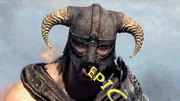
This mod changes the shout audio (both male and female) in the following ways:
- []all shouts have the pitch lowered by 10%, with a few exceptions for orcs and female argonians
[
]level 2 and level 3 shouts have echo, and most of them have thunder in the background (somewhat like the draugr shouts)I tried to make the effect subtle enough that it's not obtrusive, but pronounced enough that it's noticeable. See the video below for an example.
_Fkdb9DayrI
Installation
To install, copy the files "Thundering Shouts.esp" and "Thundering Shouts.bsa" to your data folder, and enable the .esp from the Skyrim Launcher.
Compatibility
This mod replaces the audio data associated with all shouts, including those added by the Dawnguard and Dragonborn DLCs. It should not conflict with any other mods, unless they also replace the same audio. If you do have another mod that does that, then one of two things will happen when using both mods:
- []If the other mod consists of loose files (located in data\sound\voice\...), then it will take precedence over Thundering Shouts. Both mods will work, but the game will only use the parts from Thundering Shouts that are not overridden by the other mod.
[
]If the other mod consists of an esp/bsa pair, then whichever mod comes after the other in the loading order, will override the other.Also note that while this mod includes audio replacements for the shouts introduced by the Dawnguard and Dragonborn DLCs, you can still use it without the DLCs.
The mod works with Skyrim Special Edition, but only when using the loose files version, found in the "optional files" category of the files tab. Apparently, SkyrimSE can't read BSA archives, so neither of the main versions work with it.
- []If the other mod consists of loose files (located in data\sound\voice\...), then it will take precedence over Thundering Shouts. Both mods will work, but the game will only use the parts from Thundering Shouts that are not overridden by the other mod.
This mod enhances Skyrim's shouts with echoing thunder effects, similar to draugr shouts. It covers all base game shouts and has been updated to include Dawnguard and Dragonborn DLC shouts. With over 12,000 endorsements, it's a popular audio enhancement for players seeking a more dramatic shout experience.
✨ Key Features
📊 Pros & Cons
✅ Pros
- Huge community trust (12,699 endorsements) — clearly a favorite for audio tweaks
- Covers all base game shouts plus both DLCs, so you get full coverage
- Simple audio replacer — no scripts or heavy mods, just drop-in and play
⚠️ Cons
- Last updated in 2014 — might not be compatible with the latest Skyrim version or other audio mods
- Only affects shouts, so if you want broader audio changes, this won't do it
For Skyrim players who want their shouts to feel more epic and atmospheric, especially those who enjoy the draugr's echoing roars. Perfect for roleplayers and anyone who thinks vanilla shouts are too flat. Skip if you're looking for gameplay changes or a complete audio overhaul.
💡 Beginner Tips
- If you're using a mod manager like Vortex or MO2, just download and install — it'll handle the file placement automatically.
- Make sure to load this mod after any other audio mods that affect shouts to ensure its sounds take priority.
- Test a shout like Unrelenting Force right after installing to hear the difference — if you don't notice it, check your load order.
📊 Mod Details
- Game
- Skyrim LE Mods
- Author
- greentea101
- Version
- 1.2
- Downloads
- 251,633
- Endorsements
- 12,699
- Category
- Audio - SFX, Music, and Voice
- Created
- 12/16/2011
- Updated
- 4/11/2014
🧩 Commonly Used Together
Users add these mods to the same collections — a real compatibility signal, not an AI guess.
🔧 How to Install Skyrim LE Mods
Download from Nexus.
📖 Full step-by-step install guide for Skyrim LE →
Visit the official mod page for specific installation instructions for this mod.
🎮 Need cheat codes or console commands? Check ur gaming wiki for Skyrim LE commands, item IDs, and more.
Keep browsing — more Skyrim LE mods await