Take Notes - Journal of the Dragonborn
⚪ Last updated 2014⚠️ Install Order · 4 steps
Install in this order, then this mod last — most mods fail to load without their framework and dependencies in place.
Preview
🔍 Analysis
- 👍 5.4% endorsement rate — high engagement, a strong quality signal
- 🏆 #50 of 147 Immersion mods in this game by downloads
📋 About This Mod
- - Take Notes --
- ~~~ Journal of the Dragonborn ~~~
- requires SKSE & SkyUI
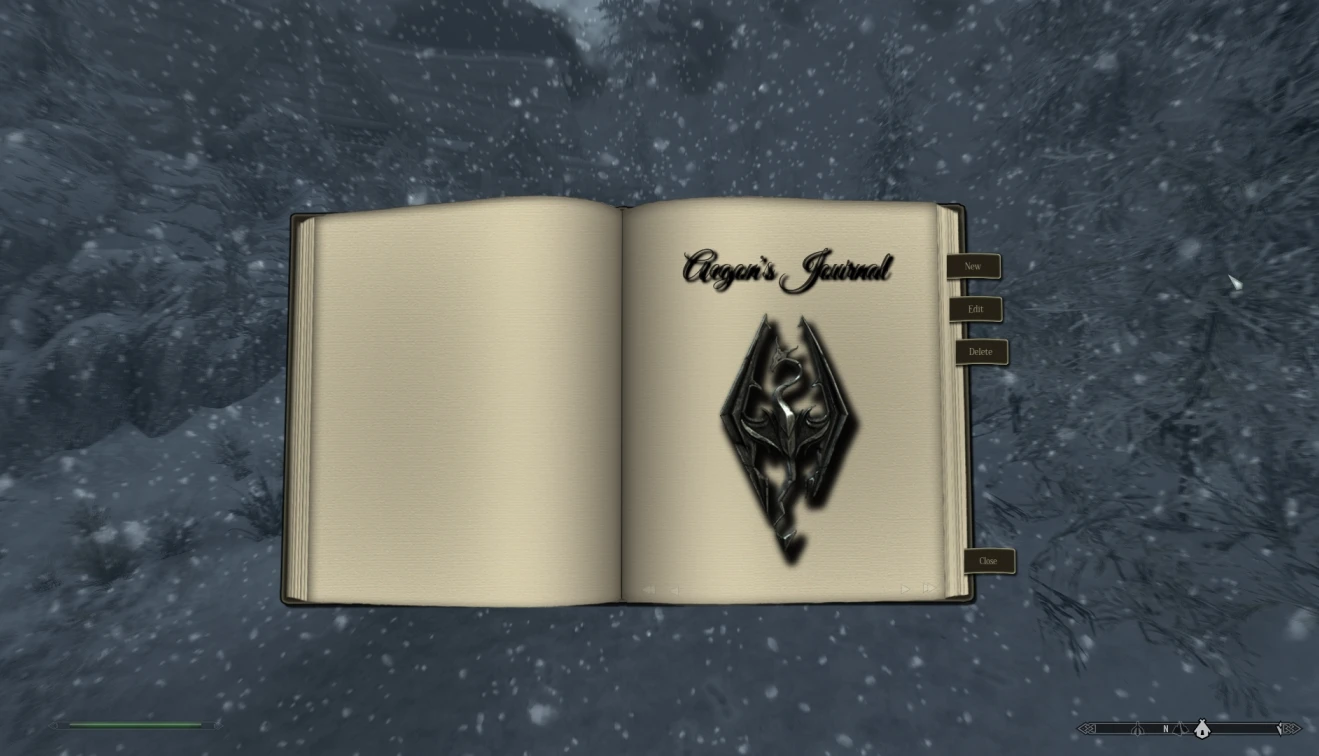
Take Notes adds a new player journal to the game which lets you create, view and export your own journal entries.
You can bring up the Journal by pressing the hotkey (default is "X").
You haven't written any entries yet, so it only consists of the front page. You can now use the menu to ~ create a new journal entry ~ edit the currently shown entry ~ delete the currently shown entry ~ close the journal
You can also hide the menu by pressing "space" and setup hotkeys for everything in the MCM. If you use a controller, see section "Usage with a controller" below.
The Help window can be toggled onb and off by pressing F1.
EDITING MODE Upon creating a new entry the journal switches to editing mode.
In editing mode you can write the journal entry. Each entry can have up to 4000 characters. If you want to change the header of an entry (= date), just click it while in editing mode.
To leave editing mode, click "Accept" or "Cancel" (or press TAB or ESC)
Clicking on the Chapters button brings up the list of chapters on the left side of the book. Click Chapters again to hide the list again. Click a chapter name to select it.
The Journal features up to five chapters, the first of which can have up to 612 pages, each additional chapter up to 127 pages. The default names of the chapters are ~ Journal ~ Bestiary ~ Quests ~ Persons ~ Miscellaneous
A chapter can be customized by clicking on its name on the chapter’s frontpage (on the right page).
The chapter customizing menu lets you change its name and select images for the front page and the left page of the chapter. Chapter customizing is very basic right now, but will hopefully be expanded in the future.
THE MCM MENU
In the MCM you can select a theme for the journal ("dark" or "book") and change the controls and font. You can also export
Take Notes - Journal of the Dragonborn adds a fully functional player journal to Skyrim, allowing you to create, view, and export your own entries. With over 19,000 endorsements and 357,000 downloads, it's a highly popular immersion mod for roleplayers who want to track their adventures in-game.
✨ Key Features
📊 Pros & Cons
✅ Pros
- Massive community trust with 19,239 endorsements and 357,688 downloads
- Perfect for roleplayers who want to keep an in-character diary without alt-tabbing
- Export feature lets you share your stories or back them up easily
⚠️ Cons
- Last updated in 2014 — may have compatibility issues with newer Skyrim versions or mods
- Requires Skyrim Script Extender (SKSE) for full functionality, which isn't mentioned in the description
For Skyrim roleplayers who love immersive journaling and want to document their character's journey without breaking immersion. Also great for completionists who like to keep detailed notes on quests and lore. Skip if you're looking for gameplay changes — this is purely a quality-of-life immersion tool.
💡 Beginner Tips
- Make sure you have SKSE installed and launch the game through SKSE's loader, or the journal won't work.
- Use a mod manager like Vortex or Mod Organizer 2 to handle installation and load order — it'll save you headaches.
- Check the mod's forum posts for any known compatibility patches if you're running other immersion mods.
📊 Mod Details
- Game
- Skyrim LE Mods
- Author
- Lord Conti
- Version
- 1.52
- Downloads
- 357,688
- Endorsements
- 19,239
- Category
- Immersion
- Created
- 12/1/2013
- Updated
- 1/31/2014
🔧 How to Install Skyrim LE Mods
Download from Nexus.
📖 Full step-by-step install guide for Skyrim LE →
Visit the official mod page for specific installation instructions for this mod.
🎮 Need cheat codes or console commands? Check ur gaming wiki for Skyrim LE commands, item IDs, and more.
Keep browsing — more Skyrim LE mods await