Skyrim Weapon Positioning - Weapons on Back
⚪ Last updated 2012⚠️ Install Order · 4 steps
Install in this order, then this mod last — most mods fail to load without their framework and dependencies in place.
Preview
🔍 Analysis
- 👍 2.9% endorsement rate — high engagement, a strong quality signal
- 🏆 #21 of 112 Weapons mods in this game by downloads
📋 About This Mod
Came by to slip in a little note: I am sorry but I no longer will be updating this mod. Most people know this already. I don't have the time at the moment. Please do not send me PM's regarding SSE or questions about positioning, simply because I no longer mod Skyrim and have done not so in years so my knowledge is now lacking.
- Skyrim Weapon Positioning -
(Excuse my lousy layout skills. If my file should be somewhere else, I'm fine with it being moved lol)
- ************
- Important - RECOMMENDED MODS!
- **********
This mod was initially designed to compliment Dahaka002011/EwokJedi/Mergweq's Armed to the Teeth's primary function. Thus I hugely suggest you download/install AttT below BEFORE my mod, after reading the mods frontpage as it is very important you do so, and download the additional mod below this. http://skyrim.nexusmods.com/downloads/file.php?id=9614
Zeridian's mod makes MANY custom weapons from other mods function with Armed to the Teeth. It covers the two weapons in my screenshots which are part of the LOTR blades pack, but Zeridian's mod also covers Jaysus' swords and MANY others. This is also a must, like AttT, if you want to get the best result of using my mod. http://skyrim.nexusmods.com/downloads/file.php?id=15373
- *****
- DESCRIPTION
- ********
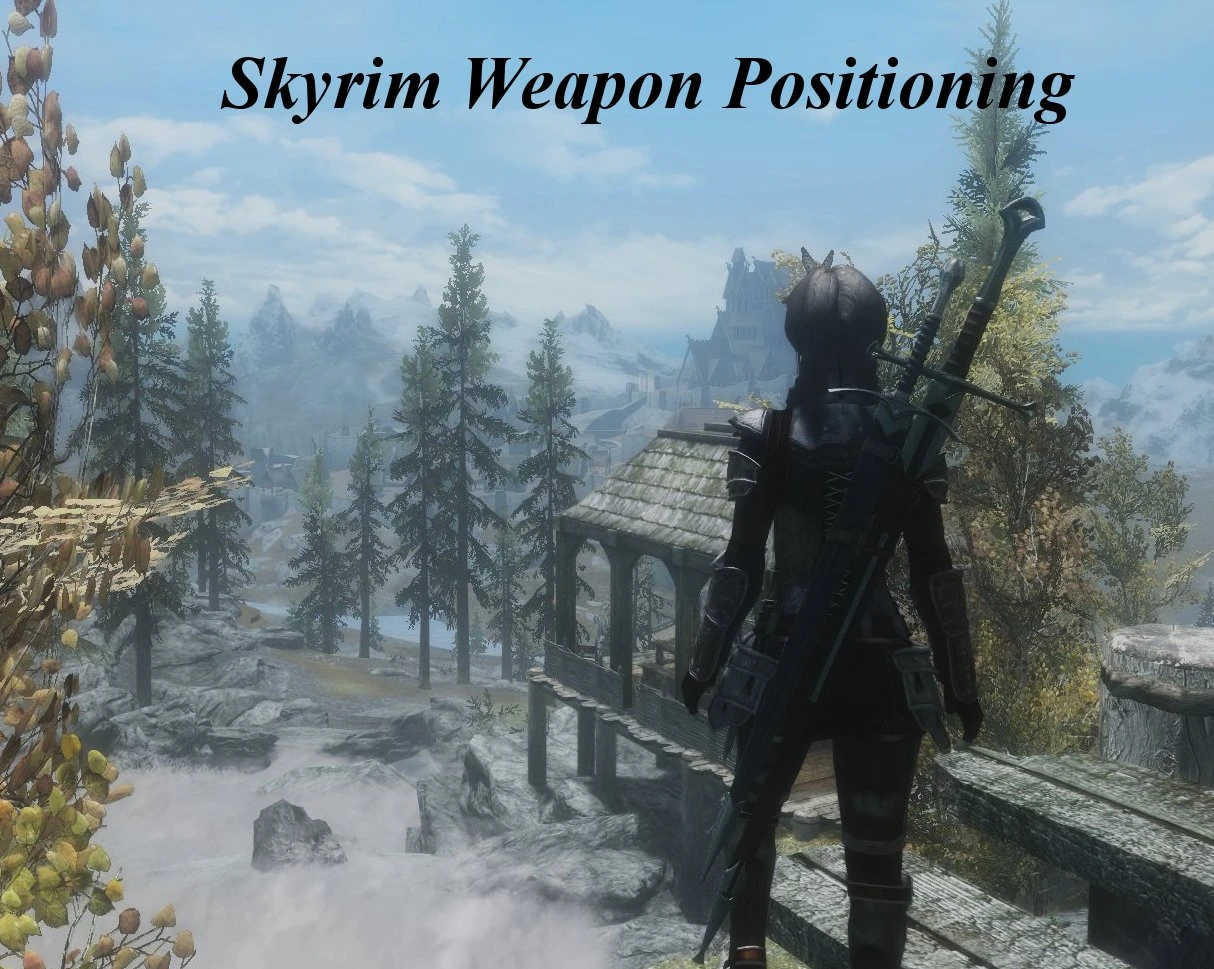
This mod essentially moves the position of your one handed sword from your hip and onto your back. It also adjusts the two handed weapons position to work in accordance with this. Why? Because once you manage to get them working with Armed to the Teeth (mentioned in the Recommended Mods section above), they sit together nicely as seen in the screenshots. Otherwise, I believe the two weapons would clip and would become annoying. There is the choice of a new dagger position as well which places it on your right boot, where a dagger should be, depending on how you use it.
Also, there is the option for another alternate position which places your one handed and two handed weapons side by side, vertically. You can also have a quiver which is straight as well. While it is not entirely realistic, it looks okay and to an extent, you could pull it off in real life anyways... maybe, lol.
I tried to cover compatibility for some of the more popular mods out there which have skeletons edits too. By default this mod contains compatibility for AttT (to an extent, as I was unable to test the shields as they seem to be bugged right now), but also my mod has compatibility for:
Ning99's Female Skeleton http://skyrim.nexusmods.com/downloads/file.php?id=11064 dDefinder1's Realistic Ragdolls and Force http://skyrim.nexusmods.com/downloads/file.php?id=601 - When you are using dDefinder's RRaF, ensure you install the version you want, before you insta
This mod adjusts weapon positioning for one-handed swords to sit beside two-handed weapons, designed for use with Armed to the Teeth. It also adds an additional dagger position. With over 10,000 endorsements and 358,000 downloads, it's a popular cosmetic tweak for Skyrim players who want a more realistic back-sheathe look.
✨ Key Features
📊 Pros & Cons
✅ Pros
- Huge community trust with 10,279 endorsements and 358,935 downloads
- Fills a specific niche for players who want both sword and two-hander visible on the back
- Simple positioning tweak that enhances immersion without changing gameplay
⚠️ Cons
- Requires Armed to the Teeth mod to function as intended, adding an extra dependency
- Last updated in 2012, so may have compatibility issues with newer Skyrim versions or mods
- Limited to one-handed sword and dagger positions; no support for other weapon types
For Skyrim players who use Armed to the Teeth and want a more realistic back-sheathe look for their one-handed swords. If you're into immersion and visual consistency, this is a must-have. Skip if you don't use Armed to the Teeth or prefer vanilla weapon positioning.
💡 Beginner Tips
- Make sure Armed to the Teeth is installed and activated before this mod, as it's designed to work with it.
- Use a mod manager like Nexus Mod Manager or Mod Organizer 2 to easily toggle this mod on and off if you encounter conflicts.
- Check the mod's posts section for any user-reported compatibility patches with popular weapon mods.
📊 Mod Details
- Game
- Skyrim LE Mods
- Author
- Metal-Gear-REX
- Version
- 2.0
- Downloads
- 358,935
- Endorsements
- 10,279
- Category
- Weapons
- Created
- 4/22/2012
- Updated
- 5/12/2012
🔧 How to Install Skyrim LE Mods
Download from Nexus.
📖 Full step-by-step install guide for Skyrim LE →
Visit the official mod page for specific installation instructions for this mod.
🎮 Need cheat codes or console commands? Check ur gaming wiki for Skyrim LE commands, item IDs, and more.
Keep browsing — more Skyrim LE mods await