Simple Crosshair
⚪ Last updated 2013⚠️ Install Order · 3 steps
1🛠️ SKSE — Skyrim Script Extender Download ↗
2🔧 USLEEP — Unofficial Skyrim Legendary Edition Patch Download ↗
3🖥️ SkyUI — SkyUI (MCM framework) Download ↗
Install in this order, then this mod last — most mods fail to load without their framework and dependencies in place.
Preview
🔍 Analysis
- 👍 4.4% endorsement rate — high engagement, a strong quality signal
- 🏆 #42 of 76 User Interface mods in this game by downloads
📋 About This Mod
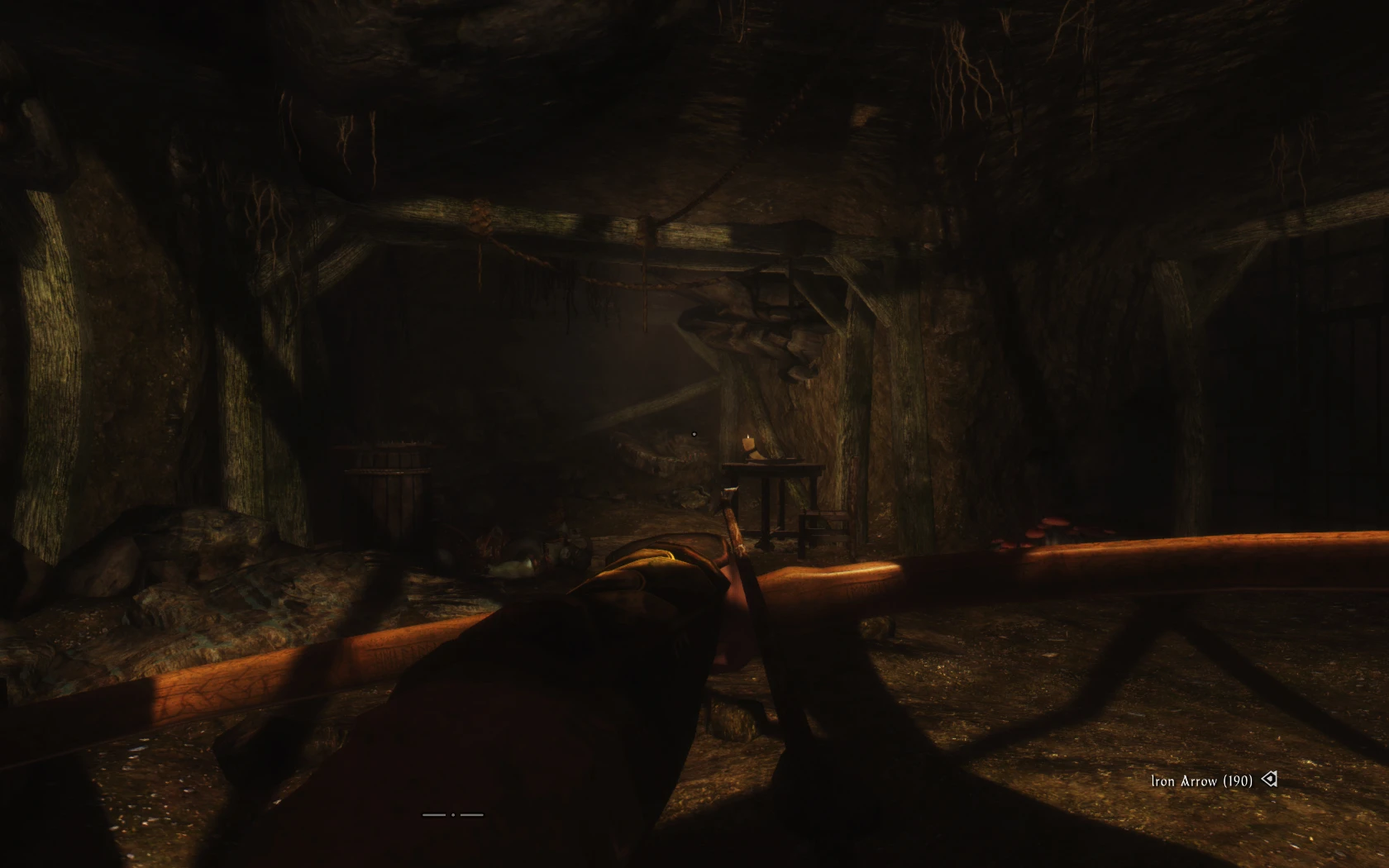
A simple mod to make the crosshair a simple dot.
🤖 AI-enhanced — based on mod data
Simple Crosshair by Shadow771 replaces the default crosshair with a simple dot. It has 7,161 endorsements and 162,461 downloads, last updated in 2013. This is a minimal UI tweak for players who prefer a cleaner aiming reticle.
✨ Key Features
Replaces the default crosshair with a simple dot.
Lightweight UI modification with no additional features.
📊 Pros & Cons
✅ Pros
- Huge community approval (7,161 endorsements) — clearly a favorite for minimalists.
- Massive download count (162,461) shows it's been widely used for years.
- Does exactly what it says: a simple dot crosshair, no bloat.
⚠️ Cons
- Last updated in 2013 — may be outdated for current game versions, so compatibility is a risk.
- Only offers one style (a dot) — if you want customizable crosshairs, look elsewhere.
🎯 Is This For You?
For players who find the default crosshair distracting and want a clean, minimal dot. Perfect for those who prefer a less cluttered HUD. Skip if you need customizable crosshair options or play a game version that has changed UI systems since 2013.
For players who find the default crosshair distracting and want a clean, minimal dot. Perfect for those who prefer a less cluttered HUD. Skip if you need customizable crosshair options or play a game version that has changed UI systems since 2013.
📦 Install:Easy· Under 1 minute
💡 Beginner Tips
- Since the mod is from 2013, check if your game version still supports old UI mods — if not, you might need to use a mod manager to force compatibility.
- If you're using a mod manager, preview the crosshair in-game to ensure it fits your screen resolution.
- If you're manually installing, place the files in the correct UI folder as per your game's modding conventions.
📊 Mod Details
- Game
- Skyrim LE Mods
- Author
- Shadow771
- Version
- 1.20
- Downloads
- 162,461
- Endorsements
- 7,161
- Category
- User Interface
- Created
- 11/3/2012
- Updated
- 1/2/2013
🔧 How to Install Skyrim LE Mods
Download from Nexus.
📖 Full step-by-step install guide for Skyrim LE →
Visit the official mod page for specific installation instructions for this mod.
🎮 Need cheat codes or console commands? Check ur gaming wiki for Skyrim LE commands, item IDs, and more.
Keep browsing — more Skyrim LE mods await